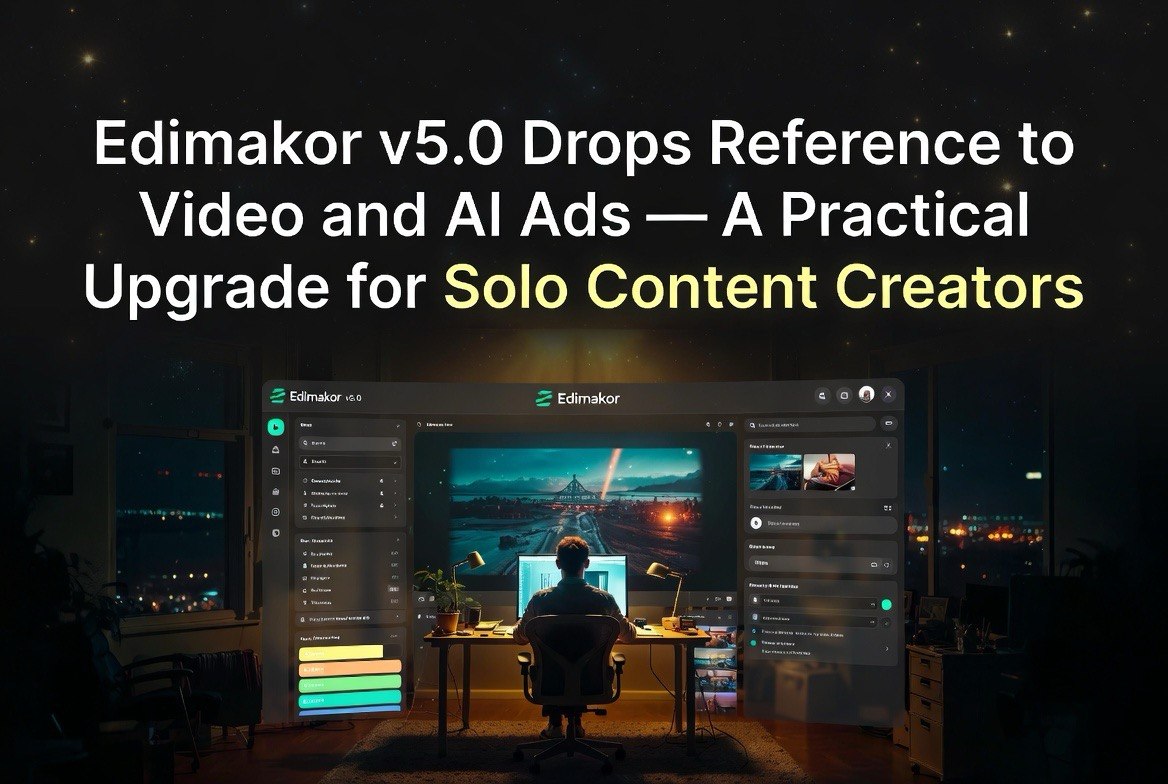
Edimakor V5.0 Drops Reference-to-Video and AI Ads — A Practical Upgrade for Solo Content Creators
Get The Faceless YouTube Blueprint — Free
The exact AI tool stack and workflow used to build a faceless YouTube channel from zero.
Edimakor V5.0 Drops Reference-to-Video and AI Ads — A Practical Upgrade for Solo Content Creators
⚡ Expert Summary: HitPaw released Edimakor V5.0 on June 3, 2026, adding Reference-to-Video generation powered by the Wan 2.7 model, a one-click AI Ads suite, and video cloning. The update lets creators feed reference images, video clips, or audio alongside text prompts to produce consistent, style-matched output — solving the randomization problem that has plagued AI video tools. For solo creators and small studios, this is a meaningful productivity upgrade that reduces the gap between AI-generated and traditionally produced video content.
The problem with most AI video generators is that you never get the same thing twice. Generate a scene of a product demonstration with a specific lighting setup, and the next generation will look completely different even with the same prompt. You can’t build a brand identity on randomness.
Edimakor V5.0, released June 3 by HitPaw, addresses this directly with Reference-to-Video generation — a feature that lets creators upload reference images, video clips, or audio and have the AI match the style, lighting, and composition of the reference material.
This matters more than the headline suggests. Here is why.
The Real Cost of Inconsistent AI Video
Before diving into Edimakor’s features, it’s worth understanding the problem it solves in concrete terms.
If you produce video content for a brand — your own or a client’s — you know that visual consistency is table stakes. The same logo treatments, the same color grading, the same shot composition across every piece of content. Without consistency, the content doesn’t feel like it belongs to the same creator or brand.
Traditional production achieves consistency through repeatable setups: the same camera, lens, lighting, backdrop, and editing presets used every time. AI video tools, until recently, could not do this. Every generation was a fresh roll of the dice. You could prompt for “product video, clean lighting, white background, professional” and get something close, but not identical. If you needed 20 video ads for 20 products, each one would look slightly different.
That inconsistency costs money. Either you accept the variation (which hurts brand perception), you manually edit every output to match (which defeats the purpose of AI), or you generate 100 clips and pick 10 winners (which wastes credits and time).
Edimakor V5.0’s Reference-to-Video and video cloning features are the most practical solution to this problem I have seen in a consumer-priced AI video tool.
What Reference-to-Video Actually Changes
Most AI video tools work from text prompts alone. You describe what you want, and the model generates based on its training data. The output is high quality but unpredictable. If you need a specific brand aesthetic — consistent colors, framing, motion style — you have to generate dozens of clips and cherry-pick the ones that match.
Reference-to-Video eliminates that lottery. Powered by the Wan 2.7 model, Edimakor’s implementation takes your reference material and treats it as a style guide. The generated video inherits the visual consistency of your references.
For a creator producing social media content, this means you can shoot one reference clip with your phone — good lighting, your logo visible, your preferred color palette — and use it to generate an entire campaign’s worth of video content that looks like it was shot in the same session.
For a product creator, reference a single product shot and generate multiple demonstration angles without reshooting. The AI maintains consistent product appearance across scenes.
The AI Ads Suite: One-Click Campaign Production
Edimakor V5.0 also ships an AI Ads suite that handles end-to-end ad creation. It includes unified product and brand management — you upload your product images, brand assets, and preferred character once, and the AI generates multiple ad variations from that single source of truth.
The suite supports creative ads, consumer-generated content style clips, product showcases, and promotional ads. It also includes practical production tools: AI background swap, virtual try-on, and model hand-holding product shots.
For solo content creators who produce ads for their own products or for clients, this replaces a workflow that previously required a camera, lighting equipment, a model, and editing software with a single tool that costs a fraction of any of those.
Video Cloning: The Feature That Saves the Most Time
The video cloning feature lets you upload a reference clip or a set of photographs and generate a complete video piece that replicates the exact style, camera angles, lighting, and actions of the reference.
This is the feature that will save creators the most time in practice. If you run a faceless YouTube channel and have established a specific visual style for your intro sequences, video cloning lets you generate new intros that match the established look without rebuilding the scene from scratch every time.
If you produce e-commerce content for multiple products, you can establish a base template — lighting setup, camera angle, pacing — and clone it across every product in your catalog. The result is a consistent catalog of video ads that all look like they were produced in the same studio session.
Practical Workflow: How a Solo Creator Would Use V5.0 in a Week
Here is a concrete workflow that maps Edimakor V5.0’s features to a real creator’s week.
Monday morning: You have 10 products to shoot video ads for. You take one product shot per item with your phone — consistent lighting, same background, product centered. You upload all 10 reference images to Edimakor.
Monday afternoon: You use Reference-to-Video with a reference clip you shot once — 10 seconds of good lighting, your branded backdrop, the camera movement you want. You generate 10 product videos that all share the same look and motion.
Tuesday: You use the AI Ads suite to generate ad variations for each product. The suite handles background swap, adds your brand character, and produces three variations per product: a product showcase, a promotional angle, and a lifestyle setup.
Wednesday: You export and schedule. You have 30 video ads ready for a week’s worth of social media content.
Total production time: 2.5 days. Without AI: 5 to 7 days including shooting, editing, and color grading. That is a 50 to 60 percent time savings.
How Edimakor V5.0 Compares to the Competition
Edimakor has always been the accessible middle ground between consumer video editors (CapCut, Canva) and professional AI generation tools (Runway, Kling). V5.0 reinforces that positioning.
Runway offers more advanced features like motion brush, inpainting, and frame propagation, but requires a steeper learning curve and higher subscription cost. Edimakor is easier to pick up and cheaper per month.
Canva’s AI video tools are more accessible but less powerful. Canva generates videos from prompts and templates but does not offer reference-based generation that maintains stylistic consistency.
Kling and Seedance produce higher quality cinematic output but require understanding model-specific prompting. Edimakor’s advantage is simplicity: you upload, you reference, you generate.
For a solo creator or a small studio, the calculation is straightforward. If you need cinematic quality for a specific project, use Kling or Seedance. If you need consistent, brand-aligned video content at volume, Edimakor V5.0 is the better choice.
What Edimakor V5.0 Does Not Do Well
No review is useful without acknowledging the gaps.
Edimakor’s video quality is good but not great compared to top-tier models. Side-by-side with Seedance 2.0 or Kling 1.7, Edimakor’s output looks noticeably less cinematic. Motion can feel mechanical. Lighting transitions lack the natural falloff of higher-end models.
The AI Ads suite is powerful for template-based ad creation but does not handle custom creative briefs well. If you need an ad with specific narrative flow, character acting, or emotional tone, you are better off producing it in Runway or editing in Premiere.
Video cloning requires a good reference clip. If your reference footage is poorly lit or shaky, the cloned output inherits those flaws. Garbage in, garbage out applies here as much as anywhere in AI production.
For the price point — significantly cheaper than Runway and comparable to Canva Pro — these tradeoffs are reasonable. But they are worth understanding before you buy.
Who Should Use This and Who Should Skip It
Use it if: You produce regular video content for social media, e-commerce, or client work and need consistent visual quality without manual editing in Premiere or DaVinci Resolve. The Reference-to-Video feature alone is worth the subscription if you maintain brand consistency across multiple products or campaigns.
Skip it if: You need cinematic, narrative video production with complex scene transitions, custom characters, or physics-accurate motion. Edimakor is a productivity tool, not a movie studio. For narrative work, Kling and Seedance remain the better options.
Test it if: You are new to AI video production. Edimakor’s low learning curve and practical feature set make it the best starting point for creators who want to build an AI video workflow without getting lost in technical complexity.
Pricing and Value
Edimakor has historically offered one-time purchase options alongside subscriptions. The V5.0 release may shift toward subscription-only for the new AI features, similar to most AI video tools that have moved to recurring pricing.
For reference: Runway standard plan starts at $15 per month but limits generations. Kling charges per generation with credit packs. Canva Pro is $13 per month but does not offer reference-based video generation. Edimakor needs to sit competitively within this range to make sense.
If Edimakor V5.0 comes in under $30 per month with the full feature set included, it is a strong value proposition for any creator producing commercial video content at volume. If it exceeds that, you should compare against Runway and Canva Pro before committing.
How to Get the Most Out of V5.0 in Your First Week
If you decide to test Edimakor V5.0, here is the fastest way to get value from it.
Day 1: Create one reference clip. Shoot 10 seconds of video with good lighting, your preferred background, and clear product placement. This single clip becomes the foundation for everything you generate.
Day 2: Use Reference-to-Video to generate 5 variations of your reference clip with different products. Compare the outputs. Note which ones match the reference style best and which drift.
Day 3: Set up your brand profile in the AI Ads suite. Upload logos, color assets, and product images once. Generate 3 ad variations for your best-selling product. Export and use them in a real campaign.
Day 4: Test video cloning with your best reference clip. Clone it with 3 different products. See if the cloned outputs maintain the visual quality of the original.
Day 5: Review what worked and what didn’t. If the Reference-to-Video outputs are usable with minimal editing, the tool pays for itself in time saved during the first week alone. If they require significant manual correction, the tool is not ready for your specific use case yet, but the reference-based approach is still the right direction for solving the consistency problem.
The Bottom Line on Edimakor V5.0
Edimakor V5.0 is not the most powerful AI video tool on the market. It will not replace Runway for professional cinematic work or compete with Seedance for high-end visual effects. But it solves a specific problem that no other tool in its price range addresses: consistent, reference-driven video production at volume.
For solo content creators, small e-commerce operators, and social media managers who need to produce 10, 20, or 50 video assets per week without a production team, V5.0 is the most practical AI video tool released this year. The Reference-to-Video and video cloning features alone justify the upgrade.
FAQ
Does Edimakor V5.0 work on Mac and Windows?
Yes. Edimakor is available for both platforms with similar feature sets. The Reference-to-Video and AI Ads features are available in the latest version.
What is the Wan 2.7 model?
Wan 2.7 is the underlying AI model powering the Reference-to-Video feature. It is designed for style-matched generation, using reference material to guide output consistency.
Can I use my own product images for AI Ads?
Yes. The AI Ads suite supports unified product management where you upload your product images and brand assets. The AI uses them to generate ad variations.
Is video cloning different from Reference-to-Video?
Reference-to-Video takes images, clips, or audio and generates new video matching the reference style. Video cloning specifically replicates an entire video’s style, camera angles, lighting, and actions. Cloning is a subset of the reference-based generation feature set.

About Barak Schurr
Barak Schurr is a serial entrepreneur who built and exited a major ticketing platform before turning his attention to AI and content. He runs three AI-focused research sites and writes about the tools, workflows, and strategies that let solo creators build real channels — without a crew, a studio, or a Hollywood budget.
Email: [email protected]
More AI Resources for Your Business