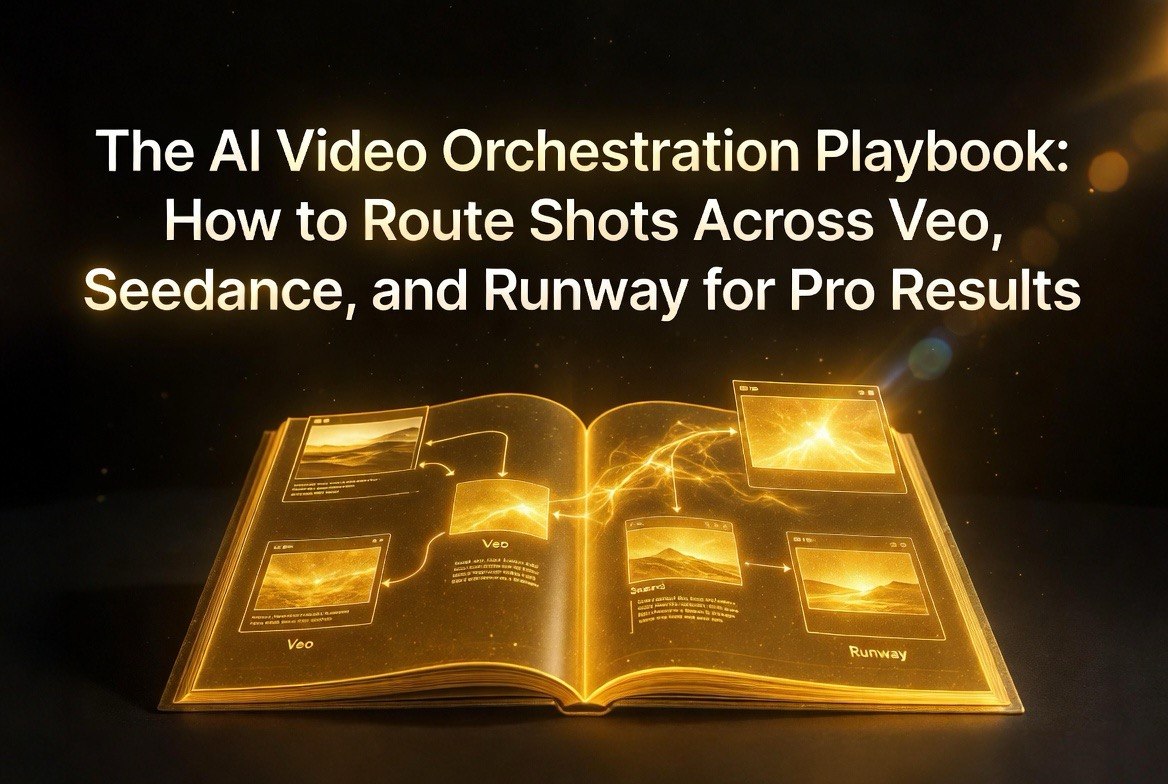
The AI Video Orchestration Playbook: How to Route Shots Across Veo, Seedance, and Runway for Pro Results
Get The Faceless YouTube Blueprint — Free
The exact AI tool stack and workflow used to build a faceless YouTube channel from zero.
The AI Video Orchestration Playbook: How to Route Shots Across Veo, Seedance, and Runway for Pro Results
⚡ Expert Summary: After Sora’s consumer shutdown displaced 500,000 creators, the smartest video producers realized something important: no single AI video platform does everything well. The winning strategy in 2026 is multi-model orchestration — routing different types of shots to different engines based on each tool’s strengths. This playbook covers how to build a production workflow that uses Veo 3.1 for cinematic shots, Runway Gen-4.5 for creative effects, Seedance 2.0 for high-volume content, and HappyHorse 1.0 for cost-optimized output. We cover tool selection, workflow design, API integration, cost optimization, and platform-specific prompts.
The Sora 2 consumer shutdown in April 2026 forced half a million creators to do something they should have done months earlier: evaluate alternatives.
The creators who came out ahead — the ones who actually improved their video quality and lowered their costs during the migration — share one thing in common. They didn’t replace Sora with a single platform. They built multi-model workflows that route different shots to different engines based on what each tool does best.
This playbook is for creators and video producers who want to build that kind of workflow. We’ll cover the tools, the architecture, the costs, and the specific techniques that make multi-model orchestration work.
Why Single-Platform Loyalty Is a Losing Strategy
The temptation to pick one AI video platform and stick with it is understandable. Learning a new tool takes time. Building muscle memory for prompting, editing, and troubleshooting is an investment. Switching platforms means losing that investment.
But the data from the Sora migration tells a clear story: the creators who bet on one platform spent the month after the shutdown scrambling. They had to rebuild workflows, learn new interfaces, and accept whatever quality trade-offs their chosen replacement offered. The creators who were already using multiple platforms experienced minimal disruption. They adjusted their routing ratios and kept producing.
Beyond the resilience argument, multi-model workflows simply produce better video at lower cost. Here’s why:
Each platform has a specialty. Veo 3.1 is unmatched for cinematic photorealism and high-resolution output. Runway Gen-4.5 excels at creative effects, motion control, and character animation. Seedance 2.0 offers the best price-to-quality ratio for high-volume content. HappyHorse 1.0 delivers competitive quality at the lowest API prices. No single platform wins across all categories.
Cost optimization requires flexibility. If you’re paying Veo prices for every shot, you’re overpaying for simple content that Seedance could handle at half the cost. Multi-model workflows let you optimize each shot for its specific cost profile.
Quality diversity matters. Audiences notice when every shot looks like the same AI. Different platforms have different visual signatures, and mixing them creates a more natural, varied viewing experience.
The Core Tools: What Each Platform Does Best
Before we get into workflow architecture, here’s a clear breakdown of each platform’s strengths and weaknesses based on extensive testing in 2026:
Google Veo 3.1
Best for: Cinematic openers, product shots, landscape videos, and any content where photorealism matters most.
Strengths: Highest visual quality among current-generation tools. Native 4K output. Spatial audio generation. Excellent composition. Strong prompt adherence for complex descriptions. Ingredients-to-Video reference control for style consistency.
Weaknesses: Most expensive option. Slower generation times. Limited creative control compared to Runway. Content restrictions can be frustrating for commercial creators.
Cost: ~$0.10-0.15 per second via API. Subscription plans available through Google Flow.
Runway Gen-4.5
Best for: Creative effects, character animation, performance-driven content, and projects requiring fine-grained motion control.
Strengths: Advanced motion understanding and choreography. Act-One for performance transfer. Aleph for text-driven video editing. Most creative control of any platform. Strong community and shared project libraries.
Weaknesses: Lower visual fidelity than Veo in raw generation. Less suitable for photorealism. Steeper learning curve for advanced features.
Cost: $12-15/month (subscription). API pricing varies by volume.
ByteDance Seedance 2.0
Best for: High-volume content production, social media video, talking-head clips, and projects where cost efficiency matters as much as quality.
Strengths: Best price-to-quality ratio. Multi-modal generation with synchronized audio. Excellent lip-sync for non-Mandarin languages. Up to 1440p output. Fast generation times. Stable API for production use.
Weaknesses: Less polished consumer interface. Best features require API integration. Visual quality is good but not Veo-level for complex scenes.
Cost: ~$0.04-0.06 per second via API. One of the most aggressive pricing structures in the market.
Alibaba HappyHorse 1.0
Best for: Cost-sensitive projects, Asian-market content, and technically proficient creators who prioritize value over ease of use.
Strengths: Lowest per-second pricing at ~$0.05. #1 on Artificial Analysis Video Arena leaderboard. Strong audio-video architecture (single 15B-parameter model). Excellent Mandarin lip-sync.
Weaknesses: Western interface is immature. Limited English-language documentation. Requires API integration for best results. Smaller community and support network.
Cost: ~$0.05 per second via API.
Building the Multi-Model Workflow
A production-ready multi-model AI video workflow has four stages: planning, generation, review, and compositing. Here’s how to structure each stage:
Stage 1: Shot Planning and Routing
Before you generate anything, plan which shots go to which platform. The routing decision depends on three factors:
Shot complexity. Simple shots — talking heads, basic B-roll, straightforward transitions — go to Seedance or HappyHorse. Complex shots — cinematic compositions, detailed scenes, character interactions — go to Veo or Runway.
Creative requirements. Shots requiring specific motion, effects, or performance transfer go to Runway. Shots requiring maximum photorealism go to Veo.
Volume and budget. For high-volume projects (social media, faceless channels, ad variations), default to Seedance or HappyHorse for 70-80% of shots. Reserve Veo and Runway for the 20-30% of hero shots that need premium quality.
A practical rule: if the viewer won’t notice the quality difference at normal viewing speed, save the budget and use the cheaper platform. Most viewers can’t distinguish between Seedance and Veo on a smartphone screen in a social media feed. They can definitely distinguish on a 4K monitor for a cinematic project.
Stage 2: Parallel Generation
This is where workflow efficiency matters most. Don’t generate shots sequentially — your generation time multiplies. Instead:
Batch your shots by platform. Send all Veo shots to Veo, all Runway shots to Runway, all Seedance shots to Seedance. Generate them in parallel. Most API platforms handle concurrent requests, so you can run multiple platforms simultaneously.
Use an orchestration tool like Genra AI or a custom script to manage the parallel submissions. These tools let you define shot requirements and automatically route them to the best platform based on your criteria.
If you’re building your own pipeline, a basic Node.js or Python script can handle the routing. Define a shot manifest with requirements (quality tier, motion complexity, style reference, budget cap), and the script routes each shot to the appropriate API endpoint.
Stage 3: Quality Review and Iteration
Parallel generation also means parallel review. Set up a review system that checks output from each platform against your quality standards before the shots move to compositing.
Key quality checks per platform:
Veo shots: Verify resolution (should be 4K native). Check for artifacts in complex scenes. Ensure spatial audio is properly synced.
Runway shots: Confirm motion matches the intended choreography. Check character consistency if using Act-One. Verify effect timing aligns with the edit.
Seedance shots: Check lip-sync accuracy. Verify audio-video sync. Confirm output resolution (up to 1440p). Look for platform-specific artifacts in high-motion scenes.
HappyHorse shots: Check visual quality against leaderboard expectations. Verify audio synchronization. Watch for Asian-market bias in visual style (can look stylized for Western content).
Stage 4: Compositing and Post-Production
Different platforms produce different visual signatures, so compositing is where you unify the look. Key techniques:
Color grading. Apply a consistent LUT or color grade across all shots. This is the single most effective way to make multi-platform footage look cohesive.
Cross-fades and transitions. Use visual transitions between shots from different platforms to smooth over visual style changes.
Audio normalization. Different platforms handle audio differently. Normalize all audio tracks to consistent levels during post-production.
Denoising and sharpening. Apply consistent post-processing to balance visual quality. HappyHorse and Seedance outputs may need slightly different sharpening than Veo outputs.
Cost Optimization Strategy
Multi-model workflows are not inherently more expensive than single-platform approaches. In fact, they’re usually cheaper because you’re not overpaying for premium quality on shots that don’t need it.
Here’s a sample cost breakdown for a 60-second video with 20 shots:
Single-platform approach (Veo 3.1 only): 20 shots at $0.12/sec average, 3 seconds per shot = $7.20 in API costs.
Single-platform approach (Seedance 2.0 only): 20 shots at $0.05/sec average, 3 seconds per shot = $3.00 in API costs, but lower quality on hero shots.
Multi-model approach: 14 shots to Seedance at $0.05/sec = $2.10 + 4 hero shots to Veo at $0.12/sec = $1.44 + 2 creative shots to Runway (subscription included) = $0.0 marginal. Total: $3.54 — almost the same as Seedance-only but with Veo-quality hero shots.
The multi-model approach delivers the best quality-to-cost ratio. You get Veo quality on the shots that matter and Seedance efficiency on everything else, for roughly the same price as a purely budget approach.
Platform-Specific Prompting Techniques
Each platform responds differently to prompting. Using the same prompt across platforms wastes the potential of your multi-model workflow. Here’s how to optimize prompts per platform:
For Veo 3.1: Focus on cinematic language. Reference camera movements (slow dolly, crane up, tracking shot), lighting setups (golden hour, three-point lighting, volumetric), and composition (rule of thirds, leading lines). Veo rewards detailed visual descriptions.
For Runway Gen-4.5: Focus on motion and action. Describe how things move, not just how they look. Reference timing (slow motion, speed ramp, freeze frame). Use action verbs. Runway shines when you treat it like directing a camera, not just describing a scene.
For Seedance 2.0: Keep prompts simple and direct. Seedance handles straightforward descriptions better than complex cinematic language. Reference reference images for style consistency. Focus on clarity over creativity in your prompts.
For HappyHorse 1.0: Be specific about visual style. HappyHorse has strong default tendencies toward certain aesthetics. If you want a Western or neutral style, state it explicitly. Use reference images to override platform defaults.
The Bottom Line
The Sora shutdown was a wake-up call for anyone who had bet their video production workflow on a single platform. The creators who emerged stronger from the migration weren’t the ones who found the best Sora replacement. They were the ones who stopped looking for a single replacement and started building multi-model workflows.
AI video generation is maturing rapidly, but the tools are still specialized. Veo, Runway, Seedance, and HappyHorse each have distinct strengths. The winning strategy is to use all of them — routing each shot to the platform that handles it best — and to invest in the orchestration infrastructure that makes multi-model workflows efficient and affordable.
If you’re still using one platform for everything, this is your sign to diversify. Start with two platforms. Add a third when you’re comfortable. The flexibility will protect you from the next platform shutdown — and produce better video in the meantime.
Frequently Asked Questions
What is multi-model AI video orchestration?
Multi-model orchestration is a workflow strategy where different shots in a video project are generated using different AI video platforms, selected based on each platform’s specific strengths. The shots are then composited together in post-production to create a cohesive final video.
Which AI video platforms should I use together?
The most common combination in 2026 is Veo 3.1 for cinematic hero shots, Runway Gen-4.5 for creative effects and animation, and Seedance 2.0 or HappyHorse 1.0 for high-volume and cost-sensitive content. The exact mix depends on your project requirements and budget.
Is multi-model video production more expensive?
No. Multi-model workflows are typically comparable to or cheaper than single-platform approaches because you’re not overpaying for premium quality on shots that don’t need it. The cost savings come from routing simple shots to cheaper platforms while reserving expensive platforms for hero content.
Do I need coding skills for multi-model workflows?
Not necessarily. Orchestration platforms like Genra AI provide interfaces that manage multi-platform routing without coding. However, API-based workflows offer more control and efficiency. Basic Python or Node.js skills open up significant cost and quality optimization opportunities.
What software do I need for orchestration?
Options range from no-code orchestration platforms (Genra AI) to custom API scripts (Node.js, Python) to manual routing with a spreadsheet and API keys. Start with the approach that matches your technical comfort level and upgrade as your production volume increases.

About Barak Schurr
Barak Schurr is a serial entrepreneur who built and exited a major ticketing platform before turning his attention to AI and content. He runs three AI-focused research sites and writes about the tools, workflows, and strategies that let solo creators build real channels — without a crew, a studio, or a Hollywood budget.
Email: [email protected]
More AI Resources for Your Business