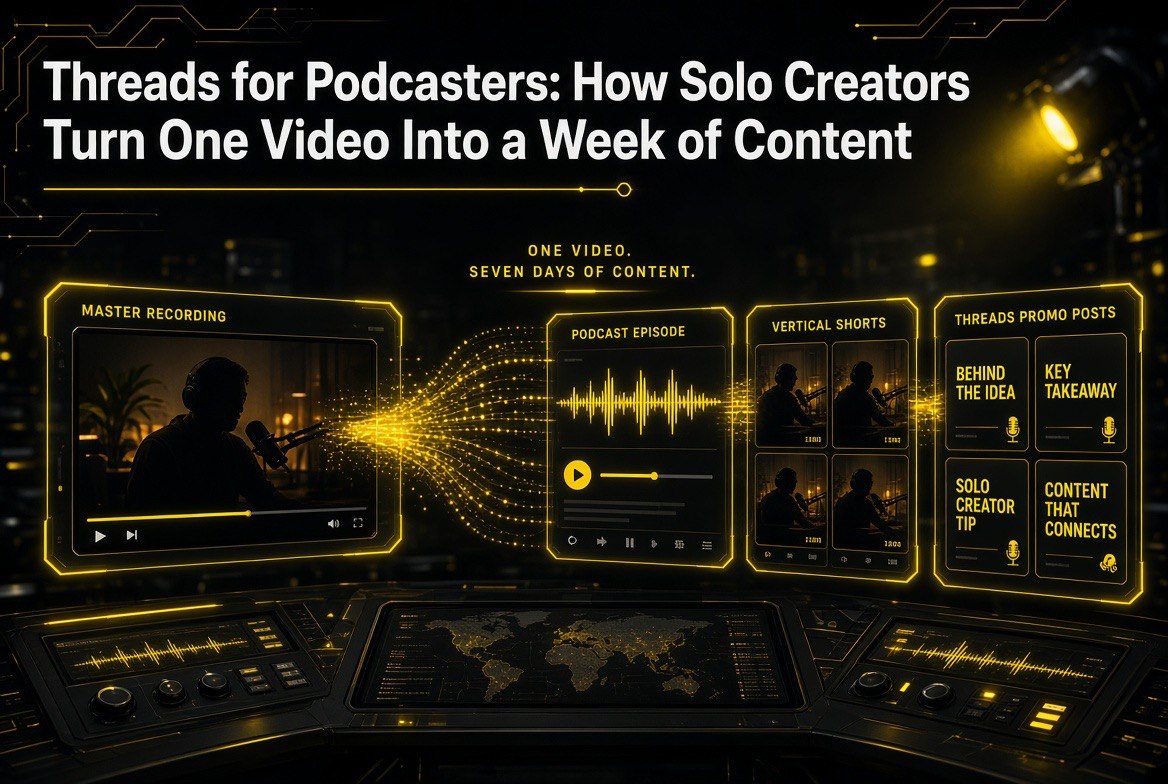
Threads for Podcasters: How Solo Creators Turn One Video Into a Week of Content
Get The Faceless YouTube Blueprint — Free
The exact AI tool stack and workflow used to build a faceless YouTube channel from zero.
Threads for Podcasters: How Solo Creators Turn One Video Into a Week of Content
⚡ Expert Summary: Threads now lets podcasters promote shows and reach listeners directly inside the app — which changes the economics for solo creators who already publish one long video a week. The play is no longer “make more content.” It is “cut the long video into podcast audio, clip the best moments, and let AI write the Threads promo for each one.” One recording session becomes a week of distribution across YouTube, podcast feeds, and Threads. Here is the exact pipeline, the tools that do each step, and what it costs.
Every solo creator eventually hits the same wall. You have one YouTube channel, one recording setup, one editing window per week, and a distribution problem that gets worse the more platforms exist.
You can publish a great 40-minute video on Tuesday and it dies by Thursday, because the algorithm moved on and you have nothing new to feed it until next week.
The usual answer is “work harder” — hire an editor, post more often, buy more gear. That answer is wrong for anyone running this alone. The correct answer is structural: stop treating one long video as one piece of content.
And Threads just made that structural answer considerably more valuable, because the app now gives podcasters direct ways to promote shows and reach listeners inside the platform. That adds a third distribution surface to a pipeline that already fed YouTube and podcast feeds — and the whole thing still runs off a single recording session.
What Changed With Threads for Podcasters
Threads has been building toward multimedia for a while, and the podcast-specific features are the most creator-relevant update yet. The app lets podcasters surface show promotion and listener discovery inside the feed rather than forcing every listener to leave for a podcast app first.
Why that matters for a solo creator is straightforward arithmetic. Every platform you add multiplies the work unless you change the workflow. If posting to Threads means writing a new piece of content from scratch, you will not sustain it past week three — that is how almost every creator’s Threads account dies.
But if posting to Threads means taking something you already recorded and reformatting it with AI, the marginal cost per post drops to almost zero. You are not creating more; you are converting what exists.
That distinction is the entire thesis of this pipeline, and it applies whether you have one podcast episode a week or one long video a week. Both are the same raw material: long-form audio you already paid for with your time.
The Full Pipeline: One Recording, Four Outputs
Here is the workflow, step by step. Nothing here requires a team, and every step has a tool that does the heavy lifting.
Step 1 — Record the long video once. Your normal process. One sitting, your usual setup. This is the only step that consumes real creative energy, and you are already doing it.
Step 2 — Extract the audio as a podcast episode. If you are already on YouTube, the audio track is a podcast episode in waiting. Export it, run light noise reduction, and publish it to your podcast feed. This is the cheapest content you will ever produce, because the expensive part — the recording — is already done.
Step 3 — Cut the strongest moments into short clips. Long-form video is full of 30-to-60-second moments that stand alone: a strong opinion, a specific number, a story with a punchline. AI clip tools find those moments at scale instead of you scrubbing a timeline. One 40-minute recording typically yields six to twelve usable vertical clips.
Step 4 — Let AI write the Threads promo for each clip. This is where most creators stall, because writing a caption that does not sound like marketing sludge is real work. It is also the easiest step to automate, because the source material is already in the clip transcript.
| Pipeline Step | Manual Time | With AI | Output |
|---|---|---|---|
| Record long video | 60-90 min (unavoidable) | 60-90 min (unchanged) | 1 master recording |
| Podcast audio extract | 45-60 min of cleanup | 5-10 min with audio AI cleanup | 1 podcast episode |
| Short clip selection | 2-3 hours scrubbing timeline | 10-15 min reviewing AI picks | 6-12 vertical shorts |
| Caption writing | 30-45 min for 4 posts | 5 min editing AI drafts | 4-8 Threads posts |
| Weekly total | ~4-5 hours post-recording | ~30-40 min post-recording | 10-20 pieces of content |
Read that last row twice. Four to five hours of post-production becomes thirty to forty minutes. You are not cutting corners — you are removing the parts that never required your judgment in the first place.
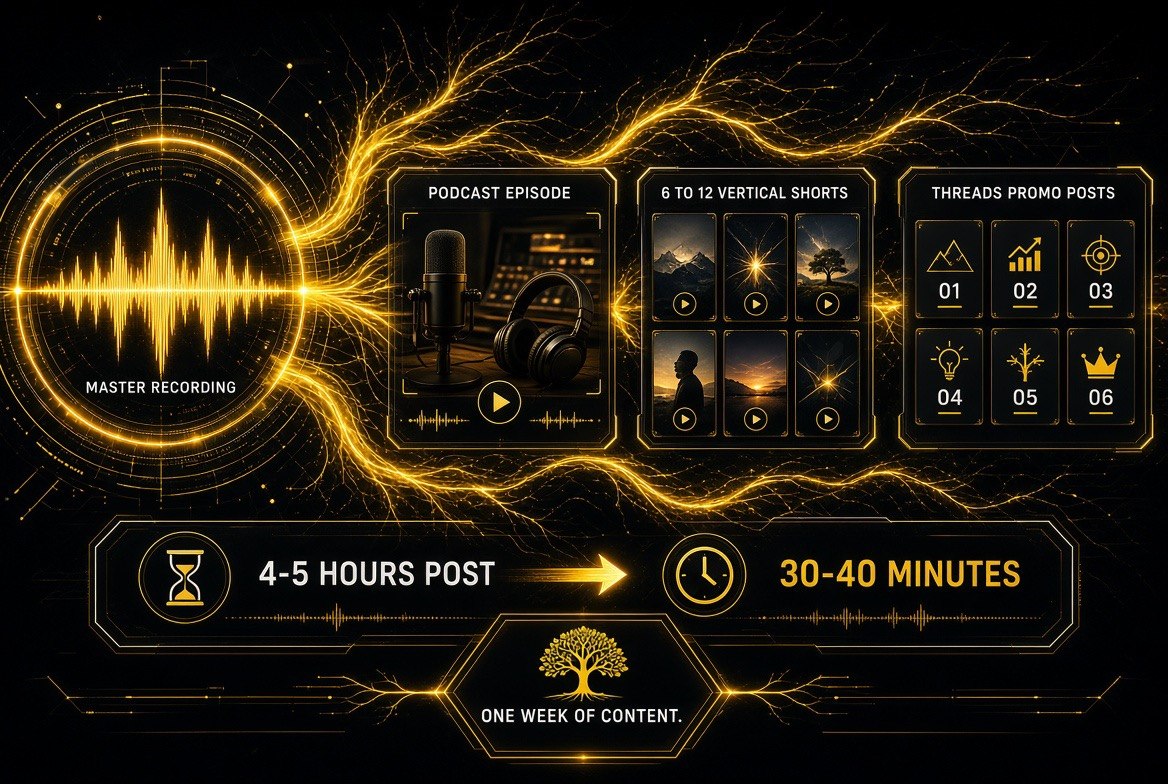
One master recording, four outputs: podcast episode, six to twelve vertical shorts, and a week of Threads promo posts. Post-production drops from 4-5 hours to 30-40 minutes because only the recording still needs your judgment.
The Tools That Do Each Step
You do not need all of these. You need one per step, and the right one depends on which step is currently eating your week.
For clip extraction: OpusClip and Klap both take a long video and return ranked vertical shorts with captions burned in. Vizard competes in the same lane and is often easier to start with if your source footage is rough.
For the podcast audio: Descript handles audio cleanup and text-based editing in one place, which is usually the fastest path from raw recording to publishable episode. If you only need noise removal, your existing editor probably handles it.
For the Threads captions: ChatGPT or Claude with the clip transcript pasted in. The prompt that works is specific: give it the transcript, tell it the platform, tell it the tone, and ask for three variants per clip. Specific prompts produce usable drafts; vague prompts produce LinkedIn sludge.
For repurposing everything at once: HypeNest targets exactly this problem — one long video into a week of content without juggling five tools. If you want a single dashboard rather than a stack, start there.
Where Most Creators Get This Wrong
Three failure modes kill this pipeline, and they all come from treating it as an automation problem rather than an editorial one.
Failure one: posting every AI clip. AI clip tools are good at finding technically clean moments and bad at knowing which moments matter to your audience. Six to twelve clips come out; the right number to post is usually three to five. The rest are filler, and filler trains your audience to scroll past you.
Failure two: posting the same thing everywhere on the same day. If your YouTube video, podcast episode, and eight Threads posts all land on Tuesday, you have not distributed content — you have compressed it. Spread the posts across the week. One clip per day beats eight on day one, because the algorithm rewards consistency and so does memory.
Failure three: letting AI write the hook. Use AI for the body of the caption, the framing, the transition. Write the first line yourself. That line is the only part of the post most people read, and it is the part where your actual perspective has to show up or the whole exercise is noise.
The creator’s read: AI does not make you more creative. It makes you more distributed. The recording was always the creative part — everything after it is logistics, and logistics is what AI is for.
The Cost Math for a Solo Creator
Here is what this pipeline actually costs per month, compared against the alternative — hiring an editor, which is what most creators try first and abandon when the invoices outpace the channel.
| Approach | Monthly Cost | Your Weekly Time | Scales With Volume? |
|---|---|---|---|
| Do it all yourself | $0 | 5-8 hrs post-recording | No — collapses past 1 video/week |
| Hire a freelance editor | $800-$2,500 | 1-2 hrs on briefs + revisions | Only if the channel pays for it |
| AI clip tool only | $20-$40 | 2-3 hrs reviewing and posting | Yes, up to a point |
| Full AI pipeline | $40-$100 across tools | 30-60 min post-recording | Yes — cost is flat per video |
The full pipeline costs less per month than a single hour of freelance editing, and it does not need a brief, a revision round, or a contract. That does not make freelancers obsolete — a good editor still beats AI on anything requiring taste across a whole edit. It does mean the entry-level repurposing work no longer justifies the invoice.
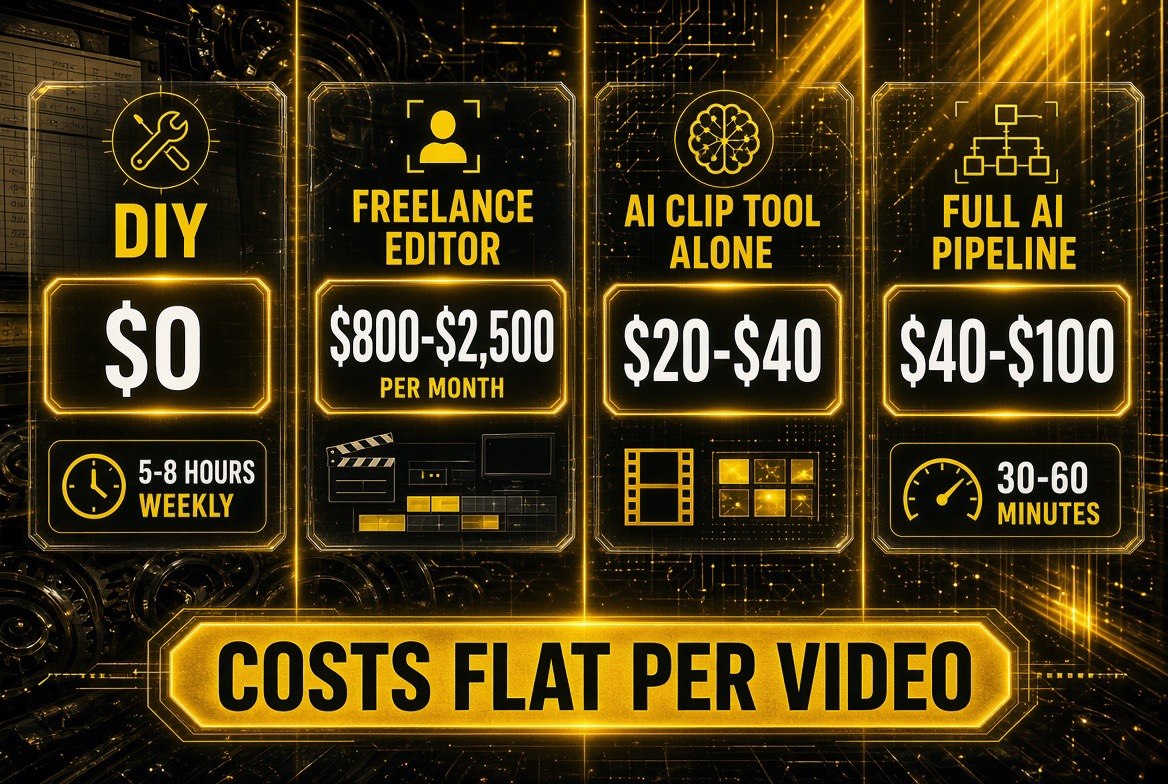
The real comparison: freelance editing runs $800-$2,500 a month, a clip tool alone $20-$40, and the full AI pipeline $40-$100 — with cost flat per video instead of scaling with volume. That flat line is what makes a weekly posting schedule survivable for one person.
Your First Week: A Concrete Plan
Day 1: Take your most recent long video and export the audio. Publish it as a podcast episode if you have not already. This costs you nothing but the upload and immediately gives you a second platform.
Day 2: Run the same video through one clip tool. Do not evaluate tools against each other yet — pick one, run it, and see what comes back. You are learning what your own footage yields.
Day 3: Watch every clip the tool returned. Pick the three that would make someone stop scrolling. Delete the rest. This judgment is the one step you should never fully outsource.
Day 4: Paste each clip’s transcript into your AI of choice and ask for three Threads captions per clip, specifying tone and platform. Write the first line of each yourself. Schedule them across the next week rather than posting all at once.
Day 5 onward: Repeat with the next recording. By week three you will know which step is your bottleneck, and that is the step worth optimizing. Do not optimize any of them before you have run the loop once.
If you want the broader picture on where these tools are heading, read our breakdown of how AI video tools are changing creator workflows. The pipeline above is the practical version of a larger shift: production is getting cheaper and distribution is getting wider, which means the creators who win are the ones who stop treating a recording as a single piece of content.
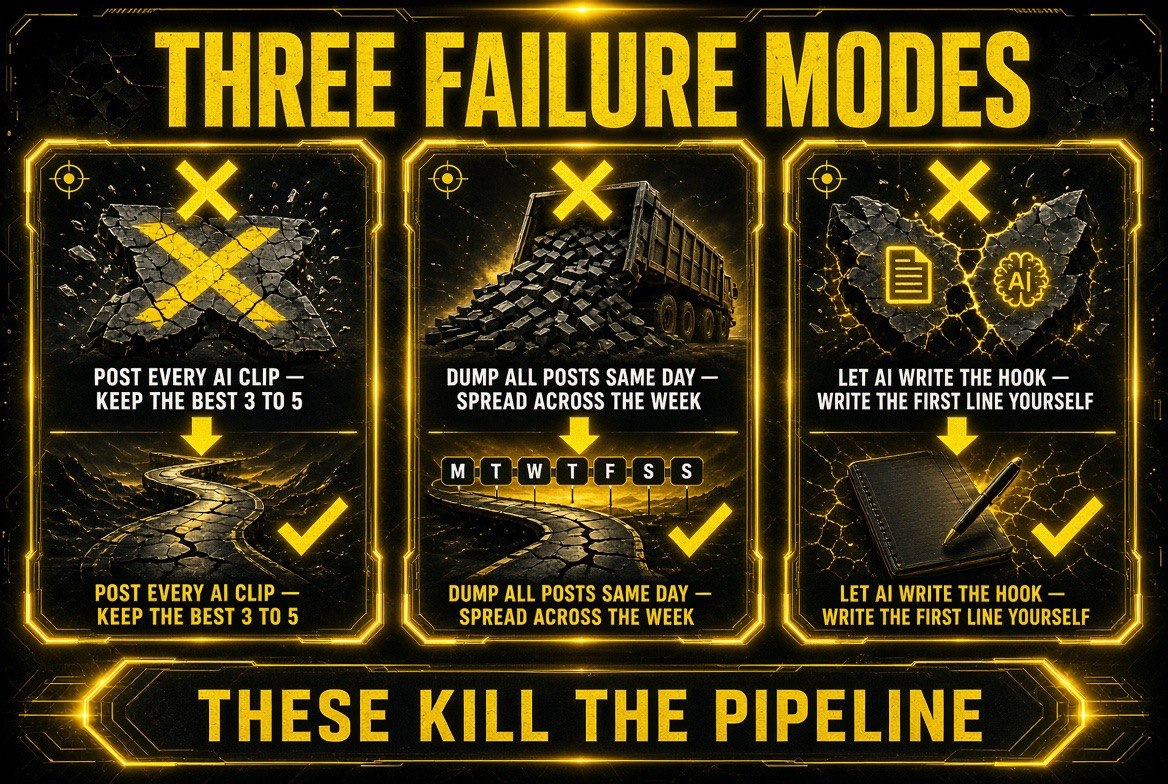
Three ways the pipeline dies: posting every clip the tool returns instead of the best three to five, compressing the whole week into one posting day, and letting AI write the opening line. Only the last one is unfixable after the fact — the hook is where your perspective has to show up.
Frequently Asked Questions
Can I turn my YouTube video into a podcast episode?
Yes, and for most solo creators it is the highest-return move available. The audio track from a long video is a podcast episode after light cleanup, and the expensive part — the recording — is already done. Export the audio, run noise reduction, and publish it to your podcast feed. You have added a distribution channel at almost no cost in time.
What is the best AI tool to turn long videos into shorts?
OpusClip, Klap, and Vizard all handle long video to vertical shorts with burned-in captions. All three are competent; the differences show up in caption accuracy, how well they rank the best moments, and pricing per minute of source video. Pick one, run your own footage through it, and judge the output rather than the feature list.
Should I use AI to write my Threads posts?
Use AI for the body of the caption and write the hook yourself. The first line is the only part most people read, and it is where your perspective has to show up. Paste the clip transcript into ChatGPT or Claude, specify the platform and tone, and ask for three variants per clip — then edit. The drafts are a starting point, not the post.
How many times a week should I post from one long video?
Three to five posts spread across the week works better than eight posts on one day. A single 40-minute recording typically yields six to twelve usable clips, but posting all of them dilutes the ones that matter and trains your audience to scroll past you. Set the best three to five aside, space them out, and hold the rest as backup for a light week.
Do I still need a human editor if I use this pipeline?
Not for repurposing, but yes for anything requiring taste across an entire edit. The AI pipeline replaces the entry-level work of cutting clips and formatting posts, which is where most freelance invoices pile up. A skilled editor still beats AI on pacing, narrative structure, and knowing what to cut — the work that actually depends on judgment about your specific audience.

About Barak Schurr
Barak Schurr is a serial entrepreneur who built and exited a major ticketing platform before turning his attention to AI and content. He runs three AI-focused research sites and writes about the tools, workflows, and strategies that let solo creators build real channels — without a crew, a studio, or a Hollywood budget.
Email: [email protected]
More AI Resources for Creators