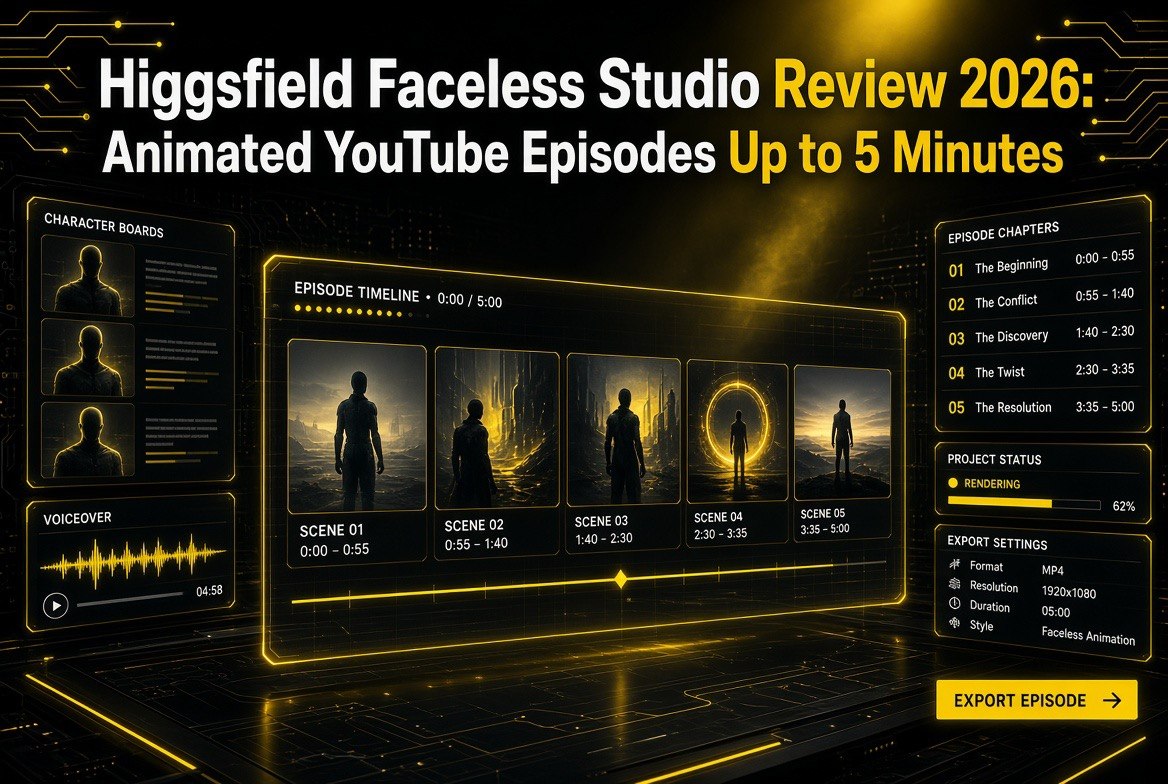
Higgsfield Faceless Studio Review (2026): Animated YouTube Episodes Up to 5 Minutes
Get The Faceless YouTube Blueprint — Free
The exact AI tool stack and workflow used to build a faceless YouTube channel from zero.
Higgsfield Faceless Studio Review (2026): A Guided Workspace That Produces Animated YouTube Episodes Up to 5 Minutes
⚡ Expert Summary: Higgsfield’s Faceless Studio is a guided workspace for animated faceless YouTube videos up to five minutes long. You describe a channel, pick a style and a narrator, and a finished episode comes back with script, narration, animation, music, and subtitles in one file. It replaces the usual multi-tool workflow — a scriptwriter, a voice tool, an animator, and an editor — with a three-step flow: select a script, select a video style, select a narrator voice. Channels save their style, voice, and characters, so new episodes match the old. It supports 16:9 and 9:16 formats, 12 visual style presets, and runs at 246 credits per minute of video.
What Faceless Studio Is
Faceless Studio started as a skill inside Higgsfield’s Supercomputer and is now a standalone tool on the platform. It is how Higgsfield handles faceless YouTube production: work that normally splits across a scriptwriter, a voice tool, an animator, and an editor instead runs as one guided flow. That consolidation is the point — a creator who would otherwise stitch together several services can describe a channel and get back a complete episode.
The tool is built for animated faceless videos, meaning the on-screen content is generated animation rather than a real person. For a channel that wants consistent, repeatable output without a camera, a studio, or a crew, this removes most of the production burden and leaves the creator to handle direction and distribution.
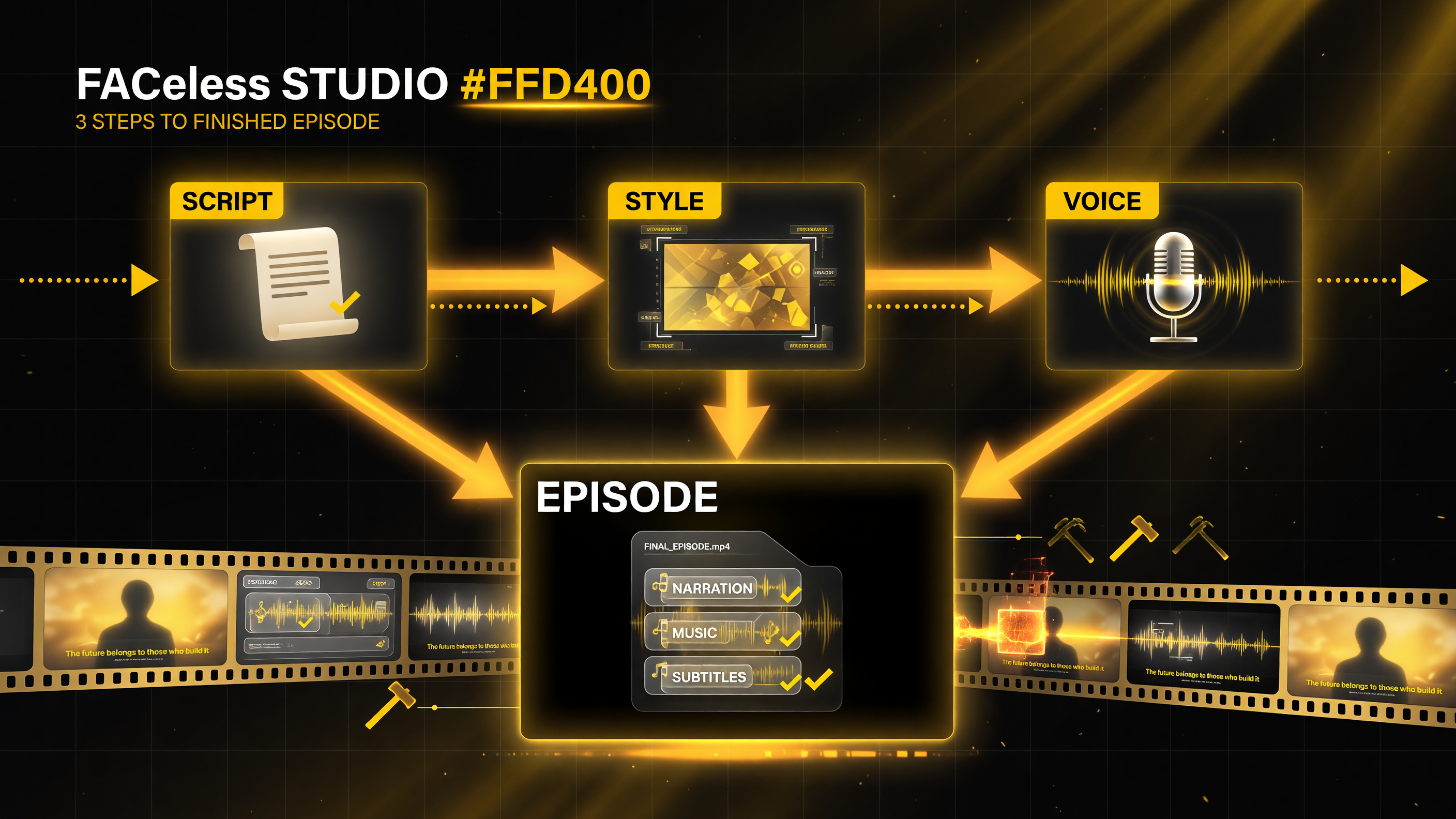
The whole production compresses into three guided choices — script, style, voice — and returns one finished episode file with narration, animation, music, and subtitles baked in.
The Three-Step Workflow
Faceless Studio compresses production into three steps: select a script, select a video style, and select a narrator voice. Each step is guided, so the tool leads the creator through the process rather than requiring them to know the internals of animation, voice synthesis, or editing.
| Step | What You Do |
|---|---|
| 1. Script | Select a script, drawing on AI-written content for your chosen topic |
| 2. Style | Pick one of 12 visual style presets and an animation mode |
| 3. Voice | Select a narrator voice and generate the episode |
The output is a finished file containing the AI script, narration, 2D or 3D animation, music, and subtitles — everything a faceless episode needs in one deliverable, rather than separate assets the creator has to assemble.
The Technical Specs
| Feature | Detail |
|---|---|
| Episode length | 1 to 5 minutes |
| Formats | 16:9 horizontal and 9:16 vertical |
| Visual styles | 12 presets |
| Animation modes | Fully animated (seamless motion) or Frame by Frame (scene by scene) |
| Output | AI script, narration, 2D/3D animation, music, subtitles in one file |
| Price | 246 credits per 1 minute of video |
| Channel storage | My Channels tab; style, voice, and characters saved per channel |
What Kind of Channels You Can Create
Faceless Studio organizes channels into four categories: Education, History, Kids, and Storytelling. The category shapes the channel’s pacing and narration, and it is saved on the channel page along with the style and voice.
Education suits explainers, how-something-works breakdowns, and fact-driven formats. History is built for narrator-driven documentaries and event retellings, from single episodes to series built around one era. Kids uses colorful visuals, slower speech, and direct address to the viewer. Storytelling covers myths, legends, original stories, and continuing series.
That categorization matters because it shapes the finished product in non-obvious ways — not just the style of the animation, but the pacing and how the narration is delivered. A kids’ channel needs a different rhythm than a history documentary, and Faceless Studio is designed to account for that up front rather than leaving it to the creator to tune manually.
Why the Guided Flow Matters
The term “guided workspace” is easy to skim past, but it is the heart of what faceless Studio is trying to do. For most people, the barrier to starting a faceless channel is not creativity — it is the sheer number of skills involved. Scriptwriting, voice selection and synthesis, animation, sound design, captioning, and assembly are each a specialty in their own right. A single creator rarely masters all of them, and paying a team to handle them defeats the point of an automated channel.
Faceless Studio collapses that complexity into a decision flow the tool walks you through. You are not expected to know how to animate, how to pick a narrator, or how to layer subtitles. You select a script, choose a style, choose a voice, and the system handles the rest. That is the difference between a niche video tool and a product that removes the production obstacle entirely — and it is why the tool is positioned as a workspace rather than just another generator.
What “Faceless” Means Here
Improvementally, “faceless” describes channels where the creator never appears on camera. But there are very different ways to be faceless. Some faceless channels use stock footage or b-roll, some use photoshopped stills, some use on-screen text, and some — the kind Faceless Studio targets — use animated, motion-heavy visuals generated for each episode. These are not interchangeable, and a tool built for one style does not transfer well to another.
Faceless Studio is explicitly built for the animated style: 2D or 3D animation with seamless motion, or scene-by-scene frame-by-frame animation. That is worth knowing before you buy in. If your plan is a talking-head-over-broll or a photo-montage channel, Faceless Studio is not built for you. But if your plan is a visually rich animated channel, this is precisely the production model the tool was designed around.
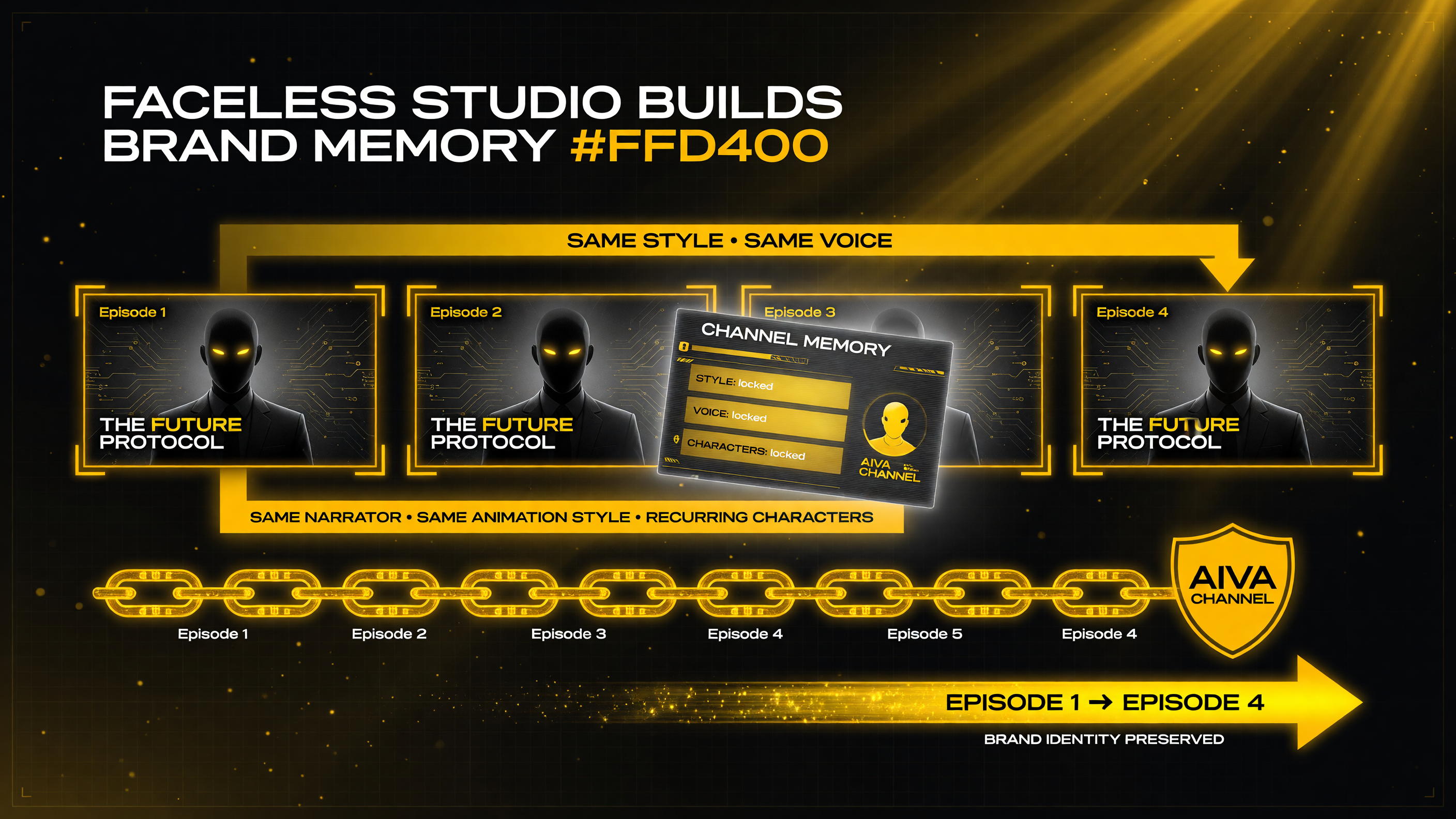
Per-channel memory holds the style, voice, and characters, so the fourth episode matches the first — consistency that turns AI videos into a recognizable brand.
How Episodes Stay Consistent
The most significant feature for a working channel may be consistency. Faceless Studio’s channel storage saves the style, voice, and characters per channel, so new episodes match the old ones. For a faceless channel, that consistency is what makes it feel like a real, established brand rather than a pile of unrelated AI videos.
This is a genuine advantage over one-off video generation. Many AI tools produce an impressive single video but cannot hold a style across a series, which forces a creator to re-prompt and hope the next episode looks similar. Faceless Studio’s per-channel memory means the fourth episode matches the first — the narrator sounds the same, the animation style is consistent, and recurring characters carry over. For anyone trying to build a library of content that viewers recognize, that continuity is the difference between a channel and a random feed.
Faceless Studio vs the Manual Multi-Tool Route
| Factor | Manual Multi-Tool Stack | Higgsfield Faceless Studio |
|---|---|---|
| Workflow | Scriptwriter + voice tool + animator + editor | One guided three-step flow |
| Consistency | Re-prompted each time, style drifts | Style, voice, and characters saved per channel |
| Assets | Separate script, audio, video, captions to assemble | Script, narration, animation, music, subtitles in one file |
| Formats | Depends on each tool’s output | 16:9 and 9:16 built in |
| Learning curve | Learn and manage several tools | Describe channel, pick style and voice |
The Cost Math for a Real Channel
Before committing, it is worth modeling the credit cost against your publishing schedule. At 246 credits per minute, a five-minute episode costs about 1,230 credits. If a channel publishes one five-minute episode per week, that is roughly 4,920 credits a month just for the video minutes, before any other platform usage. Credit costs vary by plan and region, so the practical price depends on how you buy credits, but the point holds: this is a per-minute production cost that scales with output.
That means the economics work best for creators who value efficiency and consistency over raw volume, or who can absorb the credit cost because the alternative — hiring a scriptwriter, voice talent, animator, and editor — is dramatically more expensive. For a serious channel producing regularly, the credit math is a real planning input, not a detail. It is worth comparing against the cost of assembling the same episode manually before deciding whether the guided workflow is the right trade-off for your budget and output.
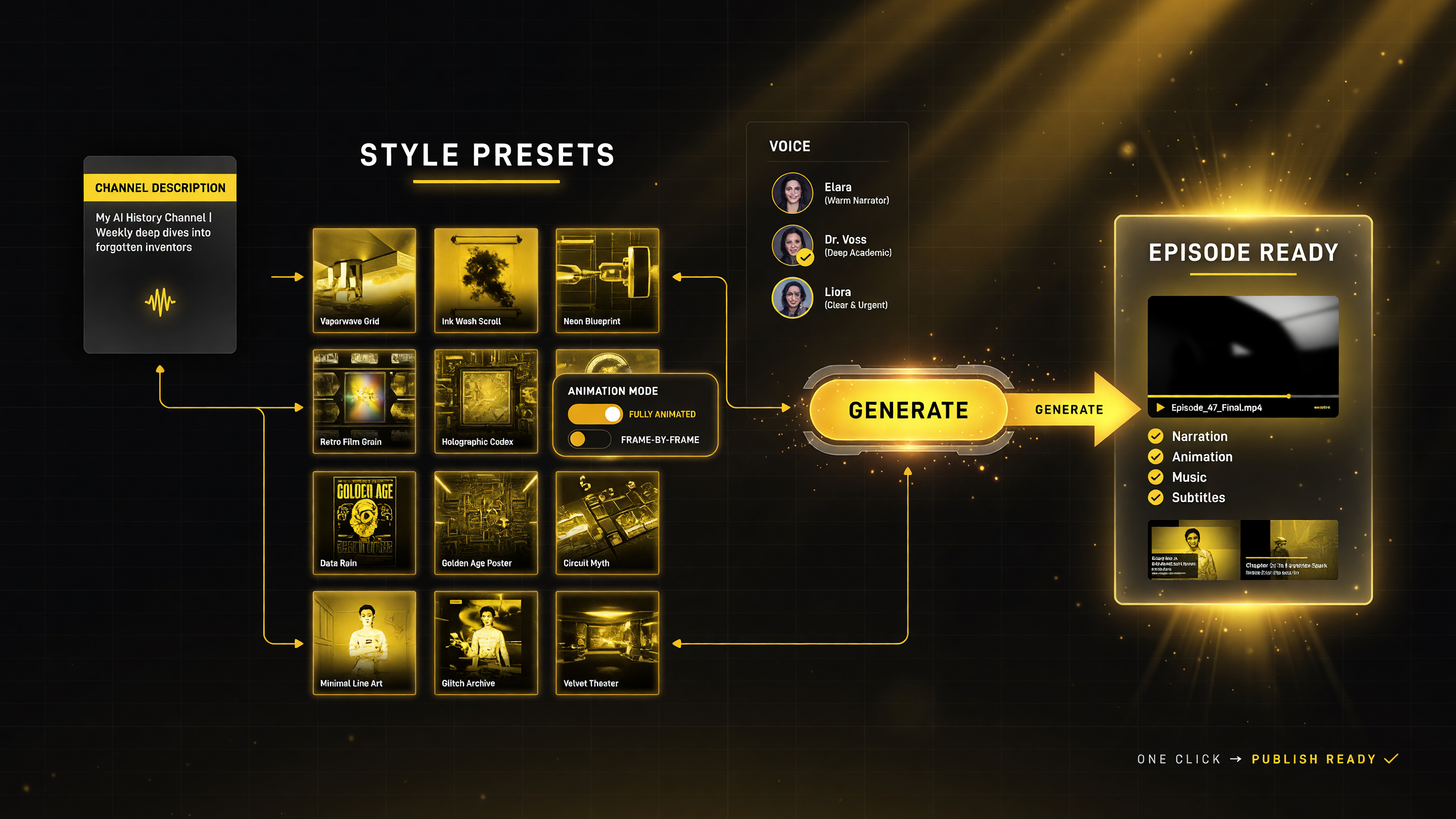
Describe the channel, pick a style preset and animation mode, choose a voice, and generate — the output is a single publish-ready episode file with everything baked in.
What Your First Episode Looks Like
Walking through the flow makes the value concrete. You start by describing a channel: the niche, the tone, the recurring elements you want to see. Faceless Studio turns that into an episode structure around the selected script. From there you choose a visual style from the twelve presets and an animation mode — either fully animated for seamless motion or frame-by-frame for a more deliberate, scene-based cut. Finally, you pick a narrator voice and generate.
The output you get back is a single finished file, not a folder of loose assets to assemble. The script, the narration audio, the animated visuals, the background music, and the subtitles are all baked into the episode. That is a meaningful difference from a tool that outputs a video but leaves you to add captions or source music separately. For a creator who wants to publish the moment an episode is generated, that “everything in one file” outcome is exactly what makes the workflow feel finished rather than halfway done.
Who Faceless Studio Is For
Faceless Studio is best suited to creators and business owners who want a repeatable, high-volume animated channel without hiring a production team. It is particularly attractive to someone starting or scaling a faceless channel in the Education, History, Kids, or Storytelling niches, because those are the categories the tool is built around.
It also fits a specific point of the market: people who want finished episodes in one file rather than managing a pipeline of separate AI tools. If you are comfortable with production and want fine control over every frame, a manual multi-tool stack still gives you more control. But if your goal is consistent, on-schedule output with minimal production time, Faceless Studio’s guided workflow is designed for exactly that.
Limitations to Consider
- Credit cost — at 246 credits per minute, longer episodes and frequent publishing add up quickly, so the per-video economics matter for high-volume production.
- Animated style only — this is for animated faceless videos, not live-action on-camera content or photo-real faceless formats.
- Category scope — the tool optimizes for Education, History, Kids, and Storytelling; other niches may be a looser fit.
- Creative ceiling — the guided flow prioritizes speed and consistency over the fine-grained control a manual editor offers.
Final Verdict
Higgsfield Faceless Studio is a strong answer to the biggest problem with AI faceless channels: consistency. By saving a channel’s style, voice, and characters and packaging script, narration, animation, music, and subtitles into one file, it turns faceless YouTube production from a fragile multi-tool pipeline into a repeatable three-step flow. For creators who want a dependable, on-brand output at scale in the Education, History, Kids, and Storytelling niches, it is one of the more complete guided options available. It is not the tool for someone who wants full frame-by-frame control, but for building a consistent animated faceless channel efficiently, it is well worth evaluating.
Frequently Asked Questions
What is Higgsfield Faceless Studio?
Faceless Studio is Higgsfield’s guided workspace for animated faceless YouTube videos up to five minutes long. You describe a channel, pick a style and narrator, and get a finished episode with script, narration, animation, music, and subtitles in one file.
How much does Faceless Studio cost?
Faceless Studio runs at 246 credits per 1 minute of video. Longer episodes and higher publishing volume increase the credit cost.
Can Faceless Studio keep episodes consistent?
Yes. Channels save their style, voice, and characters, so new episodes match previous ones automatically.
What formats does Faceless Studio support?
It supports both 16:9 horizontal and 9:16 vertical formats, with 12 visual style presets and fully animated or frame-by-frame animation modes.
What kind of channels can I create?
Faceless Studio is organized around four categories: Education, History, Kids, and Storytelling, each shaping the pacing and narration of the episodes.
Is Faceless Studio for live-action on-camera videos?
No. Faceless Studio is built for animated faceless videos, replacing the separate scriptwriter, voice, animation, and editing tools in one guided workflow.

About Barak Schurr
Barak Schurr is a serial entrepreneur who built and exited a major ticketing platform before turning his attention to AI and content. He runs three AI-focused research sites and writes about the tools, workflows, and strategies that let solo creators build real channels — without a crew, a studio, or a Hollywood budget.
Email: [email protected]
More AI Video Resources