Meta Movie Gen Review: What Solo Creators Get From Text-to-Video Filmmaking
Get The Faceless YouTube Blueprint — Free
The exact AI tool stack and workflow used to build a faceless YouTube channel from zero.
Meta Movie Gen Review: What Solo Creators Get From Text-to-Video Filmmaking
⚡ Expert Summary: Meta Movie Gen is a new text-to-video AI model that can generate custom videos and sound, edit existing footage, and turn a personal still image into video from a simple prompt. It produces clips up to 16 seconds at 16 frames per second, edits video by adding, removing, or replacing elements, and generates up to 45 seconds of matching audio (ambient sound, effects, and instrumental music). For solo creators, the practical read: it lowers the barrier to high-quality motion content and sound design without a crew or studio — though it’s still a creative partner, not a replacement for art direction.
Most solo creators hit the same wall: they can shoot a decent still, but real video — moving footage, matching audio, clean edits — requires equipment, time, and skills most one-person channels don’t have. Meta’s Movie Gen is aimed squarely at that gap.
Unveiled as a research model, Movie Gen lets you type a prompt and get back a custom video with sound, or feed it a personal image and a text description and watch it turn into motion. It can also edit existing clips — removing, adding, or replacing elements and changing the background or style. For a solo creator working without a crew, that’s a potentially massive unlock.
What Movie Gen Actually Does
Movie Gen is really four capabilities wrapped into one model family. Here’s the breakdown in plain terms:
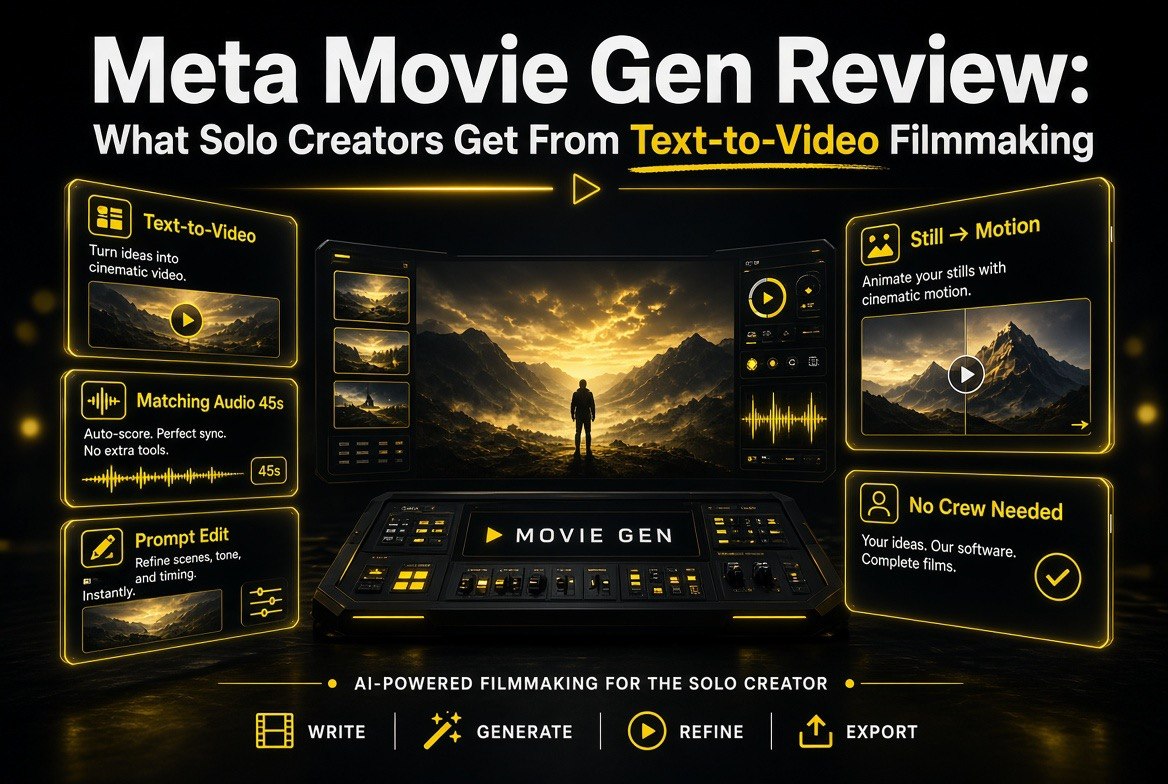
- Text-to-video. Give it a prompt and it generates high-definition video — up to 16 seconds long at 16 frames per second. That’s enough for a b-roll insert, a short hero clip, or a looping background.
- Text-to-audio. It generates up to 45 seconds of matching sound from a video plus optional text prompts — ambient sound, sound effects, and instrumental background music.
- Video editing. The editing variant combines video generation with image editing, letting you add, remove, or replace elements in an existing clip, or change its background and style.
- Personalised video. Take a person’s still image, combine it with a text prompt, and generate a video that contains that person in a scene informed by your words. No reshoot required.
That last one is the sleeper feature for creators. Instead of re-shooting a presenter against a new backdrop or in a new scenario, you can keep the same face and generate a fresh scene around it — which is a huge time-saver for channels built around a single host.
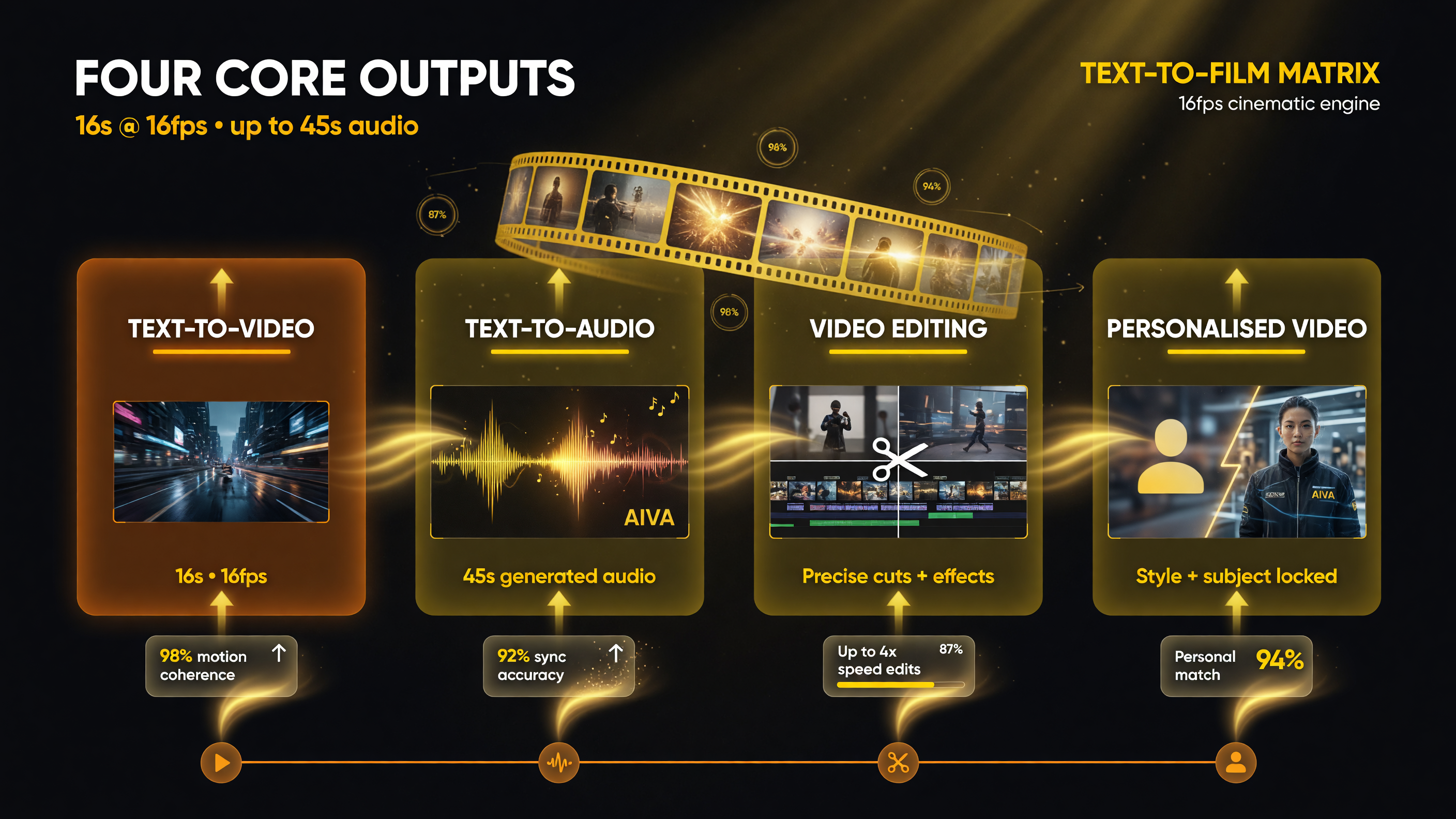
Movie Gen ships four capabilities in one model: text-to-video and text-to-audio, plus video editing and personalisation — with 16-second, 16fps clips and up to 45 seconds of generated audio.
Why This Matters More Than the Specs
The headline numbers — 16 seconds, 16 frames per second — undersell what’s significant here. The real story is the workflow collapse.
Historically, a single 15-second branded clip needs a camera, lighting, a shoot day, editing software, and a sound designer for the audio bed. Movie Gen collapses that pipeline into a prompt. Even if the output needs polish, the starting point is now nearly free and nearly instant. That changes the economics of testing content: you can generate, evaluate, and toss ideas in minutes instead of spending a production day to find out an idea doesn’t land.
For a solo creator this is the difference between “I can’t afford to make that” and “I can prototype that today.” The quality bar question is real, but the access bar just dropped dramatically.
Movie Gen vs. the Old Way of Making Short Video
To make the trade-off concrete, here’s how the AI pipeline stacks up against a traditional short-form production for a single creator.
| Dimension | Movie Gen workflow | Traditional solo production |
|---|---|---|
| Equipment needed | None beyond a computer | Camera, lighting, audio gear |
| Time from idea to clip | Minutes | A shoot day plus editing |
| Audio/sound design | Generated to match the video | Separate recording and mixing |
| Editing existing footage | Add, remove, replace elements by prompt | Manual cuts, masks, and re-shoots |
| Re-shooting a presenter | Personalised video from a still + prompt | Full second shoot session |
| Creative control | Iterative, prompt-driven | Hands-on, precise |
Notice where the traditional workflow still wins: hands-on creative control. AI generation is powerful but it’s not frame-accurate. For anything where you need exact, repeatable, art-directed output, a real edit is still more precise. Movie Gen is best treated as a fast, cheap first pass — not a replacement for finishing skills.
The Audio Piece Everyone Misses
Generated video gets the attention, but the audio capability may be the more useful part for solo channels. Sound design is one of the most under-resourced areas for individual creators — buying licensed music is expensive, and recording clean effects takes time.
Movie Gen’s ability to generate up to 45 seconds of ambient sound, effects, and instrumental music that matches a given video could remove a whole licence-and-licensing headache. Instead of hunting for a track that fits the mood of every clip, you describe the mood and it builds an audio bed around the footage. For anyone who has ever spent an afternoon digging through stock libraries, that’s genuinely valuable.
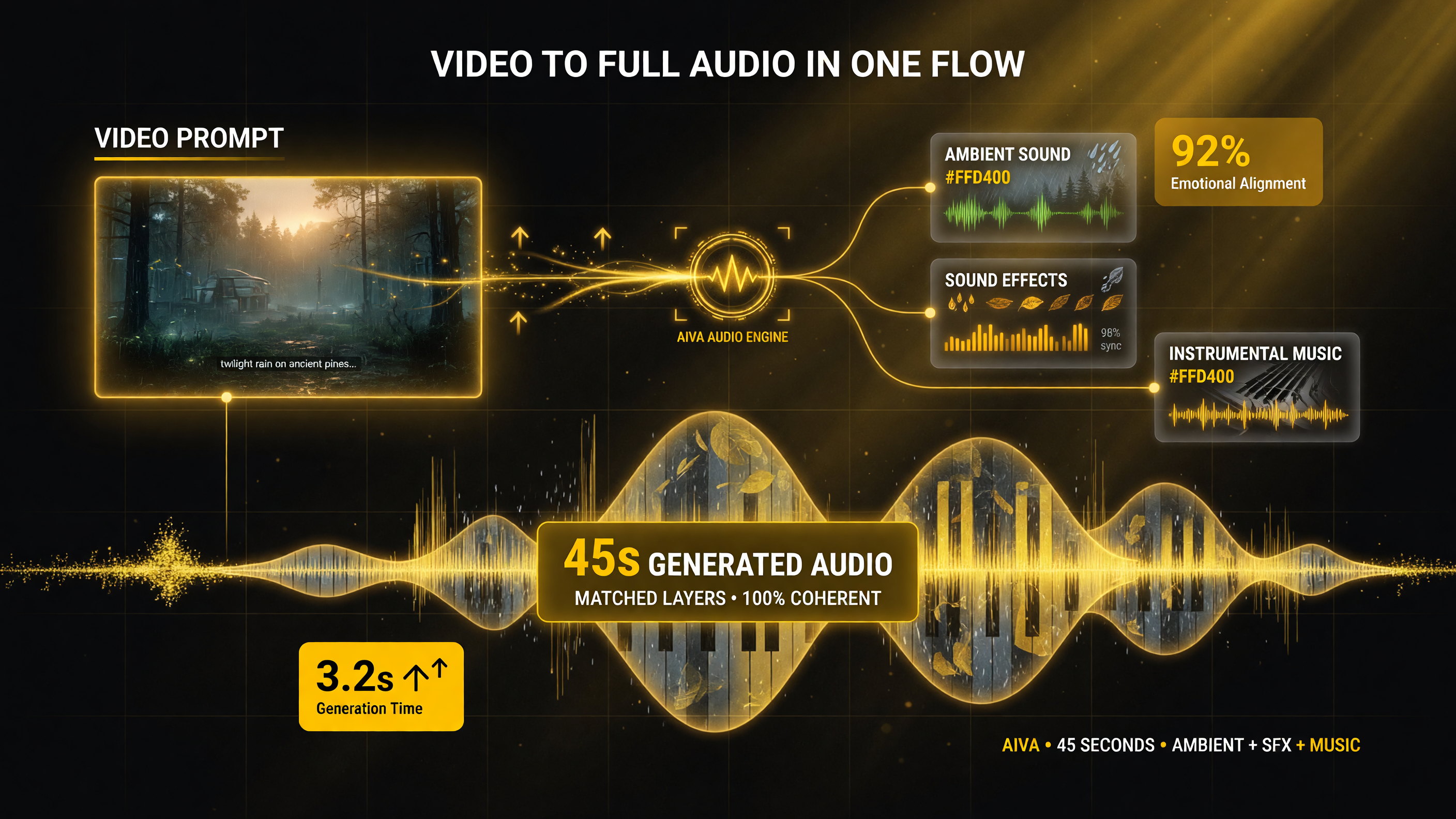
The audio engine turns a video prompt plus text into matched ambient sound, sound effects, and instrumental music — up to 45 seconds of generated audio. (Visual shows the workflow; core specs apply to Movie Gen.)
When Movie Gen Makes Sense for a Solo Creator
Not every video should be AI-generated. Here’s the honest filter for when this kind of tool earns its place in your workflow.
| Use case | Movie Gen is a great fit | Stick with real footage |
|---|---|---|
| B-roll and background clips | Instant filler motion footage | Brand-critical hero shots |
| Idea prototyping | Test concepts before committing | Final polished deliverables |
| Sound design / music bed | Matching ambient sound and effects | Licensed branded music |
| Repurposing a host’s image | New scenes without a reshoot | Authentic, unscripted presenter moments |
The pattern is clear: use Movie Gen for speed, testing, and the content you’d otherwise skip because it wasn’t worth the production cost. Protect the footage that depends on authenticity and precise art direction — that’s where your real craft belongs.
One more consideration on where this fits a solo creator’s tech stack: treat Movie Gen as a complement to, not a replacement for, the tools you already trust. Your editor remains the place to assemble, color, and finish. Your camera remains the source for anything that needs to be unambiguously real — a tutorial shot over your actual desk, a product you physically handle, a vlog moment that only works because it really happened. The generative layer earns its keep in the gaps those tools can’t fill cheaply: custom motion backgrounds, location shots you’ll never actually visit, sound beds that match a specific mood, and concept frames to pitch before a bigger project. Sized that way, Movie Gen slots into a real workflow instead of sitting on the shelf as a party trick, and it never puts a single pixel of authentic footage you already captured at risk.
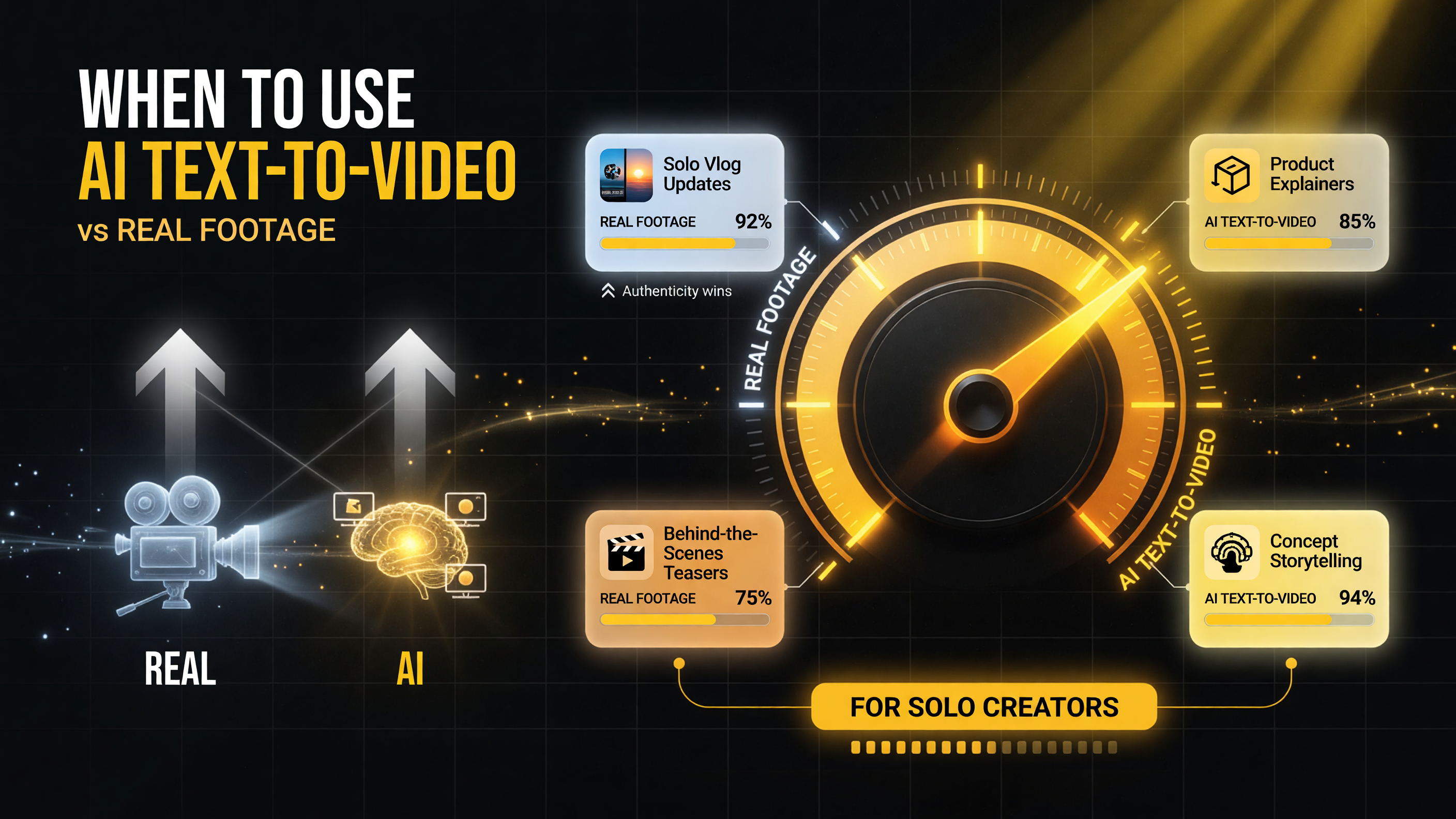
Not every shot needs AI. This gauge captures when Movie Gen-style text-to-video earns its keep versus reaching for real footage — vlog updates, product explainers, BTS teasers, and concept storytelling each sit at a different point on the dial.
What Meta Is Actually Saying With This
Meta has been careful to frame Movie Gen as a creativity amplifier, not a job replacer. In its own words, generative AI “isn’t a replacement for the work of artists and animators” — it’s about helping “people express themselves in new ways” and giving opportunities to people who might not otherwise have them.
Read past the marketing and there’s a practical signal here about tool maturity. Meta is not claiming Movie Gen is a finished consumer product on day one — it’s positioning a research model and inviting filmmakers and creators into the feedback loop. For a solo creator, that means this is the moment to experiment while the field is still forming. The people who learn the prompting, editing, and audio-matching workflows early are the ones who’ll know how to get the results when the tool hardens into a product. Waiting for the polished release is safer, but it also means you arrive with no intuition for how to steer the output. A little early, messy experimentation is worth more than a lot of late, polished frustration.
There’s also a workflow angle that doesn’t appear in any spec sheet. Because Movie Gen separates video generation, video editing, and audio generation, you can slot each piece into a different stage of your production pipeline. Generate b-roll in one shot, drop it into your edit, then generate a matching music bed at the end once you know the final cut’s mood. That modularity is what makes the tool practical in real content calendars — you’re not forced to commit to a single all-in-one output, you can compose the pieces around your existing edit. For a channel that already has a rhythm of weekly uploads, that’s the difference between an experimental toy and a genuinely useful production stage.
That framing matters for two reasons. First, it’s the commercially sensible stance: Meta wants to build tools with filmmakers and creators, taking their feedback, rather than positioning AI as their competitor. Second, it’s a strategic signal about where generative video is heading — as a collaborator that expands what a small team can attempt, not a button that erases the need for creative judgment.
For a solo creator, read the room correctly: the tool is here to lower the floor, not set the ceiling. Your taste, your story, and your edits still decide whether the output connects. Movie Gen just means you can attempt more of it without a crew in the room.
The Bottom Line
Meta Movie Gen is a legitimate step forward for solo and small-team video. Text-to-video, matching audio generation, prompt-driven editing, and personalized video from a still image all attack the same constraint: the cost and time of producing motion content alone.
The smart play is to treat it as a force multiplier at the front of your workflow — for prototypes, b-roll, sound beds, and scenes you’d otherwise never greenlight. Keep your real camera and your real judgment for the moments that need them. Used that way, Movie Gen isn’t a threat to the solo creator — it’s the closest thing to a small crew made of software.
Frequently Asked Questions
What is Meta Movie Gen?
Movie Gen is Meta’s new AI research model for digital media creation. It can generate custom videos and sounds from text prompts, edit existing videos, and transform a personal image into video. It creates high-definition clips up to 16 seconds long at 16 frames per second.
Can Movie Gen generate audio too?
Yes. Given a video and optional text prompts, Movie Gen generates up to 45 seconds of matching audio, including ambient sound, sound effects, and instrumental background music. It also has an audio extension technique for coherent audio across longer videos.
Can I edit my own video footage with Movie Gen?
Yes. The editing variant combines video generation with image editing, allowing you to add, remove, or replace elements in a video, and to change its background or style using natural language prompts.
Does Movie Gen work with a person’s photo?
Yes. The personalised video feature takes a person’s still image, combines it with a text prompt, and generates a video containing that person in a scene informed by your words — without requiring a reshoot.
Is Movie Gen meant to replace filmmakers?
No. Meta states generative AI is not a replacement for the work of artists and animators. Movie Gen is positioned as a creativity amplifier, and Meta plans to work with filmmakers and creators to integrate feedback — not to replace them.

About Barak Schurr
Barak Schurr is a serial entrepreneur who built and exited a major ticketing platform before turning his attention to AI and content. He runs three AI-focused research sites and writes about the tools, workflows, and strategies that let solo creators build real channels — without a crew, a studio, or a Hollywood budget.
Email: [email protected]
More AI Video Resources