CreatView AI Video Agent Automates Scene Planning for Creators
Get The Faceless YouTube Blueprint — Free
The exact AI tool stack and workflow used to build a faceless YouTube channel from zero.
CreatView AI Video Agent Automates Scene Planning for Creators
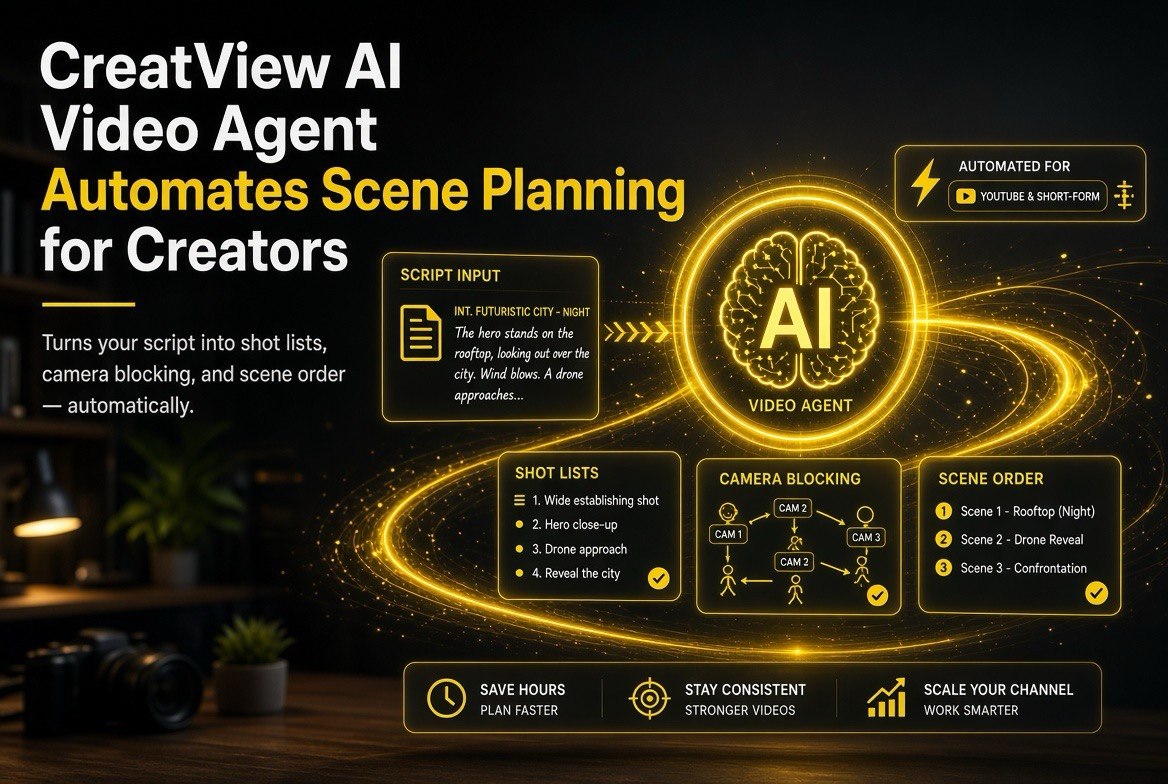
⚡ Expert Summary: CreatView is an AI video agent that automates the planning stage of video production — ingesting your script or brief, breaking it into scenes, selecting the right video model for each shot, and producing a structured plan you can generate from in one take. For high-volume YouTube creators and Shorts channels, this collapses the slowest part of the workflow (planning → storyboard → shot breakdown) from hours to minutes, so you stop being a prompt engineer and start being a director who reviews and approves.
If you run a high-volume YouTube channel in the US content economy — especially faceless channels or Shorts-first accounts chasing ad revenue and viewer retention — you already know the bottleneck isn’t generating video. It’s everything before the generation: taking a script, breaking it into scenes, deciding what each shot should look like, picking which model to run it on, and keeping every shot consistent so the final video doesn’t look like five different creators made it. That planning phase is tedious, manual, and eats hours you could be spending on publishing — which in a US market where viewers skip within seconds is exactly where channels win or lose.
CreatView is part of the new wave of agentic AI video tools attacking exactly that bottleneck. Instead of a blank prompt box, it acts like a producer: it reads your script, plans the scenes, chooses the models, and hands you a production plan you can review and fire off. Here’s what it actually does and whether it’s worth adding to your creator stack in 2026.
What CreatView Actually Does
CreatView positions itself as an AI video agent focused on automating production planning for creators who publish at volume. The core workflow looks like this: you drop in a script or brief, and the agent handles the production decisions that normally eat your time.
- Script ingestion and breakdown. Upload a script or a content brief. The agent parses it into scenes, sequences, characters, locations, and coverage — wide shots, close-ups, inserts — structured in a logical narrative flow.
- Per-scene shot planning. Instead of a vague “make a video,” you get detailed shot specifications: timing, pacing, camera angles and movement, lighting, atmosphere, and emotional tone for each scene.
- Model selection. The agent picks the right video model for each shot (options across the major 2026 models) rather than leaving you to guess which engine handles a complex camera move versus a simple talking-head clip.
- Structured output you review. The result is a plan — not a finished video — so you keep creative control and catch problems before you burn credits generating.
- Iteration. Tweak individual scenes or shots without regenerating the whole plan, keeping the full brief (brand, style, music) in context across edits.
The key framing: CreatView treats you as the director, not the prompt engineer. You make the creative calls on the plan; the agent does the grunt work of structuring shots and selecting engines. For a creator publishing multiple videos a week, that division of labor is the whole value.
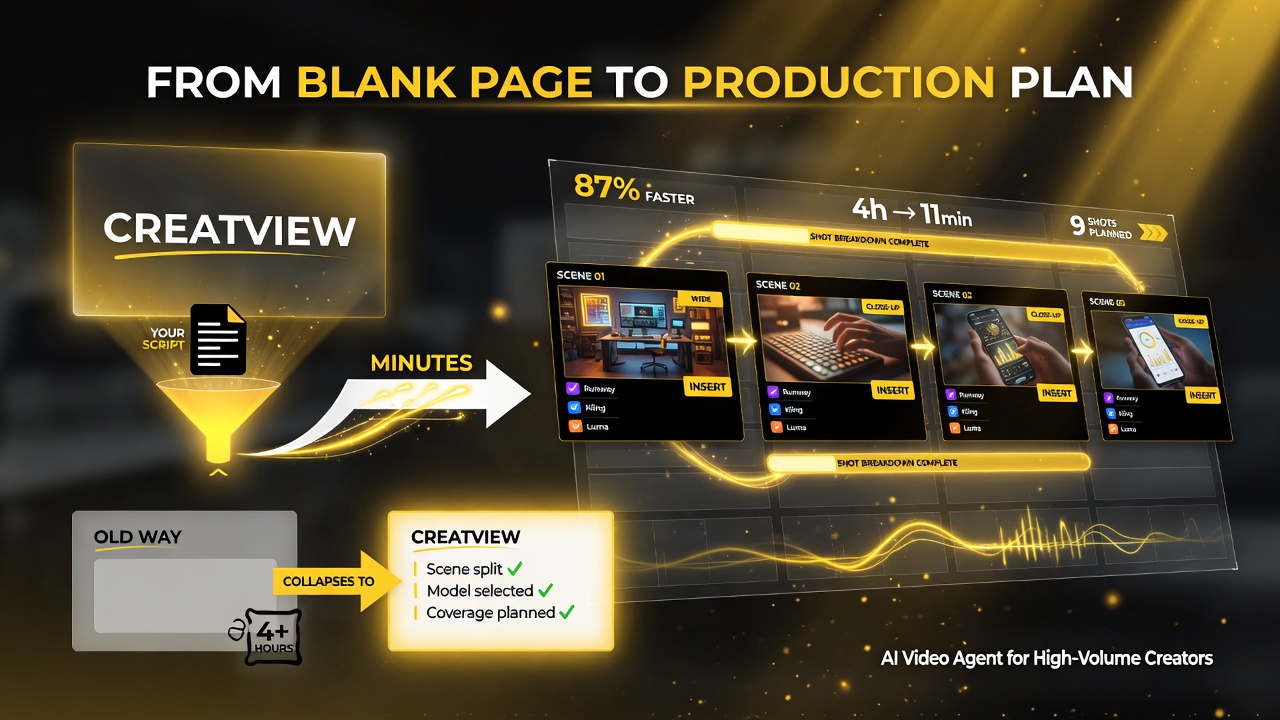
Instead of a blank prompt box, CreatView acts like a producer — it reads your script, plans the scenes, picks the models, and hands you a production plan, collapsing planning and storyboarding from hours to minutes.
Why Scene Planning Is the Real Bottleneck in AI Video
Here’s what most creators discover the hard way: generating a video with an AI model is fast, but deciding what to generate is slow. A single 60-second Short might need a dozen individual shots, each with its own camera move, lighting, and prompt. If you hand-roll every shot prompt, you spend more time writing prompts than you do watching renders.
That’s doubly true when consistency matters. Scenes that are planned together — with shared character references, color scripts, and atmosphere notes — come out looking like one video. Scenes you improvise one at a time drift apart: the character’s face changes, the lighting shifts, the vibe breaks. CreatView’s agent keeps that persistent context across multi-shot sequences, which is exactly what stops AI videos from feeling like a collage of unrelated clips.
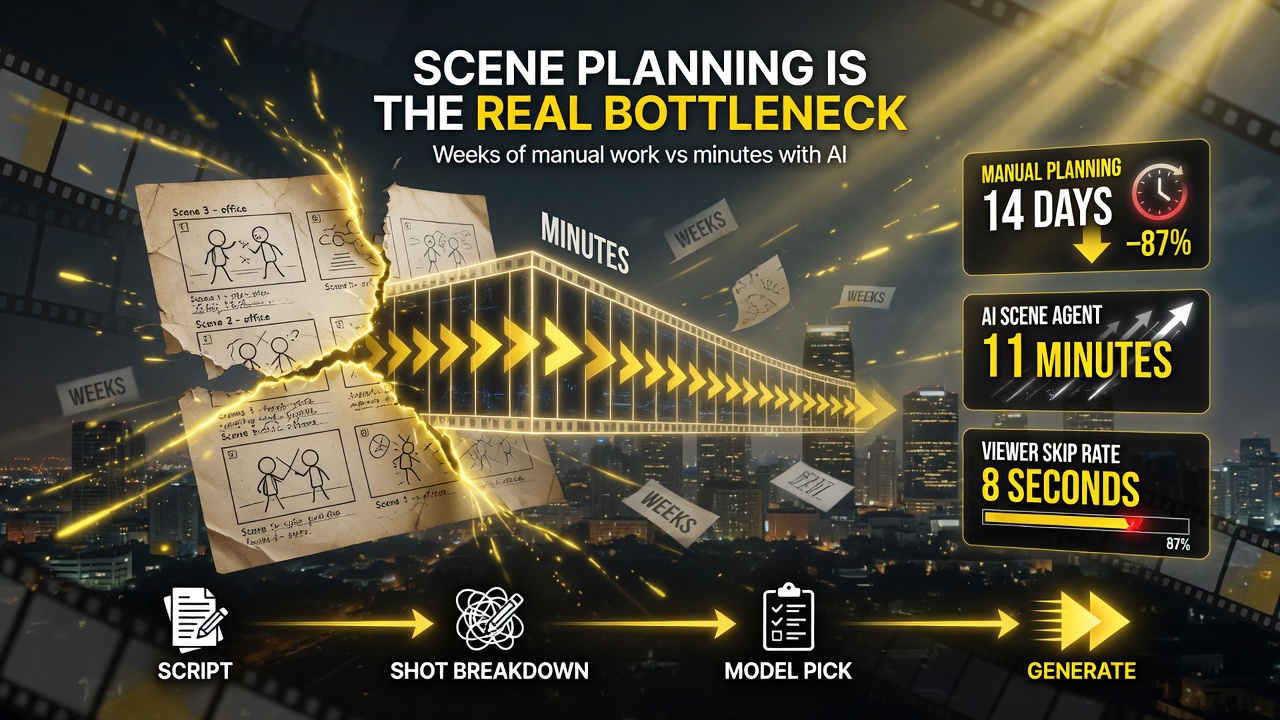
Everything before generation is the bottleneck — a creator who plans scenes and shots manually is weeks out, while an AI scene-planning agent plans a full video in minutes.
| Workflow Stage | Without an AI Planning Agent | With CreatView |
|---|---|---|
| Script → scene breakdown | Manual, shot by shot (hours) | Automated breakdown (minutes) |
| Shot specs (camera, lighting, tone) | You write every prompt | Agent generates per-shot specs |
| Model selection per shot | You guess which engine | Agent picks the best fit |
| Cross-scene consistency | Drifts without careful tracking | Persistent context keeps it stable |
| Your role | Prompt engineer + director | Director reviewing a plan |
That shift from prompt engineer to director is the real upgrade. You stay in control of the creative direction — the plan is yours to approve, adjust, or reject — but you stop doing the mechanical work of structuring every shot and picking every model.
Where CreatView Sits in the Agentic Video Wave
CreatView isn’t alone in this direction — it’s part of a broader move toward agentic AI video that we’ve covered across the space (from open-source LTX Studio’s 60-second pushes to Pika’s Director’s Suite and Higgsfield’s agentic focus). What differentiates the planning-agent category is where it intervenes: earlier, in the pipeline, before any pixel is rendered.
For a creator, that earlier intervention matters because it attacks the part of the workflow that scales worst. Rendering is cheap and parallel — you can generate ten clips at once. Planning is sequential and manual — you can only think through one shot at a time. Any tool that automates the sequential, manual part of your pipeline is worth evaluating even if the rendering engines themselves haven’t changed.
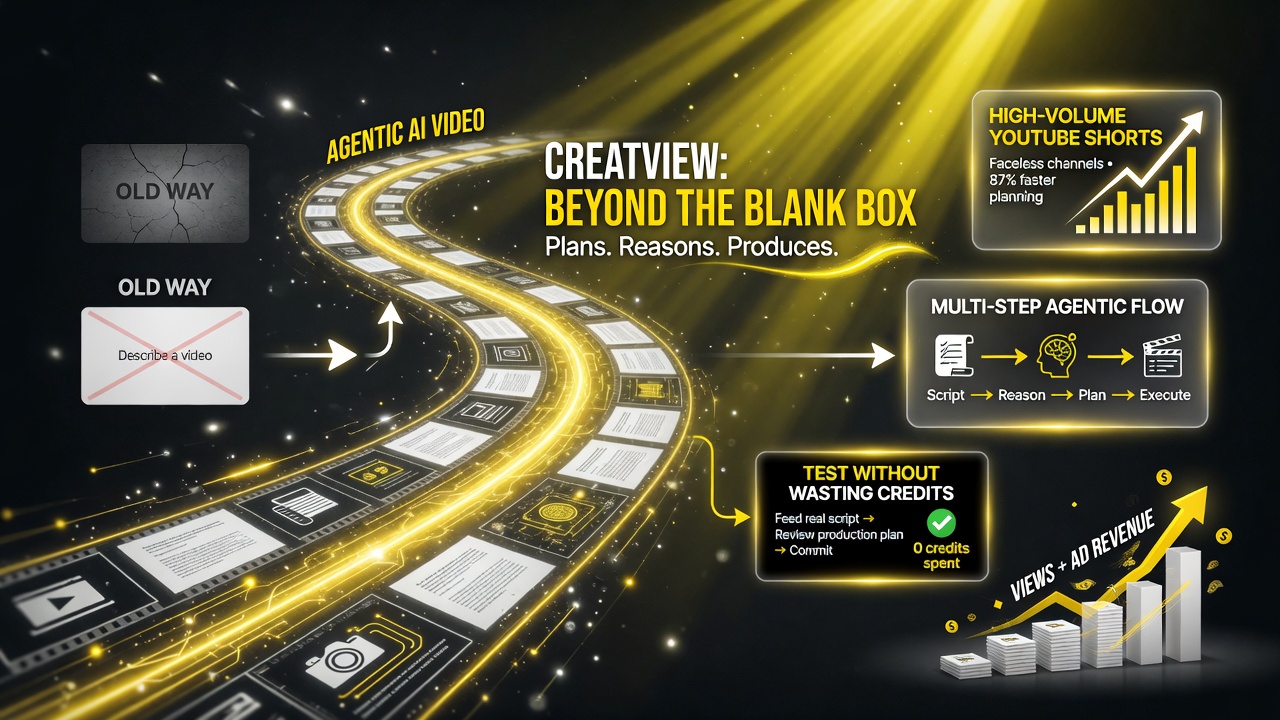
CreatView sits in the new agentic wave — tools that go beyond a blank prompt box to plan, reason and execute multi-step production — worth evaluating even if the underlying rendering engines haven’t changed.
Who Should Use CreatView (and Who Should Wait)
Not every creator needs a scene-planning agent. Here’s a practical read on fit.
| Creator Profile | Use CreatView? | Reason |
|---|---|---|
| High-volume Shorts / faceless channel | Yes — strong fit | Many videos per week = planning is your biggest time sink; automation pays off immediately. |
| Multi-shot cinematic videos | Yes | Cross-scene consistency is the hardest problem; an agent keeps context stable. |
| Occasional single-clip creator | Maybe | If you post rarely, hand-rolling prompts is fine; the agent saves the most time at volume. |
| Brand-agency producing ads | Yes | A structured, reviewable plan is exactly what client-approval workflows need. |
The clearest win is the high-volume Shorts and faceless-channel operator. If you’re publishing several videos a week, the planning stage is where you’ll recover the most hours — and CreatView’s approach (plan first, generate second, review throughout) is built for that cadence. For American creators running multiple channels or managing client work under tight deadlines, that recovered planning time is the difference between hitting a weekly upload schedule and burning out on prompt-writing.
How to Test It Without Wasting Credits
Planning agents earn or waste their keep depending on how you use them. Here’s a sane testing protocol for creators deciding whether to commit.
- Start with one script you already know well. Feed it a video you’ve already made. See if its scene breakdown and shot choices match the decisions you made — that’s the fastest read on quality.
- Review the plan before generating anything. The entire point is that you approve before you spend credits. If the plan is wrong, fix the plan, don’t render and regret.
- Run one consistency test. Give it a multi-scene brief with the same character and see if the shots stay consistent. This is the difference-maker for cinematic work.
- Compare your planning time. Time how long you take to plan a script manually versus with the agent. The tool pays for itself only if that gap is real for your volume.
- Keep your brand brief in the context. The agent holds brand, style, and music in context across iterations — feed it your actual style guide, not a throwaway prompt.
The creators winning with agentic video in 2026 are the ones treating these tools as co-directors: they let the AI handle structure and shot selection while they hold the creative bar and protect the brand. For more on how the agentic trend is reshaping the creator stack, browse our AI video tools coverage.
The Bottom Line for Creators
CreatView’s pitch is straightforward and, for high-volume creators, genuinely useful: it automates the planning stage so you can publish faster without losing control of the creative direction. It turns the most tedious, sequential part of your workflow — breaking a script into scenes, specifying shots, picking models, keeping everything consistent — into a review-and-approve step.
You don’t need a planning agent if you post occasionally. But if your channel runs on volume — faceless content, Shorts, or multi-format publishing — the planning bottleneck is real, and a tool that makes you a director instead of a prompt engineer is the upgrade to evaluate this year. Start with one script you know, review the plan, and measure the time it saves before you commit.
Frequently Asked Questions
What is CreatView?
CreatView is an AI video agent that automates the planning stage of video production. It ingests a script or brief, breaks it into scenes, generates per-shot specifications (camera, lighting, tone), selects the appropriate video model for each shot, and produces a structured plan you review before generating. It’s designed for high-volume creators who publish at scale.
How is CreatView different from a normal AI video generator?
A normal generator starts from a single prompt and renders a clip. CreatView acts earlier in the pipeline: it plans the whole video first — scenes, shots, model choices — and hands you a plan to approve before rendering. The value is in speed and consistency across multi-scene videos, not in the rendering itself.
Who should use an AI scene-planning agent like CreatView?
High-volume Shorts channels, faceless channels, and creators producing cinematic multi-shot videos benefit most. The planning stage is the biggest time sink at volume, and an agent keeps shots consistent where manually improvised scenes tend to drift. Occasional single-clip creators may not need it.
Does CreatView replace the creator?
No. It moves you from prompt engineer to director. You review and approve the scene plan, adjust individual shots, and hold the creative bar. The agent automates the mechanical structure and model selection; you keep control of the creative direction and brand consistency.
How do I test a scene-planning agent without wasting credits?
Feed it a script you’ve already produced to see if its shot breakdown matches your decisions. Review the plan before rendering anything. Run one consistency test with a recurring character across scenes, and time your manual planning against the agent’s to confirm the time savings for your specific volume.

About Barak Schurr
Barak Schurr is a serial entrepreneur who built and exited a major ticketing platform before turning his attention to AI and content. He runs three AI-focused research sites and writes about the tools, workflows, and strategies that let solo creators build real channels — without a crew, a studio, or a Hollywood budget. Contact: [email protected]
More AI Video Resources