Luma Ray 3.14 vs Runway Gen-4.5: Which AI Video Generator Wins in 2026?
Get The Faceless YouTube Blueprint — Free
The exact AI tool stack and workflow used to build a faceless YouTube channel from zero.
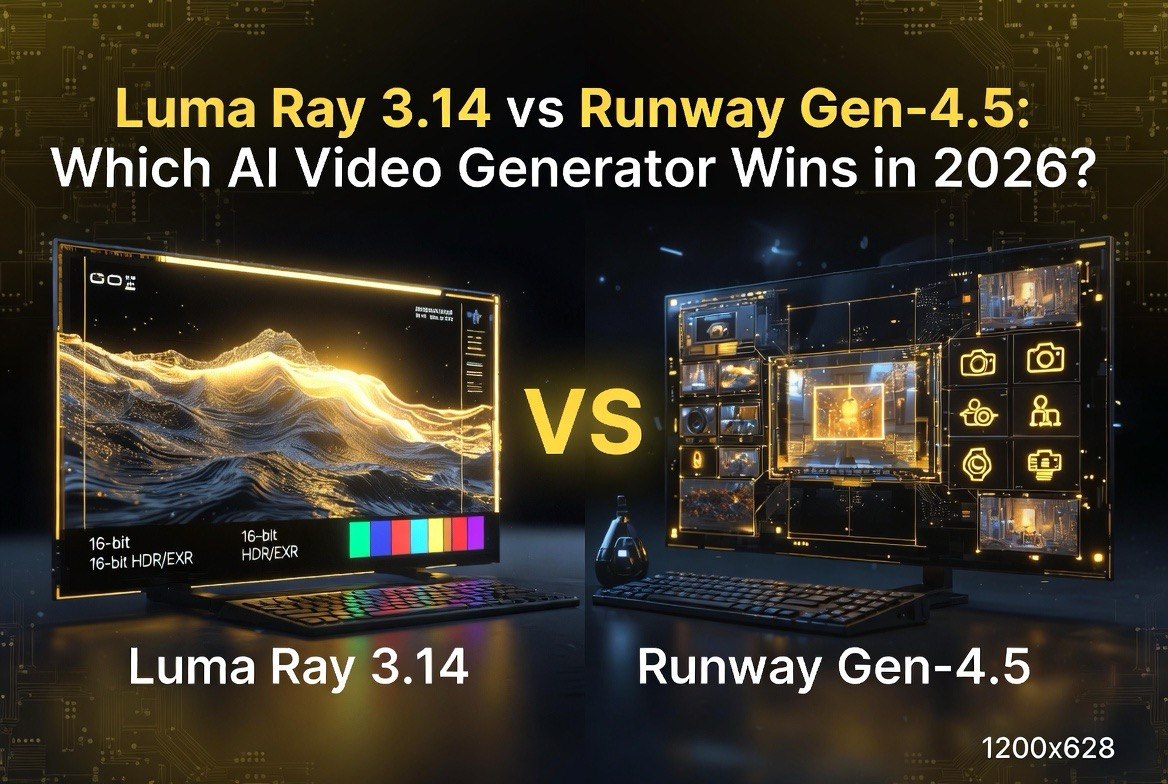
Luma Ray 3.14 vs Runway Gen-4.5: Which AI Video Generator Wins in 2026?
⚡ Expert Summary: Luma Ray 3.14 (January 2026) and Runway Gen-4.5 (December 2025) are the two strongest AI video models of the current generation, but they win in different jobs. Runway Gen-4.5 leads on prompt adherence, physical accuracy, and camera choreography — holding the top of the leaderboards with roughly 1247 ELO on Artificial Analysis. Luma Ray 3.14 wins on fluid motion, native 1080p, and 16-bit HDR with 16-bit EXR (ACES2065-1) color workflows, making it the better pick for fast iteration and VFX/color-heavy work. For US-based creators and agencies, picking the wrong one wastes credits and edit time. For most creators, the answer isn’t one model — it’s which one you reach for on a given clip.
If you’ve been generating AI video in 2026, you’ve almost certainly seen clips from both of these — they’re the two names US video pros most often cite when comparing AI tools for client work. Runway Gen-4.5 is the model everyone quotes when they talk about “the AI that finally listens to the prompt.” Luma Ray 3.14 is the one people post when they want buttery motion and cinematic color that doesn’t fight them in the edit.
They are not interchangeable, and trying to use them as if they were is how creators waste credits and hours. This guide breaks down exactly where each one wins, where it loses, and how to decide which to load for a given shot — plus a head-to-head table you can keep as a reference.
What You’re Actually Comparing
Both Luma Ray 3.14 and Runway Gen-4.5 are text-to-video (T2V) and image-to-video (I2V) generators with extensions for longer outputs. Both are built for creators who need more than a short novelty clip — they’re aimed at people producing real videos, which is why both have invested heavily in temporal consistency, camera control, and color handling.
The difference is the center of gravity. Runway built Gen-4.5 as a production model: it chases prompt adherence, physical realism, and precise camera moves, and it integrates with a broader workflow (editing, control tools). Luma built Ray 3.14 as a fast, fluid motion model with serious color science: it wants to give you a gorgeous, smooth clip quickly and hand it to your color pipeline without baking in destructive compression.
Timeline and Positioning
Runway Gen-4.5 shipped first, in December 2025. It immediately took the top spot on independent leaderboards, sitting around 1247 ELO on Artificial Analysis — the highest of any AI video model at the time. Its reputation is built on doing what you ask: complex scenes, multiple subjects, and intentional camera moves that actually come out the way you wrote them.
Luma Ray 3.14 followed in January 2026. It put its weight behind motion quality and color depth. Native 1080p out of the gate, fluid, natural movement, and — the big headline — 16-bit HDR with 16-bit EXR exports using the ACES2065-1 color space. For anyone doing VFX or professional color grading, that last part is a genuinely different capability than the 8-bit baked footage most models hand you.
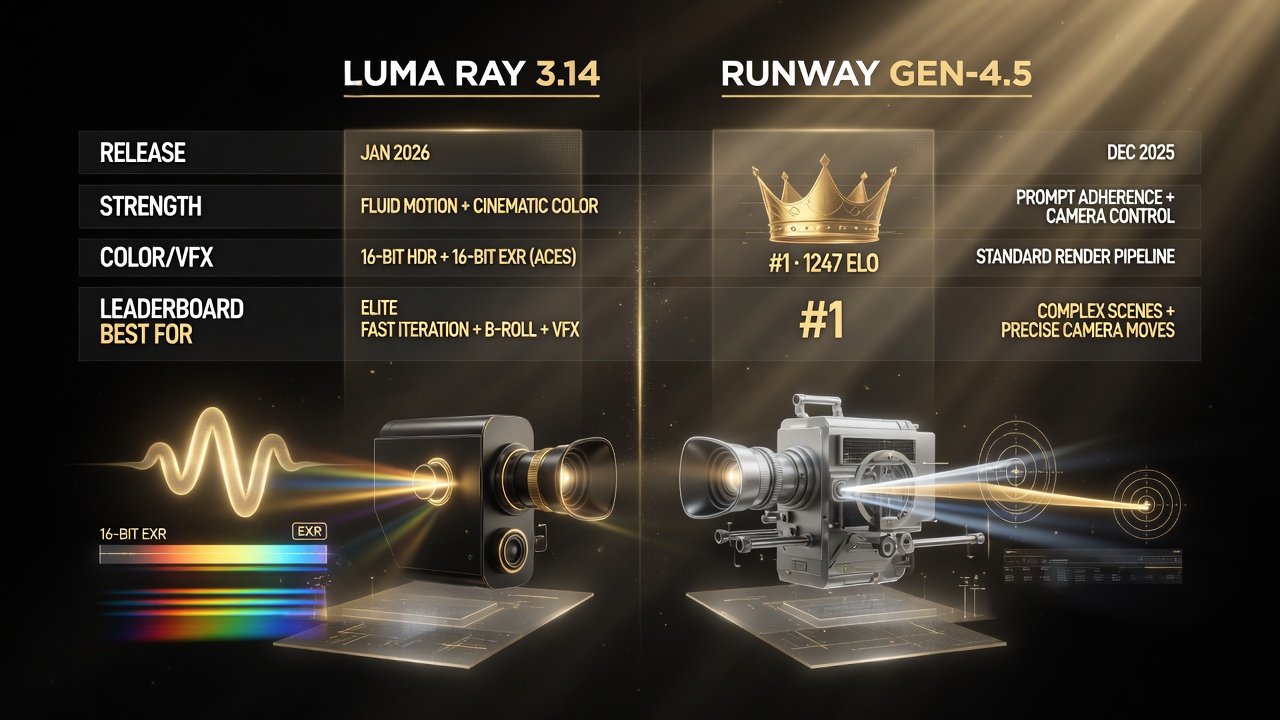
Runway Gen-4.5 leads on prompt adherence and camera choreography; Luma Ray 3.14 leads on fluid motion and 16-bit EXR color — pick by shot, not by brand.
Head-to-Head: Luma Ray 3.14 vs Runway Gen-4.5
| Category | Luma Ray 3.14 | Runway Gen-4.5 |
|---|---|---|
| Release | January 2026 | December 2025 |
| Biggest strength | Fluid motion, cinematic color | Prompt adherence, physics, camera control |
| Resolution | Native 1080p | High quality output |
| Color / VFX capability | 16-bit HDR + 16-bit EXR (ACES2065-1) | Standard render pipeline |
| Leaderboard position | Elite | ~1247 ELO, #1 on Artificial Analysis |
| Workflow fit | Fast iteration, B-roll, VFX/color | Precise, controllable cinematic shots |
| Best for | Speed + motion + color depth | Complex scenes + exact camera moves |
That table is the whole argument in one glance. Runway is your precision tool. Luma is your motion-and-color tool. Everything below is the nuance behind those two points.
Runway Gen-4.5: The Precision Model
Runway Gen-4.5’s defining trait is that it follows the prompt. If you write a shot with specific subject placement, a specific camera angle, and a specific action, Gen-4.5 has a strong chance of delivering it — which is rare in AI video, where models frequently drift into their own version of what you asked.
It pairs that with physical accuracy. Objects behave more like they should: weight, momentum, collisions, how a hand interacts with a surface. That matters enormously for any shot where the physics are load-bearing, and it’s why Gen-4.5 is the safe choice when you need something that looks “real” under scrutiny.
The third pillar is camera choreography — deliberate, controllable camera moves. If you’re composing a shot that needs a specific dolly, crane, or tracking behavior, this is the model that gives you the levers. For creators building toward a polished, controllable cinematic result, that control is the difference between “good clip” and “intentional shot.”
If you want the full rundown on getting the most from its camera and choreography features, our Runway Gen-4.5 camera choreography guide covers it in depth.
Luma Ray 3.14: The Motion and Color Model
Luma Ray 3.14’s headline is motion. Its clips move with a fluidity that feels less “AI” and more like real camera work — natural arm motion, believable walking, organic physics on people and objects. If you’ve ever had a model that looks stunning as a still but robotic in motion, Ray 3.14 is the antidote.
It ships native 1080p, which means you’re not fighting an upscale pass to get a usable file. And it layers color science on top: 16-bit HDR capture, plus 16-bit EXR export in the ACES2065-1 color space. If your work touches VFX or professional grading, that’s a real workflow advantage — you get more headroom to grade without banding, and you can slot generated footage into a color-managed pipeline instead of treating it as an 8-bit orphan.
For creators who generate a lot of B-roll or iterate quickly — trying ten variations to find the one that lands — Ray 3.14’s speed and motion quality make it the efficient pick. You can burn through options and grade the winner, rather than locking into a single carefully-prompted shot.
It’s the natural evolution of the Luma line we covered in the Luma Dream Machine v3.5 review, with the physics awareness carried forward and color depth added on top.
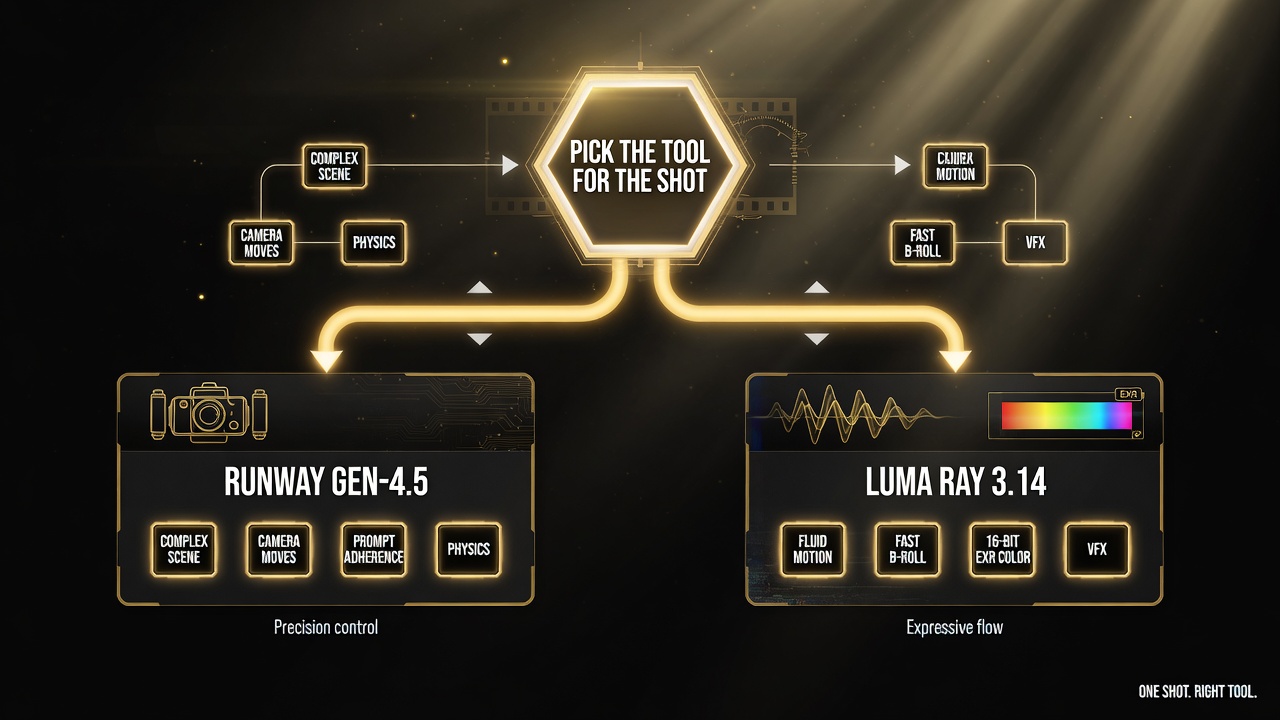
A shot-by-shot decision flow: complex scenes and camera moves go to Runway Gen-4.5; fast B-roll, motion, and color work go to Luma Ray 3.14.
How to Choose for a Given Shot
Stop thinking “which model is better” and start thinking “which model fits this clip.” Here’s the decision logic I actually use:
- Complex scene, many subjects, specific action? Runway Gen-4.5. Its prompt adherence and physics keep everything where you asked.
- Deliberate camera move (dolly/crane/track)? Runway Gen-4.5. This is its home turf.
- Need a smooth, gorgeous clip fast? Luma Ray 3.14. Speed plus fluid motion is its whole job.
- Heavy color work or VFX after? Luma Ray 3.14. The 16-bit EXR / ACES2065-1 pipeline is a category above.
- Generating lots of B-roll and iterating? Luma Ray 3.14. Burn through options, grade the winner.
- Hero shot that must look intentional? Runway Gen-4.5. Control wins for the showcase piece.
That’s not a cop-out; it’s the honest state of the field right now. The strongest 2026 workflows are model-agnostic — they use the right model per shot, the way a real camera department picks lenses per scene.
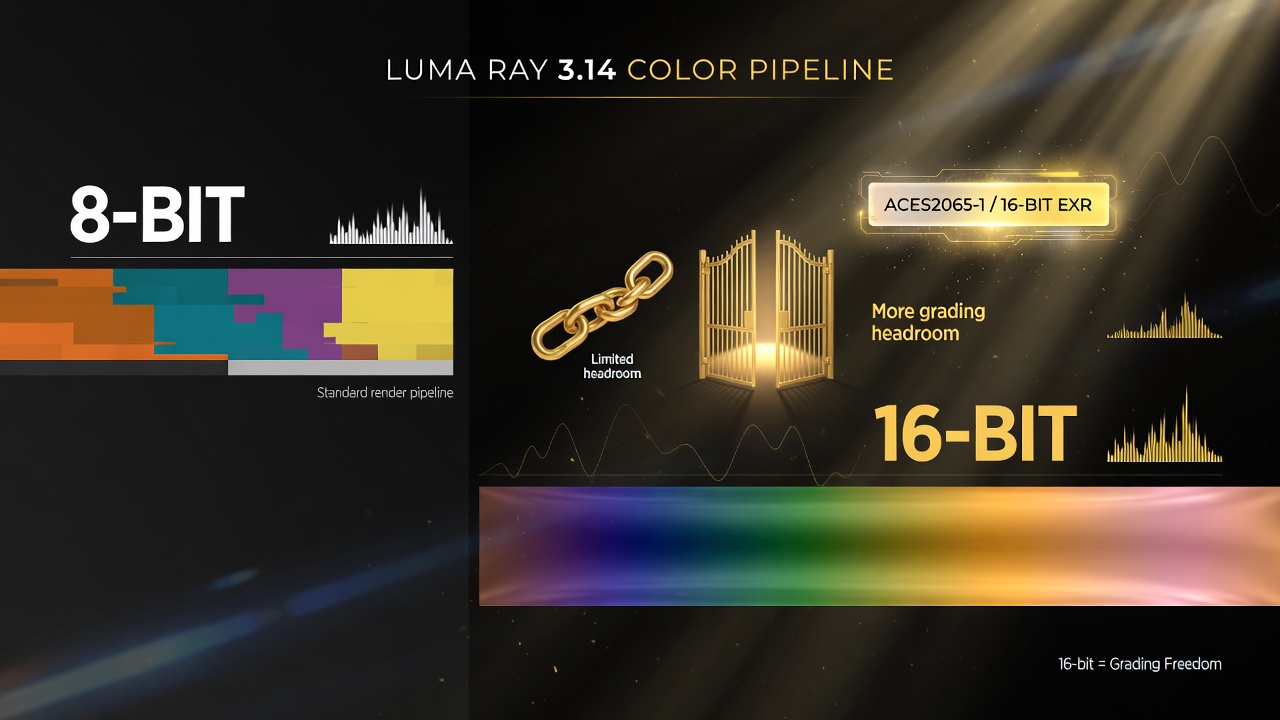
Luma Ray 3.14’s 16-bit EXR exports in ACES2065-1 open up real grading headroom — a category above standard 8-bit render pipelines.
Where the Models Overlap
Both do T2V and I2V with extensions, and both are good enough that for casual clips the difference is negligible. If you’re making quick social content with a simple prompt, you can use either and be happy — the gap only shows up when the job gets specific or the grade gets heavy.
Both also sit in the same pricing reality: serious usage isn’t free, so the question of which model you load is also a question of which output you can use without redoing it. A clip that mostly works but needs a regrade or a rework costs you twice. Choosing the right model up front is the cheapest way to avoid that.
How This Fits the Broader 2026 Landscape
Runway and Luma aren’t the only contenders — the category is crowded, and the competitive picture shifts fast. Comparisons like Runway vs Kling and Pika vs Runway show how quickly the field is moving and how much of the “winner” depends on the use case rather than raw model supremacy.
What’s notable is how far both leaders have come on the fundamentals. A year ago, AI video was defined by its failures — jittery motion, broken anatomy, muddled prompts. Today, with Luma Ray 3.14 and Runway Gen-4.5, the conversation is about color pipelines, camera choreography, and which one to load for a specific shot. That’s a mature capability set, and it’s exactly the kind of progress that turns “can AI make video?” into “how do I make it part of my workflow?”
Final Verdict
There is no single winner, and pretending there is will cost you. Runway Gen-4.5 is the precision instrument — the model you reach for when the shot is complex, the camera move is deliberate, and physical accuracy is non-negotiable. Luma Ray 3.14 is the speed-and-color instrument — the model you reach for when you need fluid motion now and you want to do real grading or VFX afterward.
The winning move in 2026 is to get good at both and pick per shot. If your work leans cinematic, controllable, and physics-heavy, start with Runway Gen-4.5. If it leans fast iteration, B-roll, and color depth, start with Luma Ray 3.14. You’ll know within a few clips which one earns the star billing in your regular rotation.
Frequently Asked Questions
Which is better, Luma Ray 3.14 or Runway Gen-4.5?
It depends on the job. Runway Gen-4.5 (December 2025) leads on prompt adherence, physical accuracy, and camera choreography, with roughly 1247 ELO at the top of Artificial Analysis. Luma Ray 3.14 (January 2026) leads on fluid motion, native 1080p, and 16-bit HDR with 16-bit EXR (ACES2065-1) color workflows. Complex, controllable shots favor Runway; fast iteration, B-roll, and heavy color work favor Luma.
Is Runway Gen-4.5 better than Luma Ray 3.14?
Not universally. Runway Gen-4.5 is better for complex scenes, precise camera moves, and physical accuracy. Luma Ray 3.14 is better for smooth, fluid motion, native 1080p, and professional color/VFX pipelines via 16-bit EXR and ACES2065-1. The best choice depends on the specific shot and workflow.
Does Luma Ray 3.14 support 4K?
Luma Ray 3.14 ships native 1080p as its headline resolution, with strong color handling (16-bit HDR, 16-bit EXR in ACES2065-1). It focuses on motion quality and color depth at 1080p rather than chasing 4K, which suits fast iteration and professional grading workflows.
Is Runway Gen-4.5 good for camera control?
Yes. Runway Gen-4.5 is known for strong camera choreography — deliberate, controllable dolly, crane, and tracking moves. It’s the go-to model when you need an intentional, precisely composed cinematic shot, among the best in its class for this.
Which AI video model is best for VFX and color grading?
Luma Ray 3.14 is the strongest pick for VFX and color work. Its 16-bit HDR capture and 16-bit EXR export in the ACES2065-1 color space give you far more grading headroom than typical 8-bit output, letting you drop generated footage into a color-managed pipeline.
Should I use Luma Ray or Runway for B-roll?
Luma Ray 3.14 is usually the better B-roll choice. Its speed, fluid motion, and native 1080p let you iterate quickly and generate lots of usable footage, then pick the winner and grade it. Use Runway Gen-4.5 for hero shots where precise prompt adherence and camera control matter most.

About Barak Schurr
Barak Schurr is a serial entrepreneur who built and exited a major ticketing platform before turning his attention to AI and content. He runs three AI-focused research sites and writes about the tools, workflows, and strategies that let solo creators build real channels — without a crew, a studio, or a Hollywood budget.
Email: [email protected]
More AI Video Resources