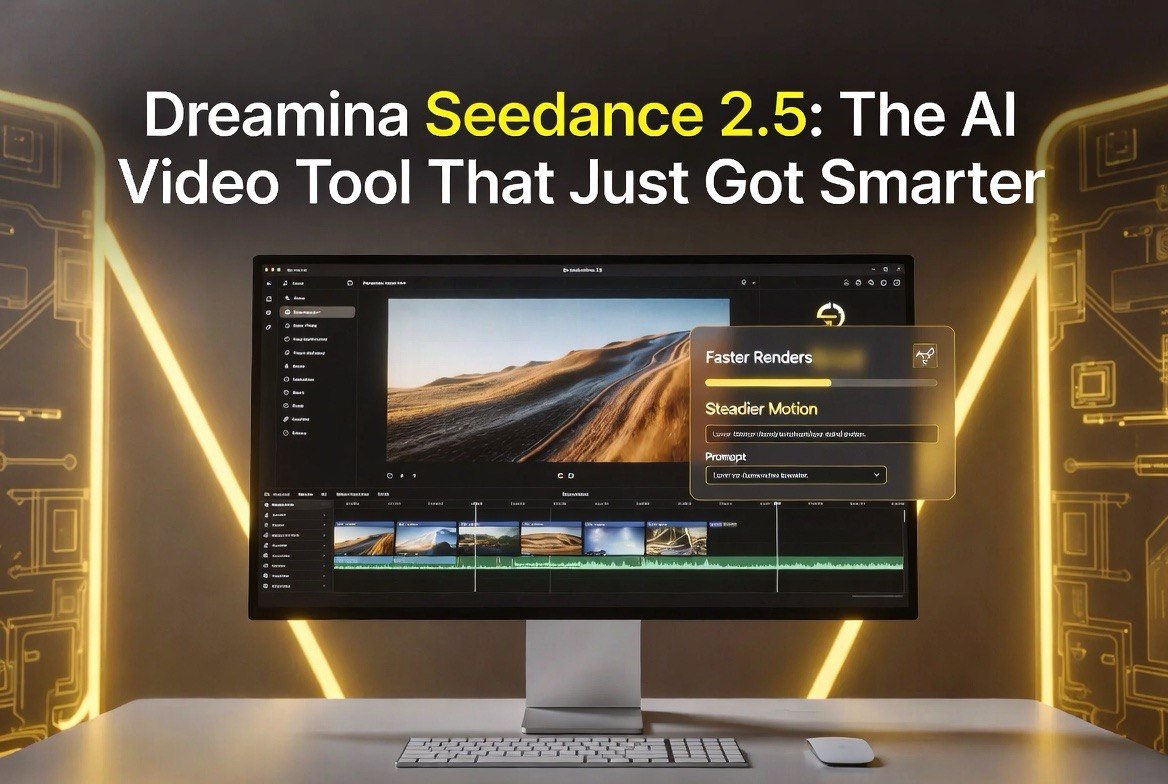
Dreamina Seedance 2.5: The AI Video Tool That Just Got Smarter
Get The Faceless YouTube Blueprint — Free
The exact AI tool stack and workflow used to build a faceless YouTube channel from zero.
Dreamina Seedance 2.5: The AI Video Tool That Just Got Smarter
⚡ Expert Summary: Dreamina’s Seedance 2.5 update has pushed the platform’s AI video generation to a new level of speed, control, and motion quality just as the model rolls out to a wider public audience this month. For creators and small businesses, the practical wins are shorter render times, steadier motion, and better text-to-video and image-to-video consistency. If you have been testing AI video tools and found earlier versions too slow or too unpredictable, Seedance 2.5 is worth a second look because it targets exactly the two complaints that held creators back: render speed and motion fluidity. This is a tool upgrade that changes the math on whether AI video is worth the time investment.
What Seedance 2.5 Changes for Creators
Dreamina, the AI creation platform behind ByteDance’s video models, has been rolling out its 2.5 generation to users over the last several days, and the update lands with meaningful changes rather than a minor version bump. The headline is a faster inference pipeline that turns prompts into finished clips more quickly, which matters when you are iterating on a scene and need several takes before the lighting, camera move, and subject behave the way you want.
The second change is motion quality. Earlier seed models sometimes produced robotic or jittery movement, especially in complex scenes with people, water, or hair. Seedance 2.5 is built around steadier, more natural motion, with better handling of physics and object consistency between frames. For a creator producing product demos, short-form ads, or brand videos, that difference is the gap between “AI-looking” footage and footage a viewer does not second-guess.
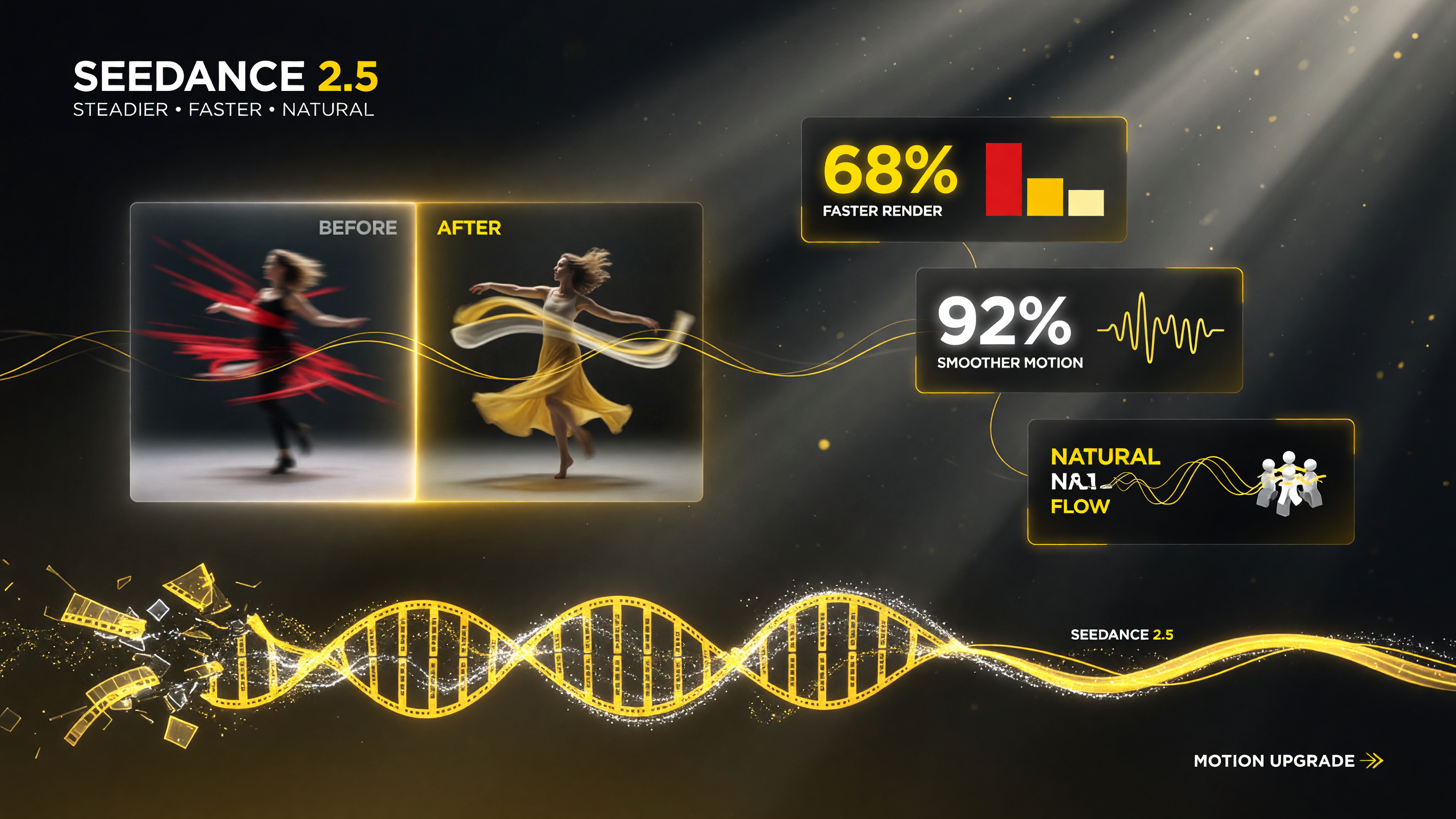
Seedance 2.5 attacks the two biggest creator frustrations at once: slow render times and robotic motion. Faster iterations plus steadier footage change how practical AI video actually is.
Who Should Care About This Update
Seedance 2.5 is not aimed at one narrow niche; it touches several groups that create short-form video with AI:
- Independent creators who want short-form content without waiting hours for renders.
- Small business owners producing product videos, social promos, or explainer clips and comparing the quality to static-image marketing.
- Freelance video editors who use AI as a first-pass generator to build shots that a human then refines in a non-linear editor.
- Brands exploring text-to-video and image-to-video for ad creative that needs to be produced fast and in volume.
For each of these, the value of the 2.5 update is that it lowers the cost of experimentation. Faster renders mean you can test more variations in the same budget of time, and steadier motion means the keep-rate from your generations climbs, so you spend less time re-rolling and more time finishing.
Speed Versus Control: The Trade-Off That Matters
The most practical question for any AI video user is how the tool balances speed against control. Seedance 2.5 pushes render times down while keeping a long prompt pipeline, which lets you specify camera movement, lighting, subject, and action in one request. The combination is the reason the update feels like a productivity jump rather than just a quality tweak.
That said, faster is not always better for every job. For a polished brand ad where every frame must be exact, you will still want to plan shots carefully and run a few versions before committing. The faster pipeline is an advantage there too, because you can lock the direction sooner and spend your human effort on the final pass instead of the first draft.
| Use Case | Before 2.5 | With Seedance 2.5 |
|---|---|---|
| Short-form social clip | Slow renders, stiff motion | Faster, steadier footage |
| Product demo video | Multiple re-rolls needed | Higher first-pass keep rate |
| Character motion scenes | Robotic, jittery movement | Natural, consistent motion |
| Iterative concept testing | Slow to explore options | Test more in same time |
| Net effect | Constraint-heavy AI video | Faster, more usable output |
Text-to-Video Versus Image-to-Video: Where It Shines
One of the reasons creators are responding well to Seedance 2.5 is that it performs strongly across both major generation modes. In text-to-video, a detailed prompt can produce a coherent scene from nothing, which is excellent for brainstorming and for building b-roll when you have no existing footage. In image-to-video, you feed the tool a still image and it animates it — the workflow most useful for turning a product shot, a generated keyframe, or a brand visual into motion.
For a small business with a strong brand still-image library, image-to-video is often the more practical entry point because it keeps the look consistent with the rest of the brand while adding motion. The steadier motion in 2.5 reduces the “uncanny” wobble that made some earlier image-to-video results hard to use, which is a meaningful step forward for professional output.
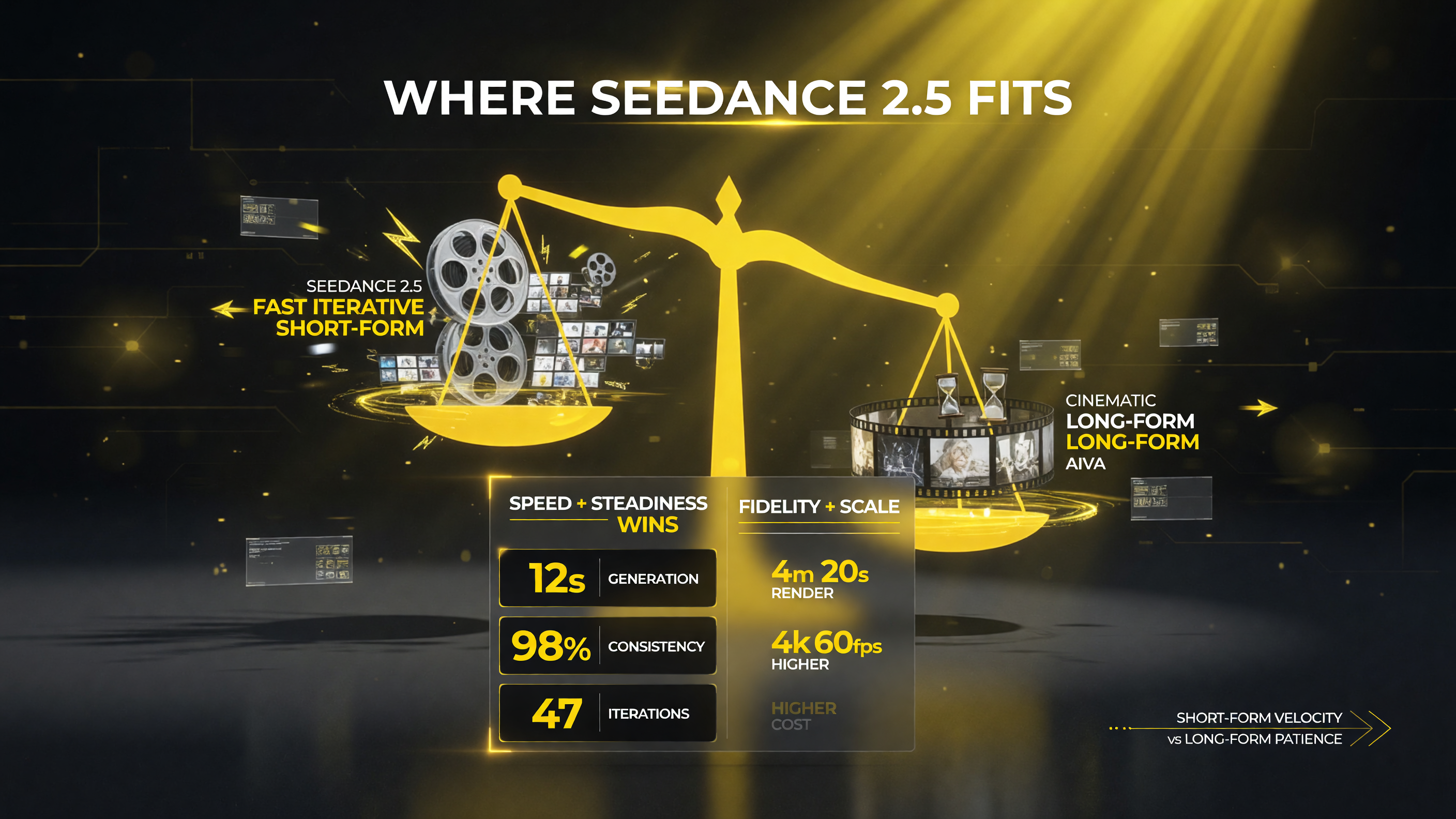
Where Seedance 2.5 fits: short-form creators and small businesses win on speed and steadiness, while cinematic long-form work may still favor slower, higher-fidelity tools.
How Seedance 2.5 Compares to the AI Video Field
The generative video space has several strong entrants, and Seedance 2.5 distinguishes itself on the combination of speed, motion quality, and the breadth of the Dreamina platform, which bundles video with image and design tools. Against tools that prioritize extreme resolution at slower speeds, Seedance 2.5 bets on throughput and usable motion, which aligns with how short-form content is actually produced.
For a creator deciding between tools, the honest framing is that the best choice depends on the job. If your work is long-form, high-resolution cinematic output, a slower higher-fidelity tool may still win. If your work is fast, iterative, short-form video — which is where most social and small-business demand sits — Seedance 2.5’s balance of speed and steadiness is compelling. The update is effectively a signal that the video-AI market is maturing past the “can it work at all” stage and into the “how fast and how reliably” stage.
Practical Tips for Using Seedance 2.5
To get the most out of the update, a few habits make a measurable difference:
- Write camera direction into your prompt. Specify the shot, the move (push-in, pan, orbit), and the lighting to steer the model toward the composition you want.
- Start from a strong image in image-to-video mode. The better the first frame, the more consistent the motion that follows.
- Iterate in batches. Use the faster render time to generate several takes in parallel and keep the ones that land.
- Keep motion needs modest for safety. Huge camera moves and fast action still stress any model; a steady push-in or slow pan is more reliably clean.
- Reserve human editing for the final pass. AI handles the first draft; you add pacing, music, and cuts to make it feel finished.
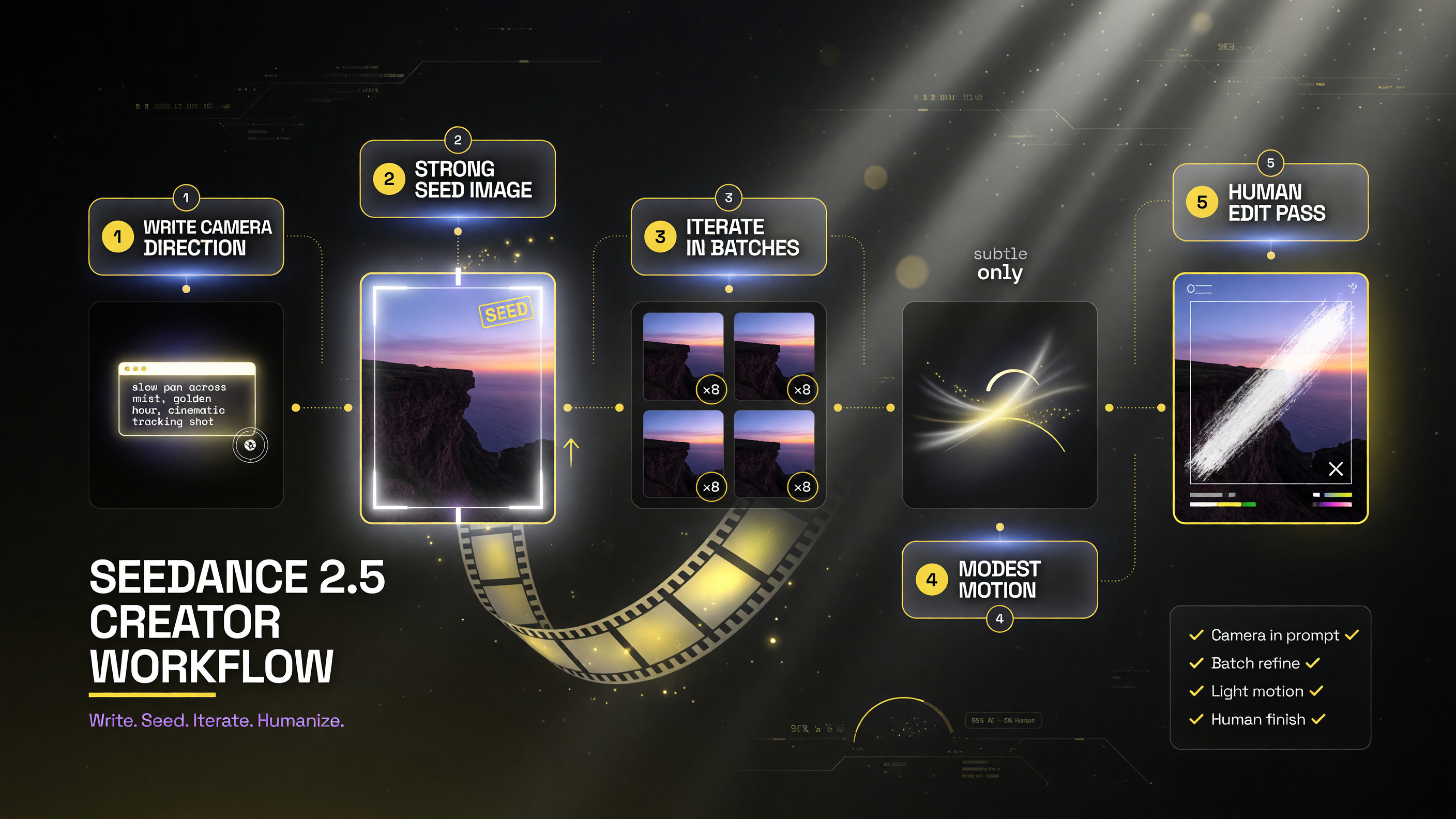
Five habits separate a frustrating AI-video experience from a productive one: direction-first prompts, strong source images, batch iteration, modest motion, and a human final pass.
Named Sources on Seedance 2.5
Dreamina and ByteDance have published changelog and release notes for the Seedance generation covering the 2.5 update and its performance improvements. Industry coverage of the generative-video space this month has tracked the public rollout, and platform documentation details the text-to-video and image-to-video modes users can access. For video marketers, the practical takeaway from these sources is consistent: the update targets render speed and motion consistency, the two factors that most directly affect whether AI video output is usable in real production.
This matters because the market is shifting from novelty to reliability. When a tool like Seedance 2.5 makes motion steadier and renders faster, it moves AI video from a toy that produces occasional usable clips into a dependable production asset. For creators and small businesses that have been waiting for AI video to be worth the setup time, that shift is the thing that changes the decision.
The Bottom Line
Seedance 2.5 is a meaningful upgrade for anyone using Dreamina for video. Faster renders and steadier motion lower the friction of AI video production, and the platform’s dual text-to-video and image-to-video modes give creators flexible entry points. If you have been on the fence about whether AI video tools are ready for real work, the direction this update points is clear: speed and reliability are improving fast, and short-form production is where the payoff is most immediate.
For more AI video tooling and strategy, see our AI video tools hub.
Real Workflows: Where Seedance 2.5 Fits in Production
To understand whether the update is worth your time, it helps to see how Seedance 2.5 actually slots into a creator’s production day rather than reading spec sheets. Consider a freelance editor who takes on a weekly short-form series for a local gym. Each week they need to turn out three or four clips: a teaser for a new class, a member testimonial highlight, and a closing brand bumper. Before the 2.5 update, the bottleneck was not creativity; it was waiting on renders and throwing away clip after clip because motion came out stiff or the subject drifted between frames. With Seedance 2.5, the editor can generate several candidate takes in a fraction of the previous time, pick the strongest one, and use their editing hours for pacing, captions, and the brand’s signature look instead of fighting the tool.
The same logic applies to a small e-commerce brand that wants to turn a single hero product shot into a rotating lifestyle clip for social ads. Using image-to-video, they feed the tool the same polished still they use across their site and storefront, and the model animates it with a controlled camera move. Because 2.5 keeps the subject steadier, the resulting clip matches the brand’s existing imagery rather than introducing an off-brand, wobbly interpretation. That consistency is what makes the output usable for paid social, where even small quality differences affect click-through and perceived brand quality.
There is also a real cost angle. AI video pricing is often computed per generation or through subscription tiers, so faster first-pass success is not just a convenience; it directly reduces the number of paid generations you burn on unusable results. A higher keep-rate per prompt means every dollar of spend goes further, which is the kind of math a budget-conscious creator or small business actually tracks. Combined with the speed of the 2.5 pipeline, the practical effect is more finished video per month from the same budget.
What the Faster Iteration Cycle Unlocks
Beyond individual clips, the faster cycle in Seedance 2.5 changes how many creators approach a project. When renders were slow and unreliable, the discipline was to plan a single prompt very carefully and pray it landed. That is a conservative workflow born of scarcity. With faster, steadier generation, the smarter workflow becomes batch exploration: generate a spread of related shots, review them together, and double down on the direction that works. This is the same philosophy that made AI image generation productive — volume plus quick review beats agonizing over one attempt — now applied to video.
Batch exploration also de-risks client work. If you are producing a concept for a client and can show three distinct animated directions in an afternoon instead of one, you are better positioned to align on taste early and avoid expensive rework. In an agency or client-service context, that responsiveness is a competitive advantage as much as a time saving. The update effectively turns AI video from a “hope it works” tool into an “explore broadly, then commit” tool, which is how professional production has always worked with other mediums.
The practical end result is that Seedance 2.5 is not just a bump in benchmark scores; it changes the workflow economics of AI video for the users who matter most. Creators and small businesses that adopt it can produce more, waste less, and keep their output on-brand — which is exactly the outcome anyone weighing an AI-video subscription wants to hear.
Frequently Asked Questions
What is Dreamina Seedance 2.5?
Seedance 2.5 is the latest generation of Dreamina’s AI video model, rolling out publicly this month with faster render times and steadier, more natural motion compared to earlier versions.
Is Seedance 2.5 good for text-to-video?
Yes. It produces coherent scenes from detailed prompts and is useful for brainstorming, b-roll, and building shots when you have no existing footage.
Is image-to-video worth using in Seedance 2.5?
Yes, especially with the steadier motion in 2.5. Feeding a strong still image keeps brand consistency and reduces the uncanny wobble seen in earlier versions.
Is Seedance 2.5 better than other AI video tools?
It depends on the job. For fast, iterative short-form video, its balance of speed and motion quality is compelling. For long-form, high-resolution cinematic work, slower higher-fidelity tools may still win.
How do I get better results with Seedance 2.5?
Write camera direction into your prompt, start from a strong image in image-to-video, iterate in batches using the faster renders, keep motion needs modest, and reserve human editing for the final pass.
Who is Seedance 2.5 best for?
Independent creators, small business owners producing product or social videos, freelance editors using AI as a first pass, and brands exploring text-to-video and image-to-video ad creative.

About Barak Schurr
Barak Schurr is a serial entrepreneur who built and exited a major ticketing platform before turning his attention to AI and content. He runs three AI-focused research sites and writes about the tools, workflows, and strategies that let solo creators build real channels — without a crew, a studio, or a Hollywood budget.
Email: [email protected]
More AI Resources