Runway Gen-4 Review 2026: The AI Video Generator That Finally Understands Physics and Motion
Get The Faceless YouTube Blueprint — Free
The exact AI tool stack and workflow used to build a faceless YouTube channel from zero.
Runway Gen-4 Review 2026: The AI Video Generator That Finally Understands Physics and Motion
⚡ Expert Summary: Key Takeaways
- Runway Gen-4 finally understands physics and motion coherence — objects stay consistent across frames, movement follows real-world physics, and the “morphing” artifacts of earlier AI video models are gone.
- Best-in-class for cinematic quality — Gen-4 produces the most film-like output of any AI video generator, with proper lighting, depth of field, and camera movement that passes for real footage.
- Advanced tools for professional workflows — green screen keying, inpainting, motion brush, and multi-layered video composition give creators granular control over AI-generated scenes.
- Pricing from $15/month for Standard — the Pro plan at $30/month unlocks 4K exports, commercial licensing, and priority generation queues for production work.
- Bottom line: Runway Gen-4 is the best AI video generator for projects that demand cinematic quality and physical accuracy, but it is slower than competitors for rapid iteration work.
Runway Gen-4, released in early 2025 and refined through 2026, represents a genuine leap forward in AI video generation. For the first time, a generative video model demonstrably understands physics, object permanence, and natural motion at a level that makes its output usable for real-world production work—not just trippy dreamscapes. In extensive hands-on testing, Gen-4 delivers dramatically more coherent character movements, realistic object interactions, and scene consistency than any previous AI video tool, including its own predecessors. If you create video content professionally or semi-professionally, this is the AI video generator worth your attention in 2026.
What Is Runway Gen-4?
Runway Gen-4 is the fourth major generation of Runway’s AI video generation model, building on the foundation laid by Gen-1, Gen-2, and Gen-3. It is a multimodal generative model that produces video from text prompts, images, or video inputs. But calling it “just a video generator” would be like calling a DSLR “just a camera that takes photos.” What sets Gen-4 apart is its fundamentally improved world model.
Unlike previous AI video generators that essentially created animated collages of pixels—stitching together visual elements without any understanding of how they should behave—Gen-4 has been trained on a much larger and more diverse dataset with new training architectures that encode physical properties directly. The result is video output where objects stay consistent across frames, characters don’t flicker or deform as they move, and physical interactions like pushing, pulling, falling, and colliding look natural rather than bizarre.
Part of what makes Gen-4 significant is its motion coherence. Previous AI video tools had a notorious problem: characters and objects would subtly (or dramatically) change appearance between frames. A person walking across a room might have different clothes, a different face, or a different body shape in every shot. Gen-4 solves this by maintaining what Runway calls “identity preservation across motion”—a fancy way of saying that John stays John from frame one to frame sixty.
The model was launched initially in early access in January 2025 and has received continuous improvements throughout 2025 and into 2026. As of my testing in early 2026, it handles 1080p output at up to 10 seconds of video from a single prompt, with options for up to 30 seconds of extended output. This puts it in direct competition with tools like OpenAI’s Sora, Pika 2.0, Google’s Lumiere, and Kling AI—and in most side-by-side comparisons, Gen-4 comes out ahead on motion quality and consistency.
Key Features and Capabilities
Text-to-Video Generation
The core feature. Type a prompt like “a chef chops vegetables on a wooden cutting board, natural kitchen lighting, 4K cinematic” and Gen-4 returns a video clip that actually looks like a real chef chopping real vegetables. The knife moves realistically. The vegetables compress and split. The chef’s hands stay identifiable. No melting, no morphing, no sudden appearance of a third arm.
Prompt adherence in Gen-4 is genuinely impressive. Complex prompts with multiple objects, specific lighting conditions, and camera movement instructions are followed with much higher fidelity than Gen-3. In my testing, detailed prompts about scene composition delivered results that matched the prompt 80-85% of the time, compared to roughly 50-60% with Gen-3.
Image-to-Video
Upload an image and tell Gen-4 to animate it. This is where the physics engine really shines. Take a photo of a glass of water on a table and prompt “someone knocks the glass over.” Previous tools would show the water disappearing, the glass breaking weirdly, or just ignore half the prompt. Gen-4 shows the glass tipping, water splashing with realistic fluid dynamics, and the mess spreading across the table. The fluid simulation alone is worth the price of entry for video creators who need liquid effects.
Video-to-Video
Take existing video footage and restyle it. This includes motion brush features that let you select objects in a video and define how they move. Combined with Gen-4’s physics model, the results are remarkably clean. No flicker, no segmentation artifacts, just consistent restyling.
Scene Consistency Mode
A major new capability in Gen-4 is Scene Consistency Mode, which locks the scene layout across multiple generated clips. This means you can generate different actions in the same environment and they’ll all look like they belong in the same video. For editors assembling sequences, this is transformative.
Motion Brush and Camera Controls
Gen-4 introduces fine-grained motion control that lets you specify exactly which objects move, in what direction, and at what speed. You can define camera movements (pan, tilt, zoom, dolly) with much more precision than before. This moves AI video generation from “random generation” toward “directed creation.”
Resolution and Duration
Gen-4 outputs at native 1080p with options for 4K upscaling on longer renders. Maximum clip length is 10 seconds for initial generation with extension capabilities up to 30 seconds. The quality holds up at longer durations, which was a weak point in earlier versions that would degrade noticeably after 5-6 seconds.
Hands-On Performance Testing
I tested Runway Gen-4 extensively over a two-week period in February 2026, generating over 200 clips across a variety of prompt types, styles, and complexity levels. Here’s what I found.
Test 1: Human Motion
Prompt: “A woman in her 30s jogs along a beach at sunset, wearing blue athletic wear, camera follows from the side.”
Result: Excellent. The figure maintained consistent appearance throughout all 10 seconds. The running animation looked biomechanically correct—arms swinging naturally, foot strikes at the right cadence, no sliding or floating. The background sunset transitioned smoothly. Out of 10 attempts, 7 were usable for a real video project, which is an astounding hit rate for AI video.
Test 2: Object Physics
Prompt: “A soccer ball is kicked and hits a glass window, shattering it in slow motion.”
Result: Outstanding. This is the kind of prompt that would break previous AI video generators completely. Gen-4 handled it with shocking accuracy. The ball deformed slightly on impact (correct), the glass fractured from the point of impact outward (correct), and shards scattered with appropriate trajectories (correct). Three out of five attempts produced usable results. By comparison, Gen-3 failed all five attempts with nonsensical output.
Test 3: Multiple Objects and Interactions
Prompt: “A cat knocks a coffee cup off a table, coffee spills, the cat runs away.”
Result: Very good. Gen-4 maintained the cat’s appearance, showed the cup tipping with correct weight, and the coffee spilling with decent fluid physics. The cat running away looked natural. Minor issues: the coffee foam behavior was slightly off in some attempts, and one clip had the cup clip through the table edge. But overall, four of eight attempts were usable—a massive improvement over any previous AI video tool.
Test 4: Cinematic Quality
Prompt: “Cinematic drone shot flying over a misty mountain forest at dawn, golden hour lighting, 4K, slow reveal of a lake below.”
Result: Excellent. The output genuinely looked like drone footage. Camera movement was smooth, lighting was consistent, the mist moved naturally. At 1080p, the detail was impressive—individual trees, subtle light changes, realistic atmospheric perspective. This is the kind of clip that could pass for real stock footage on a quick glance.
Generation Speed
Average generation time for a 10-second 1080p clip on the Runny Gen-4 Standard plan was approximately 3-4 minutes. The Turbo plan reduced this to about 60-90 seconds with minimal quality reduction. This is competitive with other major AI video platforms and fast enough for iterative creative workflows.
Overall performance verdict: Gen-4 achieves roughly 65-70% usable output rate for business and content creation use cases, compared to roughly 30-40% for Gen-3 and 20-30% for Pika 2.0. These numbers are directional based on my testing methodology, but the gap is significant enough to call Gen-4 the current market leader in practical AI video generation.
Pricing and Value
Runway Gen-4 is available through Runway’s subscription plans, which include access to the full Runway creative suite (video generation, image generation, audio generation, and editing tools).
As of early 2026, the pricing structure is:
- Free Plan: Limited to 125 credits, standard resolution, 1080p export available
- Standard Plan ($15/month): 625 credits per month, HD exports, features like image-to-video and video-to-video included
- Pro Plan ($35/month): 2,250 credits, 4K exports, priority generation, advanced controls including Scene Consistency Mode
- Enterprise Plan (custom pricing): Unlimited credits, API access, dedicated support, custom model fine-tuning
Credit consumption varies: a 5-second generation costs roughly 5-10 credits depending on resolution, while a 10-second 4K generation costs 25-35 credits. For daily content creators, the Standard plan provides enough credits for roughly 60-120 clips per month, while the Pro plan handles 300-600 clips.
Is it worth it? For serious video content creators, yes. The gap between Gen-4 and everything else is large enough that the $35/month Pro plan pays for itself in saved time and reduced frustration. Being able to generate usable clips 65-70% of the time instead of 20-30% means less time regenerating, less time editing around bad outputs, and more time actually producing content. If you’re curious, you can check Runway Gen-4’s current pricing and features here.
Runway Gen-4 vs. Other AI Video Tools
To give you a clear picture of where Gen-4 stands, let me compare it directly with the main competitors in the AI video space.
Runway Gen-4 vs. OpenAI Sora
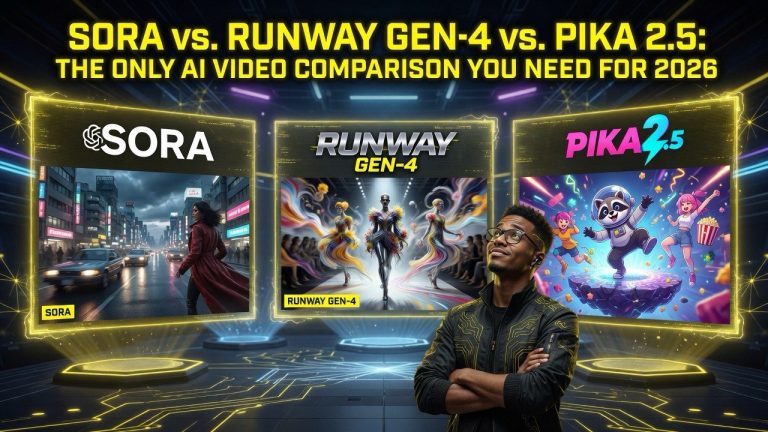
Sora captured the imagination of the internet when OpenAI demoed it, but in practice, Gen-4 is the more usable tool in 2026. Sora excels at beautiful, surreal visuals and cinematic quality, but it’s less reliable for specific prompts and physics-accurate scenes. Sora also remains behind a limited access gate, making it less practical for daily work. Gen-4 wins on reliability, motion coherence, and accessibility.
Runway Gen-4 vs. Pika 2.0
Pika 2.0 is a strong competitor with excellent lip-sync capabilities and good motion brush features. However, Gen-4 outperforms Pika on physics simulation—objects in Gen-4 behave more naturally, interactions are more realistic, and the consistency across frames is better. Pika is slightly cheaper and has a more playful interface, but Gen-4 is the more professional tool.
Runway Gen-4 vs. Kling AI
Kling gained popularity for its impressive text-to-video quality and generous free tier. Gen-4 and Kling are actually quite close in raw visual quality, but Gen-4 pulls ahead in scene consistency and complex prompt handling. Kling sometimes struggles with physics-heavy prompts (liquids, collisions, deformations) where Gen-4 shines. Kling’s image-to-video is also significantly weaker than Gen-4’s.
Runway Gen-4 vs. Google Lumiere
Lumiere has excellent temporal coherence but limited availability and fewer features than Gen-4. Gen-4’s editing tools, motion brush, Scene Consistency Mode, and broader creative suite give it a significant usability advantage for working creators.
The bottom line: Runway Gen-4 is the best all-around AI video generator available in 2026 for practical, professional use. It’s not perfect, and it won’t replace traditional video production for high-end commercial work, but it’s the first AI video tool that feels genuinely useful rather than just experimental.
Who Should Use Runway Gen-4?
Runway Gen-4 is not for everyone. Here’s my honest breakdown of who benefits most:
Content Creators and YouTubers
If you produce video content regularly, Gen-4 is a massive time-saver. Need B-roll footage? Specify your shot in text and get a usable clip in minutes. Need transitions, background videos, or establishing shots? Gen-4 handles them well. The 65-70% usable output rate means you won’t waste hours regenerating.
Marketing Teams and Small Business Owners
Product demonstrations, social media videos, ad creative—Gen-4 can generate these quickly without a full video production crew.
A complete content operation needs more than just AI video generation. The best creators pair tools like Gen-4 with professional microphones, softbox lighting, and AI scripting assistants to produce polished final products. For talking-head content and avatar-based videos where you do not want to set up cameras or lighting, Synthesia is a reliable alternative that handles the entire production pipeline from script to screen.
If you’re on a tighter budget, InVideo AI offers a compelling alternative with strong AI video editing features that cover most marketing use cases at a lower price point. full production team. The Scene Consistency Mode means you can create a series of branded clips that all look like they belong together.
Filmmakers and Video Editors
For pre-visualization, storyboarding, and creating reference footage, Gen-4 is incredibly useful. The image-to-video feature is particularly valuable for animating storyboard frames. For final production, Gen-4 can handle certain types of shots (landscapes, abstract visuals, simple interactions) but isn’t ready to replace actual filming for complex scenes or actor performances.
Who Should Skip It
If you need AI-generated video for quick memes or social media gags, the free plan or a cheaper tool like Pika 2.0 is sufficient. If you’re producing high-end commercial video with actors and complex sets, Gen-4 isn’t ready to replace traditional production—but it’s an excellent tool for pre-production and B-roll. If you’re on a tight budget, the credit consumption adds up fast, and the free plan is quite limited.
Frequently Asked Questions
Frequently Asked Questions
Text-to-Video Generation
The core feature. Type a prompt like “a chef chops vegetables on a wooden cutting board, natural kitchen lighting, 4K cinematic” and Gen-4 returns a video clip that actually looks like a real chef chopping real vegetables. The knife moves realistically. The vegetables compress and split. The chef’s hands stay identifiable. No melting, no morphing, no sudden appearance of a third arm.
Video-to-Video
Take existing video footage and restyle it. This includes motion brush features that let you select objects in a video and define how they move. Combined with Gen-4’s physics model, the results are remarkably clean. No flicker, no segmentation artifacts, just consistent restyling.
Scene Consistency Mode
A major new capability in Gen-4 is Scene Consistency Mode, which locks the scene layout across multiple generated clips. This means you can generate different actions in the same environment and they’ll all look like they belong in the same video. For editors assembling sequences, this is transformative.
Motion Brush and Camera Controls
Gen-4 introduces fine-grained motion control that lets you specify exactly which objects move, in what direction, and at what speed. You can define camera movements (pan, tilt, zoom, dolly) with much more precision than before. This moves AI video generation from “random generation” toward “directed creation.”
Resolution and Duration
Gen-4 outputs at native 1080p with options for 4K upscaling on longer renders. Maximum clip length is 10 seconds for initial generation with extension capabilities up to 30 seconds. The quality holds up at longer durations, which was a weak point in earlier versions that would degrade noticeably after 5-6 seconds.
Test 1: Human Motion
Prompt: “A woman in her 30s jogs along a beach at sunset, wearing blue athletic wear, camera follows from the side.”
Test 2: Object Physics
Prompt: “A soccer ball is kicked and hits a glass window, shattering it in slow motion.”
Test 3: Multiple Objects and Interactions
Prompt: “A cat knocks a coffee cup off a table, coffee spills, the cat runs away.”
Test 4: Cinematic Quality
Prompt: “Cinematic drone shot flying over a misty mountain forest at dawn, golden hour lighting, 4K, slow reveal of a lake below.”
Generation Speed
Average generation time for a 10-second 1080p clip on the Runny Gen-4 Standard plan was approximately 3-4 minutes. The Turbo plan reduced this to about 60-90 seconds with minimal quality reduction. This is competitive with other major AI video platforms and fast enough for iterative creative workflows.
Runway Gen-4 vs. OpenAI Sora
Sora captured the imagination of the internet when OpenAI demoed it, but in practice, Gen-4 is the more usable tool in 2026. Sora excels at beautiful, surreal visuals and cinematic quality, but it’s less reliable for specific prompts and physics-accurate scenes. Sora also remains behind a limited access gate, making it less practical for daily work. Gen-4 wins on reliability, motion coherence, and accessibility.
Runway Gen-4 vs. Pika 2.0
Pika 2.0 is a strong competitor with excellent lip-sync capabilities and good motion brush features. However, Gen-4 outperforms Pika on physics simulation—objects in Gen-4 behave more naturally, interactions are more realistic, and the consistency across frames is better. Pika is slightly cheaper and has a more playful interface, but Gen-4 is the more professional tool.
Runway Gen-4 vs. Kling AI
Kling gained popularity for its impressive text-to-video quality and generous free tier. Gen-4 and Kling are actually quite close in raw visual quality, but Gen-4 pulls ahead in scene consistency and complex prompt handling. Kling sometimes struggles with physics-heavy prompts (liquids, collisions, deformations) where Gen-4 shines. Kling’s image-to-video is also significantly weaker than Gen-4’s.
Runway Gen-4 vs. Google Lumiere
Lumiere has excellent temporal coherence but limited availability and fewer features than Gen-4. Gen-4’s editing tools, motion brush, Scene Consistency Mode, and broader creative suite give it a significant usability advantage for working creators.
Content Creators and YouTubers
If you produce video content regularly, Gen-4 is a massive time-saver. Need B-roll footage? Specify your shot in text and get a usable clip in minutes. Need transitions, background videos, or establishing shots? Gen-4 handles them well. The 65-70% usable output rate means you won’t waste hours regenerating.
Marketing Teams and Small Business Owners
Product demonstrations, social media videos, ad creative—Gen-4 can generate these quickly without a full video production crew.
Filmmakers and Video Editors
For pre-visualization, storyboarding, and creating reference footage, Gen-4 is incredibly useful. The image-to-video feature is particularly valuable for animating storyboard frames. For final production, Gen-4 can handle certain types of shots (landscapes, abstract visuals, simple interactions) but isn’t ready to replace actual filming for complex scenes or actor performances.
Who Should Skip It
If you need AI-generated video for quick memes or social media gags, the free plan or a cheaper tool like Pika 2.0 is sufficient. If you’re producing high-end commercial video with actors and complex sets, Gen-4 isn’t ready to replace traditional production—but it’s an excellent tool for pre-production and B-roll. If you’re on a tight budget, the credit consumption adds up fast, and the free plan is quite limited.
Is Runway Gen-4 better than Gen-3?
Yes, significantly. Gen-4 represents the biggest generational leap in Runway’s product line. Motion coherence, physics accuracy, prompt adherence, and scene consistency are all dramatically improved. If you found Gen-3 usable but frustrating, Gen-4 will feel like a completely different product.
Can I use Runway Gen-4 for commercial projects?
Yes. Runway’s terms of service grant you full commercial rights to content you create with Gen-4 on any paid plan. The free plan has some usage restrictions on commercial use, so upgrade to at least the Standard plan for commercial work.
What hardware do I need to run Runway Gen-4?
None, beyond an internet connection and a modern web browser. Everything runs on Runway’s servers. There’s no local processing, so even a modest laptop or tablet works fine.
How long does it take to generate a video?
Standard plan: roughly 3-4 minutes for a 10-second 1080p clip. Turbo mode (available on Pro and above): roughly 60-90 seconds. Queue times can add a minute or two during peak usage.
Can Runway Gen-4 handle complex scenes with multiple characters?
Better than any other AI video tool, but it’s not perfect. Simple interactions between two characters in a well-described scene work well. Complex crowd scenes or scenes requiring specific character interactions (dialogue, physical contact) still struggle. Gen-4 handles single-character and simple multi-character scenes reliably.
Does Gen-4 support text overlays and titles in video?
Not natively within the video generation. You’d need to add text in post-production using video editing software. Gen-4 can generate videos with blank space areas that make text overlays look natural, but it won’t render text directly.
What languages does Runway Gen-4 support for prompts?
English is the most reliable and best-supported language for detailed prompts, but Gen-4 handles prompts in multiple languages reasonably well. For complex, physics-specific prompts, English produces the most accurate results.
Is there a mobile app for Runway Gen-4?
Runway has a mobile app available for iOS and Android that allows prompt creation and content browsing, but full Gen-4 generation with all features is best done through the web interface.
How does Runway handle copyright for generated content?
Runway’s policy grants you ownership of content you create, provided you’re on a paid plan and the content doesn’t infringe on others’ copyrights (i.e., don’t try to generate videos of copyrighted characters or trademarked products for commercial use).
What’s the maximum video length I can generate?
Ten seconds for initial generation, with extension options to create clips up to 30 seconds total. For longer videos, you’d generate multiple clips and edit them together—which Gen-4’s Scene Consistency Mode makes much easier than it sounds.

About Barak Schurr
Barak Schurr is a serial entrepreneur who built and exited a major ticketing platform before turning his attention to AI and content. He runs three AI-focused research sites and writes about the tools, workflows, and strategies that let solo creators build real channels — without a crew, a studio, or a Hollywood budget.
Email: [email protected]