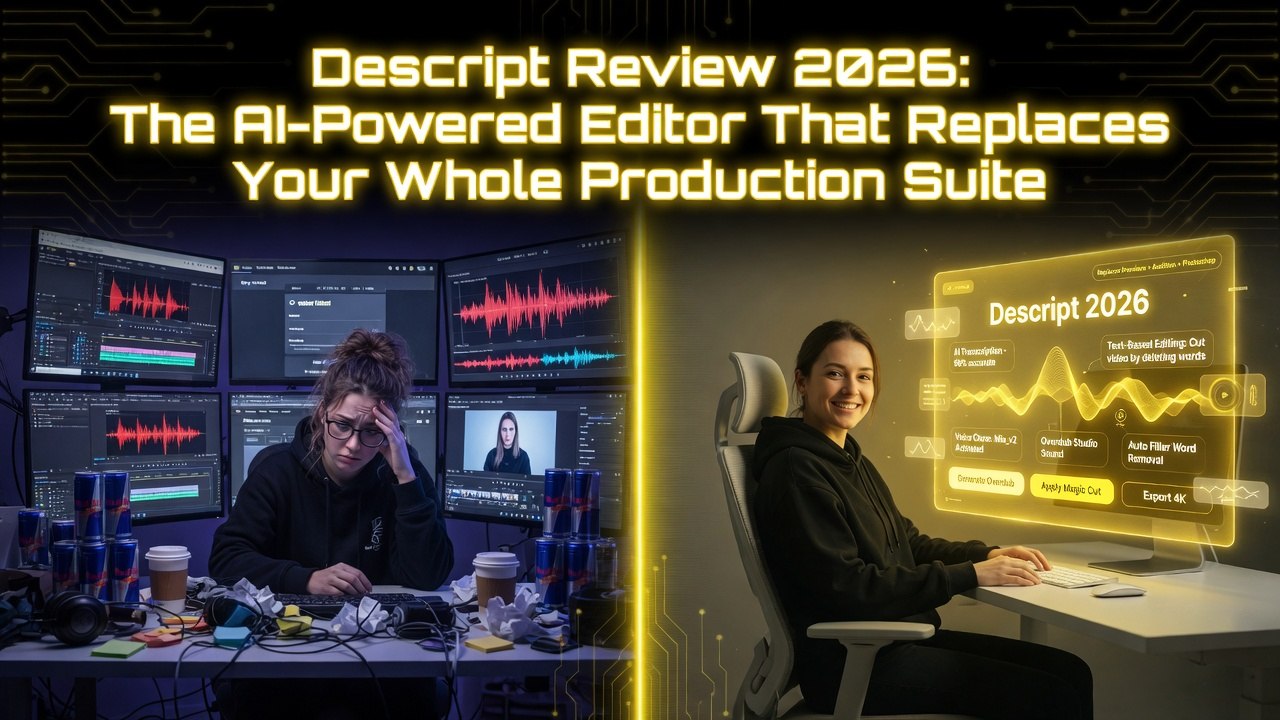
Descript Review 2026: The AI-Powered Editor That Replaces Your Whole Production Suite
Get The Faceless YouTube Blueprint — Free
The exact AI tool stack and workflow used to build a faceless YouTube channel from zero.
Descript Review 2026: The AI-Powered Editor That Replaces Your Whole Production Suite
⚡ Expert Summary: Key Takeaways
- Descript changes editing by replacing timelines with transcripts — delete a sentence from the text and the video/audio updates automatically. It is the fastest editor for spoken-word content.
- Voice cloning, screen recording, and multitrack editing in one tool — Descript has evolved from a transcription tool into a full production suite that competes with Premiere Pro for most creator workflows.
- AI filler word removal and studio sound — one click removes ums, uhs, and long pauses. The Studio Sound feature cleans up noisy recordings without expensive post-production.
- Pricing from $24/month — the Business plan at $40/month adds voice cloning, custom templates, and team collaboration features.
- Bottom line: Descript is the best editor for podcasters, YouTubers, and educators who produce talking-head content and want to edit at the speed of text.
I cut my teeth on Premiere Pro. Ten years of timeline editing, keyframes, nested sequences, and render queues. I know traditional NLEs inside and out. And I’m telling you: for most video production, you don’t need them anymore.
Descript changes how you edit. Instead of dragging clips on a timeline, you edit the transcript. Delete a sentence from the text, and the video and audio update automatically. Move a paragraph, and the visual follows. It’s like editing a Word document and getting a finished video on the other end.
Descript has evolved far beyond a transcription tool. In 2026, it’s a full production suite with voice cloning, screen recording, multi-track editing, collaboration, filler word removal, and AI-powered overdub. It doesn’t replace Premiere Pro for Hollywood-grade color grading or visual effects. But for 90% of video production — podcasts, tutorials, presentations, social content, internal communications — Descript is faster, simpler, and more intuitive.
What Is Descript?
Descript is an AI-powered video and audio editing platform. Its core innovation is text-based editing — transcribe your media, then edit the transcript to edit the media. Descript handles video editing, audio editing, screen recording, transcription, voice cloning (Overdub), filler word removal, and team collaboration in a single application.
Founded in 2017 by Andrew Mason (founder of Groupon and Detour), Descript is headquartered in San Francisco and has raised over $100 million. The platform serves over 100,000 paying customers, including teams at Google, Twitter, Spotify, and NPR.
Key Features Breakdown
1. Text-Based Editing
This is Descript’s killer feature and the reason it changes how you work. Upload a video or audio file. Descript transcribes it automatically. You see the transcript in the editor window. Edit the transcript — delete words, rearrange sentences, fix grammar — and the media updates instantly.
The editing precision is impressive. Descript uses AI to reconstruct audio when you delete words, creating seamless transitions between remaining speech. The visual side mirrors the edit — if you delete a sentence, the video clip shortens, and the timeline adjusts automatically.
You can also use traditional timeline editing if you prefer. Descript has a standard multi-track timeline with drag-and-drop functionality. The magic is that the transcript and the timeline stay in sync — edit one, and the other updates. It’s the best of both worlds.
2. Voice Cloning (Overdub)
Overdub creates an AI voice model from your voice. You record a set of training sentences (about 30 minutes of reading), and Descript generates a voice clone. Then you can type any text and hear it spoken in your voice.
The use cases are powerful. Fix a mispronounced word in a recorded podcast — delete the original, type the correct word, and Overdub fills it with your voice. Add a new introduction to an existing video without re-recording. Generate voiceover for sections you didn’t record originally.
Voice quality is excellent for short corrections and additions. For longer passages, the synthetic quality becomes noticeable — the cadence isn’t as natural and the intonation flattens. Overdub is best for edits under 30 seconds. For longer sections, re-record naturally.
3. Filler Word Removal
This feature alone saves hours per project. Descript automatically detects filler words — um, uh, like, you know, actually, basically — and removes them with a single click. The AI reconstructs the audio to create smooth transitions, so you don’t hear gaps or jumps.
Removal quality is excellent. I run it on every podcast episode, and it eliminates 100-200 filler words per hour of content. The edited audio sounds natural — no awkward silences, no robotic artifacts, no unnatural pacing.
4. Screen Recording
Descript includes a built-in screen recorder that captures your screen, webcam, and audio simultaneously. The recorder is lightweight — minimal performance impact during recording — and supports multiple displays.
Screen recordings integrate directly into the editor. Record a tutorial, and Descript transcribes it. Edit the transcript to clean up mistakes and pauses. Remove filler words. Export the polished version. No importing, no syncing, no file management.
5. AI-Powered Transcription
Descript’s transcription engine is the best I’ve used outside of dedicated transcription services. Accuracy exceeds 95% for clear audio with minimal background noise. The AI handles speaker detection, punctuation, and paragraph formatting automatically.
You can export transcripts as text files, SRT captions, or VTT files. Descript even generates a “show notes” summary for podcast episodes — key topics, timestamps, and a brief overview.
6. Collaboration
Descript’s collaboration features are designed for team-based production. Share projects with team members. Work on the same project simultaneously — one person edits the transcript, another adjusts audio levels, a third reviews the final cut. Changes sync in real time.
The comment system is integrated into the transcript. Highlight a section of text, add a comment, and the team sees it in context. Approval workflows and version history are included on Business plans.
7. Multi-Track Timeline
While the text-based editor handles most editing, Descript also includes a traditional multi-track timeline for fine-grained control. You can split clips, adjust timing, add transitions, layer multiple audio tracks, and apply effects. The transcript and timeline stay in perfect sync — any change in one reflects in the other.
Pricing Breakdown
| Plan | Price | Transcription Hours | Overdub Voice | Export Quality | Collaboration |
|---|---|---|---|---|---|
| Free | $0 | 1 hour/mo | No | 720p | Single user |
| Hobbyist | $24/mo | 10 hours/mo | Yes | 1080p | Single user |
| Business | $40/mo | 40 hours/mo | Yes | 4K | Team (up to 5) |
| Enterprise | Custom | Custom | Yes | 4K | Unlimited |
The Hobbyist plan at $24/month covers most individual creators. The Business plan at $40/month is the right choice for professional teams — 40 hours of transcription, 4K export, and team collaboration. Enterprise plans add SSO, custom training, and API access.
Descript vs. Competitors
Descript vs. Premiere Pro
Premiere Pro is the industry standard for professional video editing. Nothing beats it for multi-cam editing, advanced color grading, motion graphics, and visual effects. But Premiere Pro is complex, expensive ($55/month), and requires significant training to use effectively.
Descript is simpler, faster, and cheaper for the most common editing tasks. For a podcast episode, a YouTube tutorial, or a social media clip, Descript is 3-5x faster than Premiere Pro. For a multi-camera interview with color grading and motion graphics, Premiere Pro wins.
Many creators use both — edit the first pass in Descript for speed, then export to Premiere Pro when advanced effects are needed. I follow this workflow and save 2-3 hours per video.
Descript vs. DaVinci Resolve
DaVinci Resolve has the best color grading tools of any NLE, and the Studio version is a one-time payment of $295. For color-critical work — film, commercials, music videos — DaVinci is the standard. But like Premiere Pro, it has a steep learning curve and a clunky workflow for simple editing.
Descript handles 90% of what most creators need with 10% of the complexity. DaVinci is a precision tool. Descript is a productivity tool. They serve different purposes.
Descript vs. Opus Clip
These tools complement each other. Descript edits long-form content polished. Opus Clip extracts short clips from finished content. If you produce a podcast, use Descript to edit the episode, then Opus Clip to repurpose it into TikTok clips. Both platforms earn their subscription in my stack.
Who Should Use Descript?
- Podcasters: Edit a 45-minute episode in under 30 minutes. Remove filler words, fix mistakes, adjust pacing, and add music — all from the transcript editor.
- Video editors: Speed up your workflow by 3x for talking-head content, tutorials, and interviews. Use the transcript to make rough cuts, then fine-tune on the timeline.
- Content teams: Collaborate on video projects in real time. Editors, writers, and reviewers work simultaneously in the same project.
- Course creators: Record screen tutorials, edit by transcript, and export polished videos. Update old courses by editing the transcript — no need to re-record.
- Internal communications teams: Produce company updates, training videos, and presentations quickly. Descript handles the editing so non-professionals can create polished content.
What Descript Doesn’t Do Well
- Advanced color grading: Descript includes basic color adjustments. It’s not a grading tool. For serious color work, export to DaVinci Resolve or Premiere Pro.
- Motion graphics: Descript has minimal built-in effects and transitions. If you need complex animations, lower thirds, or kinetic typography, use After Effects or a dedicated graphics tool.
- Multi-cam editing: Descript supports multiple camera angles but the workflow is less mature than Premiere Pro or DaVinci. For multi-camera productions, traditional NLEs are still better.
- Performance on long projects: Descript handles 60-minute projects well. Projects over 2 hours start to show performance lag — slower scrubbing, longer render times.
- Overdub quality at length: Voice cloning is excellent for short edits. For longer sections, the synthetic quality is noticeable. Natural re-recording is still the gold standard for extended passages.
Final Verdict
Descript is the most innovative video editing tool to emerge in the last decade. The text-based editing paradigm changes the game for anyone who produces talking-head content, podcasts, tutorials, or presentations. It’s faster, simpler, and more collaborative than traditional NLEs.
It won’t replace Premiere Pro or DaVinci Resolve for every use case. Film editors, colorists, and motion designers will still need professional tools. But for the vast majority of video production — the content that drives social media, marketing, education, and internal communication — Descript is the better tool.
At $24-$40/month, the ROI is immediate. If you produce even 5 hours of video or audio content per month, Descript pays for itself in time saved. Pair it with Opus Clip for short-form repurposing and HeyGen for avatar content, and you have a complete AI video stack.
Frequently Asked Questions
Frequently Asked Questions
How does Descript’s text-based editing work?
Descript transcribes your video or audio. You edit the transcript — delete words, rearrange sentences, fix mistakes — and the media updates automatically. The AI reconstructs audio and adjusts video clips to match your edits.
Is Descript good for beginners?
Yes. Descript is the most beginner-friendly professional editing tool available. The text-based editing is intuitive — anyone who can use a word processor can edit video. The free plan is a risk-free introduction.
Can Descript remove filler words automatically?
Yes. Descript detects filler words (um, uh, like, you know) and removes them with one click. The AI reconstructs the audio seamlessly. I run this on every project.
What is Overdub and how does it work?
Overdub is Descript’s voice cloning feature. You train it with a 30-minute voice sample. Then you can type text and hear it spoken in your voice. It’s excellent for fixing mistakes and adding short sections without re-recording.
How does Descript compare to Premiere Pro?
Descript is simpler, faster, and cheaper ($24-40/mo vs $55/mo). Premiere Pro has more advanced features for color grading, multi-cam editing, and motion graphics. Use Descript for speed; use Premiere Pro when you need professional-grade post-production.
Can I use Descript for team collaboration?
Yes. The Business plan ($40/month) supports teams of up to 5 people with real-time collaboration, shared projects, and comment-based feedback. Enterprise plans support larger teams with SSO and API access.
What export formats does Descript support?
Export video as MP4, MOV, or GIF. Export audio as WAV, MP3, or AAC. Export transcripts as TXT, SRT, VTT, or DOCX. The Business plan supports 4K export.
Does Descript have a free version?
Yes. The free plan includes 1 hour of transcription per month, 720p export, and basic editing features. It’s enough to test the platform. Paid plans start at $24/month for serious use.
2. Is Descript good for beginners?
Yes. Descript is the most beginner-friendly professional editing tool available. The text-based editing is intuitive — anyone who can use a word processor can edit video. The free plan is a risk-free introduction.
3. Can Descript remove filler words automatically?
Yes. Descript detects filler words (um, uh, like, you know) and removes them with one click. The AI reconstructs the audio seamlessly. I run this on every project.
4. What is Overdub and how does it work?
Overdub is Descript’s voice cloning feature. You train it with a 30-minute voice sample. Then you can type text and hear it spoken in your voice. It’s excellent for fixing mistakes and adding short sections without re-recording.
5. How does Descript compare to Premiere Pro?
Descript is simpler, faster, and cheaper ($24-40/mo vs $55/mo). Premiere Pro has more advanced features for color grading, multi-cam editing, and motion graphics. Use Descript for speed; use Premiere Pro when you need professional-grade post-production.
6. Can I use Descript for team collaboration?
Yes. The Business plan ($40/month) supports teams of up to 5 people with real-time collaboration, shared projects, and comment-based feedback. Enterprise plans support larger teams with SSO and API access.
7. What export formats does Descript support?
Export video as MP4, MOV, or GIF. Export audio as WAV, MP3, or AAC. Export transcripts as TXT, SRT, VTT, or DOCX. The Business plan supports 4K export.
8. Does Descript have a free version?
Yes. The free plan includes 1 hour of transcription per month, 720p export, and basic editing features. It’s enough to test the platform. Paid plans start at $24/month for serious use.

About Barak Schurr
Barak Schurr is a serial entrepreneur who built and exited a major ticketing platform before turning his attention to AI and content. He runs three AI-focused research sites and writes about the tools, workflows, and strategies that let solo creators build real channels — without a crew, a studio, or a Hollywood budget.
Email: [email protected]
More AI Resources for Your Business