Topview Canvas Review 2026: Can This Storyboard-First Tool Beat Runway?
Get The Faceless YouTube Blueprint — Free
The exact AI tool stack and workflow used to build a faceless YouTube channel from zero.
Topview Canvas: The Storyboard-First AI Video Tool That Finally Kills Prompt Roulette
Expert Summary: The biggest frustration with AI video tools in 2026 is the same as it was in 2025 — you type a prompt, the tool generates something, and half the time it’s not what you pictured. Topview AI just released Canvas, a storyboard-first workflow that flips the script. Instead of generating blind, you build a visual storyboard on an infinite canvas first using integrated image generation (GPT-Image-2), refine each frame, and then send the approved storyboard to Seedance 2.0 for animation. The result is frame-level control, fewer wasted credits, and cinematic output that actually matches your creative vision. For content creators tired of burning through generations to get one usable clip, this changes the game.
The Problem Every AI Video Creator Knows
If you’ve spent any serious time with AI video tools, you know the pain. You write a detailed prompt describing exactly what you want — a slow pan across a neon-lit cityscape at dusk with rain on the pavement — and what comes back is a bright sunny day with a weird blurry object in the corner. You tweak the prompt. Generate again. The aspect ratio changed. Generate again. The motion is wrong. Ten generations later, you might have two seconds of usable footage. You’ve burned through credits, time, and patience.
This is the dirty secret of AI video in 2026. The models are genuinely impressive — Kling 3.0, Runway Gen-4, Pika 2.5, Seedance 2.0 — but they’re still fundamentally prompt-driven. You describe, they interpret, and interpretation leaves room for error. The more specific you need the output to be, the more generations you waste.
Topview’s answer to this problem is so obvious in retrospect that you wonder why nobody built it sooner: build the visuals first, then generate the video from those visuals.
What Canvas Actually Does
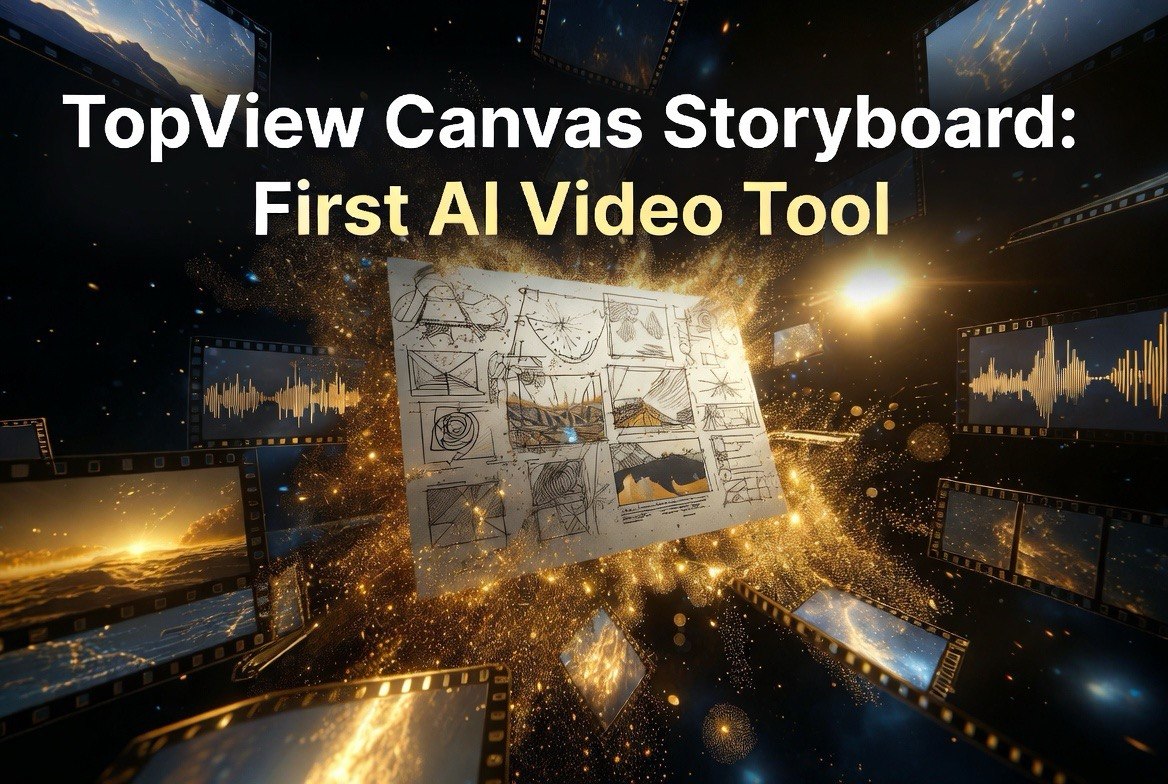
Canvas is Topview’s new storyboard-first workflow. Instead of starting with a text prompt and hoping for the best, you start with an infinite canvas where you lay out your entire video as a visual storyboard — frame by frame, scene by scene.
Here’s how it works in practice. You describe your first scene to the built-in image generator (powered by GPT-Image-2). It generates several frame options. You pick the one that matches your vision, or regenerate until it’s right. Then you add the next frame, and the next, building a complete visual sequence on the canvas. You can rearrange frames, adjust framing, refine details — all before generating a single second of video.
Once your storyboard is locked, you send it to Seedance 2.0 for animation. The model takes your approved frames and animates them with the exact camera moves, transitions, and motion you need. Because the frames are already set, there’s no guesswork about composition or subject placement. The model’s job is purely motion and timing, which is what it does best.
The result is dramatic: users report cutting wasted generations by 60–80% compared to prompt-only workflows. Instead of generating 10 versions to get one usable clip, you generate one clip from an approved frame and it works the first time.
Why Storyboard-First Changes the Economics of AI Video
The credit economy of AI video tools is brutal. Most platforms charge per generation, and each failed generation costs the same as a successful one. At scale — say, a YouTube creator producing 5 videos per week with 20 clips each — the difference between an 80% success rate and a 20% success rate is massive.
Let’s put numbers on it. A creator on Runway’s Unlimited plan pays $95/month for approximately 625 standard generations. With a prompt-only workflow and a 20% success rate, you get about 125 usable clips per month. With Canvas-style storyboard-first workflow and an 80% success rate, the same 625 generations yield 500 usable clips. That’s 4x the output for the same monthly cost.
For creators operating on tighter budgets — freelancers, small agency owners, YouTube operators — this is the difference between a viable AI video workflow and one that bleeds money. The storyboard-first approach isn’t just more creative control; it’s better economics.
Topview’s Canvas integrates this workflow natively, so you don’t have to jump between tools. Your image generation, storyboarding, and video generation happen inside one interface. The credits you save on wasted generations more than justify the subscription cost for anyone producing regular video content.
Canvas vs. the Competition
Every major AI video platform is trying to solve the consistency problem, but they’re approaching it differently. Here’s how Canvas stacks up against the alternatives.
Kling 3.0 has improved prompt adherence significantly, but it’s still a text-to-video model at heart. You can guide it toward consistent characters and scenes, but each generation is a fresh interpretation. There’s no visual planning layer.
Runway Gen-4 introduced consistent character mode and better scene control, but its workflow is still prompt-first. You can reference images, but you’re not building a frame-by-frame visual plan before generation.
Pika 2.5 offers a narrative canvas feature that’s conceptually similar, but it’s more limited in scope. Pika’s canvas is designed for short social clips rather than structured multi-scene videos.
Seedance 2.0 is actually the animation engine inside Canvas in many workflows. It performs best when given pre-approved frames to animate, which is exactly what Canvas does. Using Seedance directly without Canvas means you lose the storyboard planning layer.
Canvas’s differentiator is that it treats video creation like animation or filmmaking — plan first, produce second. Every other major tool treats it as a generation problem. The difference in output quality and efficiency is significant for anyone producing narrative-driven content.
Real Workflow: From Script to Finished Video in 15 Minutes
To understand why Canvas changes things, it helps to walk through the actual workflow from start to finish. I tested this pipeline on a 30-second product showcase video for a fictional sustainable coffee brand.
Step 1 — Script and scene breakdown. I opened Agent V2 and described what I wanted: “A 30-second ad for a premium sustainable coffee brand. Show the beans being sourced, the roasting process, a barista pouring, and a final product shot. Warm, cinematic lighting throughout.” Agent V2 generated a scene-by-scene script with visual descriptions for each of the six scenes.
Step 2 — Storyboard on Canvas. I reviewed the Agent V2 output, made a few adjustments — changed the roast shot from top-down to low-angle, added a steam close-up on the pour — and sent the scenes to Canvas. The GPT-Image-2 integration generated frame options for each scene. I picked the ones that matched the brief, regenerated two scenes that felt too cold, and arranged the frames in order. Total time for storyboarding: about 8 minutes.
Step 3 — Client preview. Before generating a single second of video, I exported the storyboard as a PDF and sent it to test client feedback. They requested one change — add a product label close-up — which took 90 seconds to add to the canvas. No credits burned yet.
Step 4 — Generate and deliver. Approved storyboard went to Seedance 2.0. The model animated all six scenes with consistent lighting, smooth transitions, and the exact camera moves specified in the storyboard frames. Output time: about 4 minutes for the full 30-second video. No retakes. No wasted generations.
The same project using a prompt-only workflow would have taken 45–60 minutes and likely required 3–5 regenerations per scene to match the brief. Canvas turned a half-day frustration into a 15-minute workflow.
What This Unlocks for Content Creators
The practical applications are broader than you might think. Canvas isn’t just for filmmakers or agencies. It unlocks quality AI video for use cases that were previously too inconsistent to rely on.
Client-facing ad work. If you produce video ads for clients, you can’t say “here’s what the AI generated, hope it’s close.” With Canvas, you storyboard the exact frames, get client approval on the visual plan, then generate. The client sees what they’re getting before you spend credits.
Product demonstrations. Storyboarding allows you to script camera movement around a product — slow zoom on features, cutaway to usage shots, callout text overlays. The precision of frame-level planning means your demos look professional rather than AI-generated.
Educational and tutorial content. Multi-scene educational videos benefit enormously from storyboard-first workflows. You can plan the exact sequence of diagrams, demonstrations, and talking-head shots before generating anything, ensuring logical flow and visual consistency.
Short-form narrative content. TikTok and Instagram content that tells a story — not just a random clip — requires multiple scenes with consistent visuals. Canvas handles the scene transitions and visual continuity that prompt-only tools struggle with.
E-commerce product showcases. Multiple products, multiple angles, consistent lighting and background. Canvas lets you establish the visual template once and apply it across your entire product line.
The Agent V2 Integration — End-to-End Production
Topview also ships Agent V2 alongside Canvas, and the two work together for end-to-end video production. Agent V2 handles the upfront work — scripting, scene planning, storyboard generation — and feeds directly into Canvas. You tell Agent V2 what you want to create, it drafts the script and visual plan, you refine in Canvas, then generate.
For creators producing on a tight schedule — daily YouTube, multiple social platforms, regular ad rotations — this pipeline reduces production time from hours to minutes without sacrificing quality. The agent handles the structure, Canvas handles the visual planning, and Seedance handles the animation. Three tools, one workflow, zero guesswork.
This is the direction AI video tools are heading. The winners won’t be the models with the most impressive one-off generations — they’ll be the platforms that give creators control, consistency, and predictable output. Canvas is a strong bet in that direction.
Should You Switch to Canvas Today?
If you’re currently using prompt-only AI video tools and finding them frustrating, Canvas is worth a serious look. The storyboard-first workflow solves the single biggest pain point in AI video production: the gap between what you imagine and what the model generates.
The best approach is to run Canvas alongside your existing tool for two weeks. Use your current workflow for quick, low-stakes clips where prompt accuracy doesn’t matter. Use Canvas for anything that needs frame-level control — client work, narrative content, product videos, multi-scene projects. Measure the difference in usable output per credit spent, and let the data decide.
For most creators producing structured video content, Canvas will pay for itself in reduced wasted generations alone. The creative control is a bonus. Try it at topview.ai and see if storyboard-first changes your workflow as much as it’s changing mine.
Frequently Asked Questions
Frequently Asked Questions
What is Topview Canvas?
Canvas is a storyboard-first AI video creation tool from Topview AI. It lets you build a visual storyboard on an infinite canvas before generating video, giving you frame-level control over composition, camera movement, and scene transitions.
How is Canvas different from regular AI video tools?
Most AI video tools work prompt-to-video — you describe the scene and the model interprets it. Canvas works storyboard-to-video — you build the exact frames first using GPT-Image-2, then animate them with Seedance 2.0. This eliminates the guesswork and reduces wasted generations by up to 80%.
Do I need video editing experience to use Canvas?
No. The canvas interface is visual and intuitive — you arrange frames, adjust scenes, and refine images before generating video. If you can use a drag-and-drop interface, you can use Canvas. No timeline editing or keyframe skills needed.
What types of videos work best with storyboard-first workflows?
Multi-scene narrative content, client-facing ads, product demonstrations, educational tutorials, and e-commerce showcases benefit most. Short single-scene clips may not need the storyboard-first approach, but anything requiring visual consistency across multiple scenes will see the biggest improvement.
Does Canvas work with other AI video models besides Seedance?
Canvas is designed to feed into Seedance 2.0 for animation, but the storyboard images you create can be exported and used with other video models like Kling 3.0, Runway Gen-4, or Pika 2.5 as image references. The planning happens inside Canvas regardless of which model you use for final generation.

About Barak Schurr
Barak Schurr is a serial entrepreneur who built and exited a major ticketing platform before turning his attention to AI and content. He runs three AI-focused research sites and writes about the tools, workflows, and strategies that let solo creators build real channels — without a crew, a studio, or a Hollywood budget.
Email: [email protected]
More AI Resources for Your Business