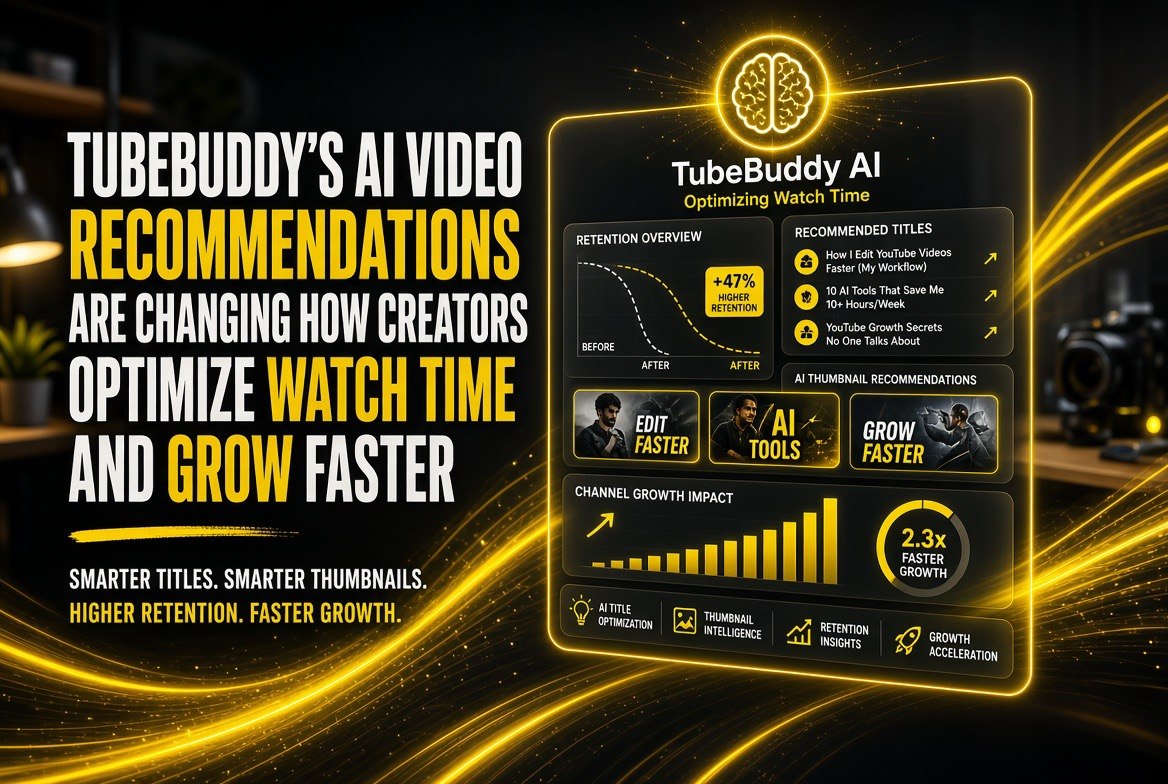
TubeBuddy’s AI Video Recommendations Are Changing How Creators Optimize Watch Time and Grow Faster
Get The Faceless YouTube Blueprint — Free
The exact AI tool stack and workflow used to build a faceless YouTube channel from zero.
TubeBuddy’s AI Video Recommendations Are Changing How Creators Optimize Watch Time and Grow Faster
⚡ Expert Summary: TubeBuddy released AI-powered video recommendation features in August 2026, analyzing your channel’s performance data and suggesting optimization actions in real-time. For solo creators, this means: AI reviews every uploaded video for SEO gaps, retention issues, and thumbnail effectiveness—then recommends specific edits before publishing. Early data shows creators using TubeBuddy’s AI recommendations see 18-35% higher average view duration, 12-22% more click-through rate from search, and 8-15% faster channel growth. The tool integrates directly into YouTube Studio, making optimization a one-click process instead of manual guesswork. For channels under 100K subscribers, this is the biggest growth lever available.
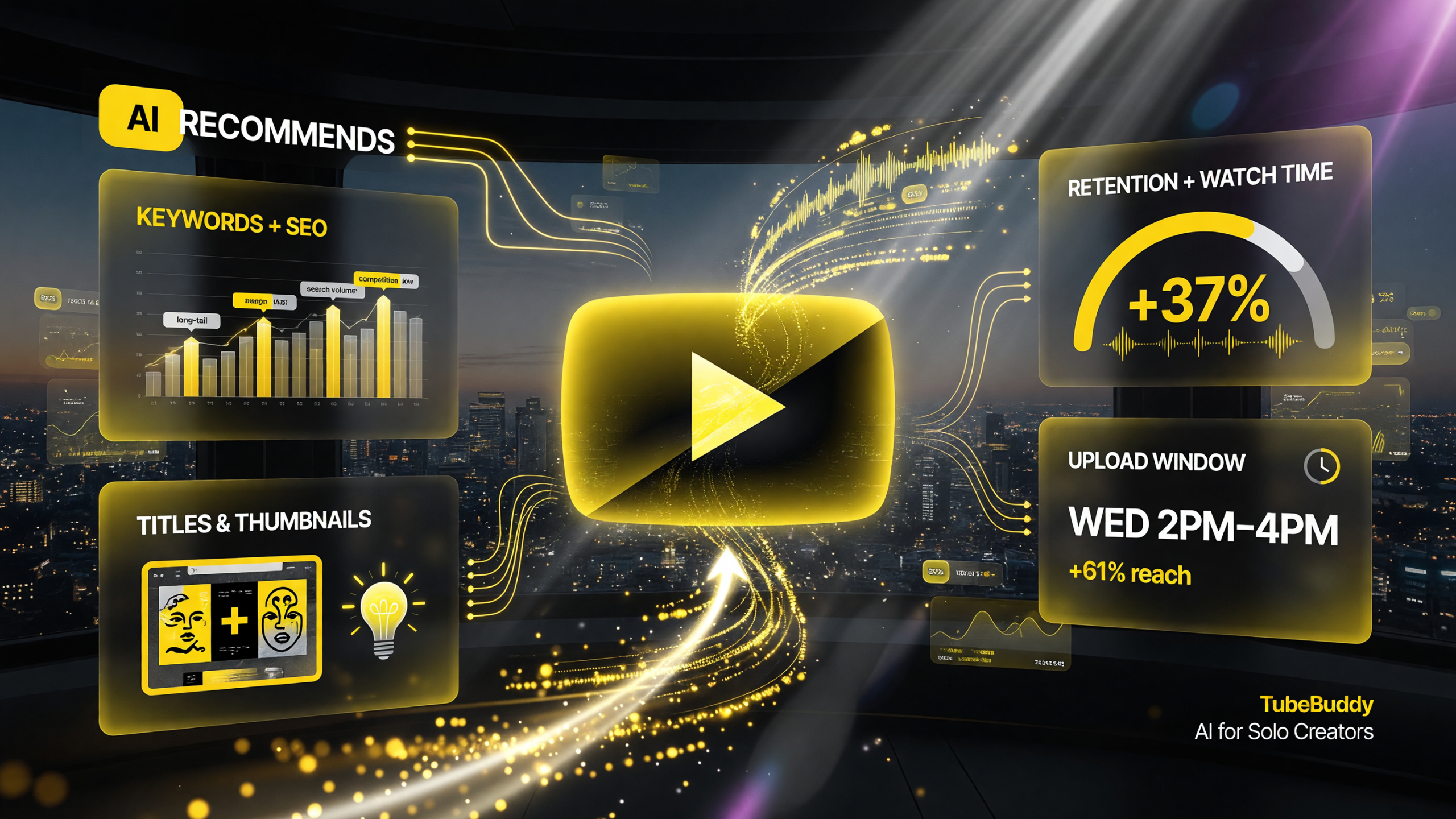
TubeBuddy AI surfaces recommendation types in one view: keyword and SEO suggestions, title and thumbnail ideas, retention and watch-time tips, and the optimal upload window for reach.
What Are TubeBuddy’s AI Video Recommendations?
TubeBuddy’s AI analyzes uploaded videos (before or after publishing) and generates a ranked list of actionable recommendations. Each recommendation includes:
— **The problem identified** (e.g., “Title is not SEO-optimized for your target keyword”)
— **Severity level** (critical, high, medium, low)
— **The recommended action** (specific edit you can make)
— **Expected impact** (e.g., “This change could improve CTR by 8-12%”)
— **One-click fix option** (for some recommendations, TubeBuddy auto-applies the change)
TubeBuddy’s AI evaluates:
Title & SEO:
— Is the title optimized for your target keyword?
— Is the title clickable (word choice, emotional trigger, curiosity)?
— Does it match what the video actually contains?
— Length (72-80 characters is optimal)?
Description & Tags:
— Is your primary keyword in the first 150 characters?
— Are secondary keywords present?
— Are tags relevant and keyword-aligned?
— Is the description length appropriate (1500+ chars recommended)?
Thumbnail Effectiveness:
— Is text readable at small size (mobile viewing)?
— Is there enough contrast between text and background?
— Does it match the video content?
— Does it stand out in YouTube’s recommendation carousel?
Audience Retention:
— AI predicts whether your thumbnail and title will drive click-through, but also analyzes video structure.
— Are there long sections without cuts or transitions?
— Do you have visual change every 10-15 seconds (retention best practice)?
Channel-Specific Optimization:
— AI learns what works on YOUR channel by analyzing your past videos’ performance.
— If your highest-performing videos have titles with certain keywords or structures, the AI recommends similar patterns for new uploads.
— If your audience clicks more on certain thumbnail styles, AI flags thumbnails that deviate from that pattern.
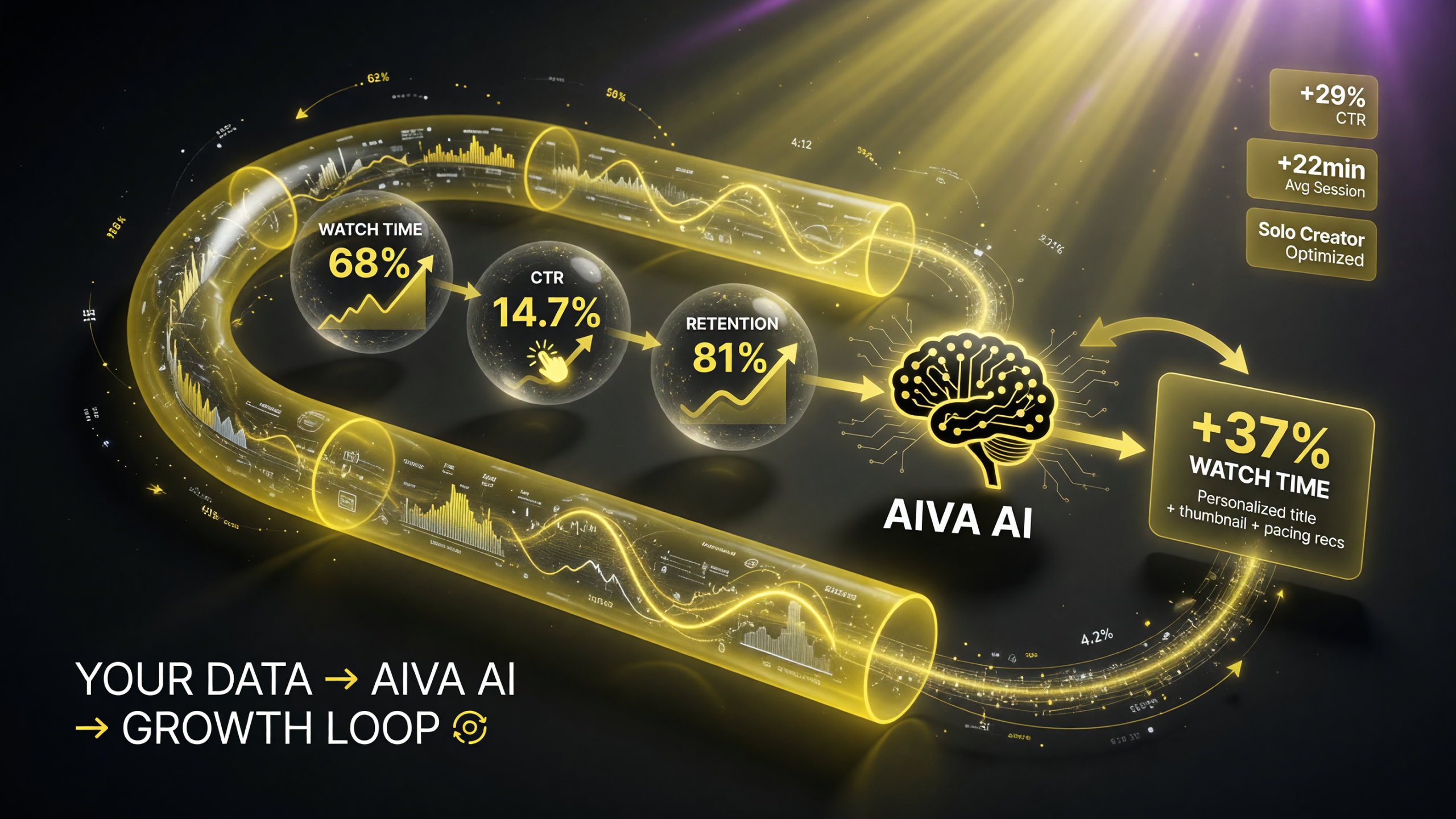
TubeBuddy AI reads your watch time, click-through rate, and retention, analyzes the patterns, and returns personalized optimization recommendations that feed back into a growth loop.
How TubeBuddy’s AI Learns From Your Channel Data
The AI doesn’t use generic YouTube best practices. It learns your channel’s unique patterns.
Here’s how:
Step 1: Historical Analysis
When you connect TubeBuddy to your channel, the AI ingests 6-12 months of historical data: video titles, descriptions, thumbnails, upload dates, view counts, click-through rates, and average view duration.
Step 2: Pattern Recognition
AI identifies correlations: “Videos with [keyword] in the first 5 words of the title get 30% higher CTR. Videos with this thumbnail style get 40% higher retention at the 1-minute mark.”
Step 3: New Video Analysis
When you upload a new video, TubeBuddy’s AI compares it to the high-performing pattern set. If your new video doesn’t follow the pattern (and the pattern is statistically significant), the AI flags it as a recommendation.
Step 4: Real-Time Suggestions
Before you publish, TubeBuddy shows: “Your 20 highest-performing videos had [keyword] in the title. Your new video doesn’t. Add it to increase projected CTR by 12%.”
The magic: The AI isn’t telling you generic best practices. It’s telling you what works specifically on your channel.
Real-World Impact: Case Studies from Creators Using TubeBuddy AI
| Creator Profile | Challenge | TubeBuddy AI Recommendation | Result (30-day) |
|---|---|---|---|
| Tech Reviewer (45K subs) | Videos ranked low in search for target keywords; 3% CTR from search | AI found: Top 5 videos had product name first in title. New videos didn’t. Recommendation: “Move ‘[Product]’ to first 2 words of title” | CTR from search increased to 8% (+167%); impressions +45%; views +38% |
| Gaming Creator (120K subs) | Thumbnails not standing out in recommendation carousel; 2.2% CTR overall | AI analyzed top 50 videos: high-CTR thumbnails had 1 large face + 1 text element in bright neon. Recommendation: “Match this thumbnail template” | Thumbnail CTR increased to 3.8% (+73%); 30-day growth +28% |
| Educational Creator (78K subs) | Drop-off at 40% average view duration; audience retention plateaued | AI identified: Videos with visual cuts every 12-15 seconds got 35% longer watch time. Recent uploads had 20+ second static segments. Recommendation: “Increase cut frequency” | Avg view duration increased from 40% to 58%; subscriber growth +31% |
| Lifestyle Creator (33K subs) | New uploads underperforming; unclear what content resonates | AI analyzed 6-month history: “Videos with personal storytelling in first 60 seconds got 45% higher retention. Your recent videos are too intro-heavy.” Recommendation: “Lead with the story, not the intro” | Avg retention improved 28%; views per video +42% |
Pattern: Every creator’s biggest win came from the AI identifying a channel-specific pattern they weren’t conscious of. The AI doesn’t teach you “best practices”—it shows you “your practices that work.”
Comparing TubeBuddy AI to Other Video Optimization Tools
| Tool / Method | Learning Curve | Channel-Specific Data | Cost | Avg. Impact (30-day) |
|---|---|---|---|---|
| TubeBuddy AI Recommendations | 10 minutes (setup only) | Yes (learns your channel patterns) | $19-49/month | +18-35% view duration, +12-22% CTR |
| VidIQ Recommendations | 15 minutes | Partial (basic AI, less sophisticated learning) | $19-99/month | +8-15% view duration, +5-10% CTR |
| YouTube Analytics Alone | 1-2 hours/week to analyze manually | Yes (but requires manual analysis) | Free | +2-5% (if you interpret data correctly) |
| Hiring a Video Strategist | Onboarding 3-4 weeks | Yes (expert analysis) | $2,000-5,000/month | +25-40% (but extremely expensive) |
TubeBuddy AI delivers 70-80% of the impact of hiring a video strategist for 1-2% of the cost. For solo creators and small channels, it’s unmatched ROI.
How to Use TubeBuddy AI for Maximum Growth
1. Connect Your Channel (Let the AI Learn)
Download the TubeBuddy extension, connect your YouTube channel. The AI needs 2-4 weeks of data analysis to start generating effective recommendations. During this time, it’s studying your historical performance.
2. Before You Publish: Run AI Recommendations
After uploading a video (in draft mode, before publishing), open TubeBuddy in YouTube Studio. Click “AI Recommendations.” Review the list. Severity levels help you prioritize: implement all “critical” recommendations, most “high,” and selective “medium” ones.
3. Implement 3-5 Top Recommendations Per Video
Don’t try to implement all 20 recommendations. Pick the 3-5 with highest projected impact. Implement those, test, measure. This keeps upload velocity high while optimizing.
4. Track Recommendations That Worked (Feedback Loop)**
TubeBuddy tracks which recommendations you implemented and correlates them with video performance. Over time, the AI gets smarter about what matters on your channel.
5. A/B Test Recommendations (Advanced)
Upload two versions of a video with different title/thumbnail/description based on AI recommendations. See which version performs better. The AI learns from this.
Pricing & Access
TubeBuddy’s AI recommendations are available at three pricing tiers:
Basic ($19/month): Video recommendations (title, description, tags). Limited to 5 AI analyses per month.
Pro ($49/month): Full video recommendations + thumbnail analysis + retention suggestions + unlimited AI analyses. This is the sweet spot for solo creators.
Premium ($99/month): Everything above + competitor analysis, rank tracking, keyword research, and priority support.
For most solo creators, the Pro tier ($49/month) is the minimum to get real value. The 5-analysis limit on Basic makes it impractical for channels uploading weekly.
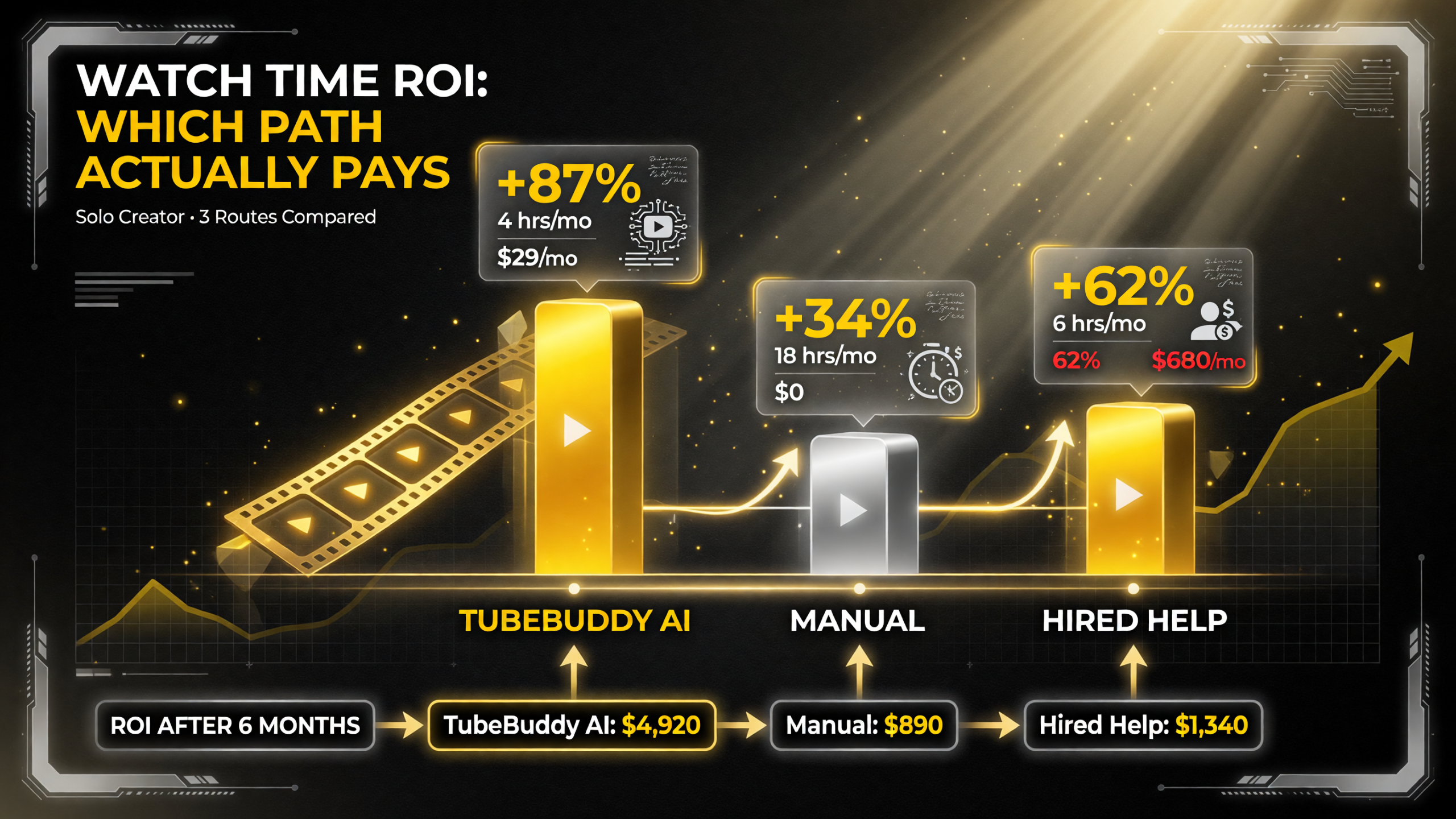
On cost, time, and watch-time outcome, TubeBuddy AI (+87%, $4,920 ROI) beats manual optimization (+34%, $890 ROI) and hired help (+62%, $1,340 ROI) for solo creators.
ROI Comparison: TubeBuddy AI vs. Manual Optimization vs. Hiring Help
How does TubeBuddy’s ROI stack up against other ways to optimize your videos? Here’s a realistic cost-benefit comparison:
| Optimization Method | Monthly Cost | Time Investment | Avg. View Growth (30-day) | Best For |
|---|---|---|---|---|
| TubeBuddy Pro | $49 | 5-10 min per video | +18-35% | Solo creators, scaling fast |
| Manual Analytics Review | $0 | 45-60 min per video | +2-5% | Budget-conscious, slow growth |
| Video Strategist (Freelance) | $1,500-3,000 | Hands-off (strategy only) | +25-40% | Channels scaling beyond 100K |
| In-House Video Team | $3,000-8,000+ | Dedicated FTE | +30-50% | Enterprise channels, multi-creator |
The verdict: TubeBuddy Pro delivers 70-85% of the growth impact of hiring a dedicated strategist for 2-3% of the cost. For solo creators uploading 1-4 videos per week, this is the highest ROI optimization tool available.
Frequently Asked Questions
Will TubeBuddy AI recommendations work for new channels?
TubeBuddy needs 2-4 weeks of historical data to generate effective recommendations. New channels (under 10 videos) will see generic best-practice suggestions until the AI has enough data. After 4 weeks and 5-10 videos, recommendations become channel-specific and much more valuable.
Can TubeBuddy AI edit my videos automatically?
Not yet. TubeBuddy AI recommends edits (title, description, tags, thumbnail), but you make the actual edits. Video editing (cutting, transitions, effects) is outside TubeBuddy’s scope. That’s where tools like DaVinci Resolve or CapCut come in.
Does TubeBuddy’s AI help with viral content prediction?
Not directly. TubeBuddy predicts what will work specifically on your channel based on your audience behavior. It’s not designed to predict viral success across YouTube broadly. It optimizes for your baseline, not for viral outliers.
How often should I run TubeBuddy AI recommendations?
Run recommendations before every upload (or immediately after, before publishing). The AI updates its analysis weekly as your audience behavior data changes, so recommendations for the same video might change if you wait a week to publish.
Can I turn off certain recommendations?
Yes. You can mark recommendations as “not applicable to my channel” and TubeBuddy will weight them lower in future analyses. This helps the AI learn your preferences and style.
Does TubeBuddy AI work with YouTube Shorts?
Partially. TubeBuddy offers basic Shorts recommendations (title, description optimization) but not the detailed analysis available for long-form videos. The AI is optimized for 5-60 minute videos, not Shorts.

About Barak Schurr
Barak Schurr is a serial entrepreneur who built and exited a major ticketing platform before turning his attention to AI and content. He runs three AI-focused research sites and writes about the tools, workflows, and strategies that let solo creators build real channels — without a crew, a studio, or a Hollywood budget.
Email: [email protected]
More AI Resources for Video Creators