TapNow Creative OS Turns AI Video Models Into a Film Studio
Get The Faceless YouTube Blueprint — Free
The exact AI tool stack and workflow used to build a faceless YouTube channel from zero.
TapNow Creative OS Turns AI Video Models Into a Film Studio
⚡ Expert Summary: TapNow Creative OS is an AI-native visual creation platform that acts as a complete filmmaking studio in the browser. It integrates models like Google Veo, Kling 3.0, Midjourney, and Flux into a unified node-based workflow with cinematic camera controls, lighting simulation, and a proactive AI agent that maintains shot-by-shot consistency. Free tier available; paid plans start at $15 per month.
If you have tried to create a polished AI video project, you already know the frustration. You generate a scene in one tool, then switch to another for characters, then a third for motion, then stitch everything together manually in a video editor. By the time you fix the lighting inconsistencies and character drift across shots, you have spent more time managing the tools than telling the story.
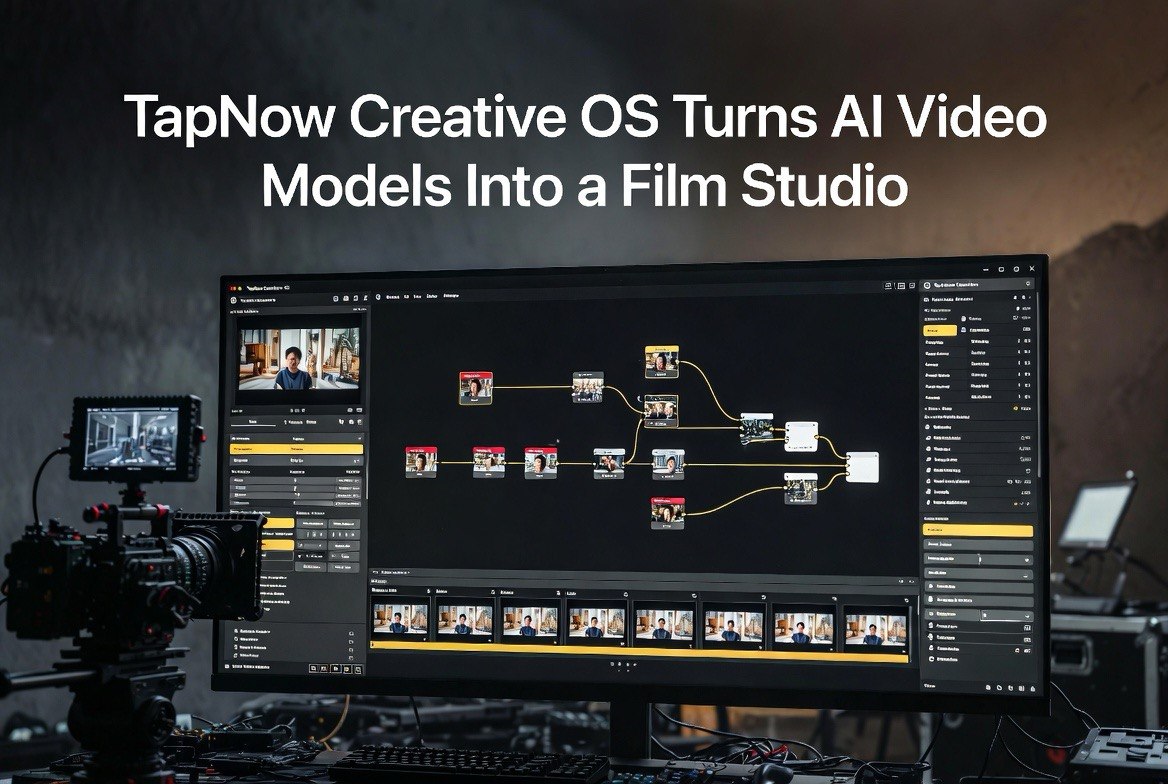
TapNow Creative OS is built to solve exactly that problem. It is an AI-native platform that replaces the fragmented workflow of switching between AI tools with a single, unified node-based workspace. Think of it as a DaVinci Resolve for AI video, except instead of editing footage, you are directing AI models to generate it.
What Makes TapNow Different
Most AI video platforms let you type a prompt and get a clip back. TapNow gives you a full production environment. You start in a node-based canvas where you can structure your entire project visually: script nodes feed into storyboard nodes, which feed into generation nodes, which feed into editing nodes. Every part of the pipeline is visible, editable, and connected.
The platform’s centerpiece is the “AI Executive Director,” a proactive agent that takes your high-level creative vision and manages the entire production workflow. You describe what you want, and the agent generates scripts, predicts subsequent scenes, and maintains shot-by-shot consistency without requiring you to manually specify every detail. Characters remain visually consistent across shots. Lighting stays coherent from scene to scene. The camera angle and lens characteristics carry through the edit naturally.
This consistency problem has been one of the hardest obstacles in AI video production. Individual clips look stunning. Stringing them together into a coherent narrative reveals the cracks. TapNow addresses this at the platform level rather than leaving it to the creator to fix in post-production.
Cinematic Controls That Matter
TapNow offers a level of granular control that has been absent from most AI video tools. The platform simulates real camera parameters, including specific lens models like ARRI ALEXA 35 with Signature Primes. You can set focal length, aperture, camera angle, and movement, and the AI respects those choices across generated frames.
| Feature | What It Does | Why It Matters |
|---|---|---|
| Camera simulator | Simulates ARRI ALEXA 35, Signature Primes, focal lengths, f-stops | Cinematic look without real cameras or lighting gear |
| Multi-angle control | Draggable cube for rotation, tilt, scale, wide-angle | Precise camera moves, not just random generation |
| Studio lighting | Global brightness, temperature, key light, rim light | Consistent lighting across multi-shot sequences |
| Object replacement | Replace elements while preserving lighting and motion | Fix details without regenerating entire scenes |
| AI Executive Director | Proactive agent maintains character + style consistency | No character drift across scenes |
| Multi-model hub | Veo, Kling 3.0, Runway, Midjourney, Flux, Hailuo, Pixverse | Best model for each shot, one interface |
The Model-Agnostic Strategy
Rather than building its own video generation model, TapNow acts as a hub that unifies the best available models into a single workflow. You can use Google Veo for cinematic shots, Kling 3.0 for stylized storytelling, Midjourney for concept art, and Flux for high-fidelity stills, all within the same project. The platform handles the model switching automatically based on the shot requirements you specify.
This model-agnostic approach is strategically smart because the AI video landscape is moving fast. New models launch constantly, benchmark rankings shift weekly, and the “best” model depends on what you are trying to achieve. TapNow insulates creators from that churn. You learn one tool, and the platform brings in whatever model performs best for each specific task.
The platform also supports template cloning and project remixing. If another creator has built a workflow that produces the look you want, you can clone their project structure and adapt it to your content. This community-driven approach accelerates the learning curve significantly.
Pricing and Accessibility
TapNow offers a free tier that gives you access to the basic node-based workspace and a limited set of generation credits. Paid plans start at $15 per month, which includes higher generation limits, access to premium models, and advanced features like the AI Executive Director and multi-angle camera control.
For context, $15 per month is competitive with individual subscriptions for tools like Runway ($15-30/mo) or Midjourney ($10-60/mo), but TapNow gives you access to all of those models through a single interface with added production workflow features. For creators who regularly produce AI video content, the cost is justified by the time saved on workflow management alone.
The platform is entirely browser-based. There is no software to install, no GPU requirements, and no dependency on local hardware. Everything runs on TapNow’s infrastructure, which means the quality of your output depends on your creative direction, not your computer’s specifications.
Who Should Use TapNow Creative OS
TapNow is designed for creators who want cinematic AI video but are frustrated by the fragmented tools ecosystem. If you have been juggling between Midjourney for concepts, Runway for motion, and Premiere for editing, TapNow replaces that stack with a single environment.
Content creators producing social media ads with AI-generated footage will benefit from the consistency controls. Filmmakers experimenting with AI-assisted production will appreciate the camera simulation and lighting tools. Marketing teams producing product videos at scale will value the template-based workflows and model flexibility.
The platform is less suited for simple one-off video generation where you just need a quick clip without creative control. For that use case, a basic text-to-video tool like Dreamina or CapCut would be faster and cheaper. TapNow’s value is in the production workflow, not the speed of individual clip generation.
Real-World Use Cases and Results
Creators using TapNow have produced complete AI-generated short films with the platform. One notable example is a retro-inspired horror short film created using Kling 3.0 within the TapNow environment, demonstrating that the platform can handle narrative storytelling, not just standalone clips. The film maintains consistent character design, lighting, and atmosphere across multiple scenes, which is exactly the kind of output that fragmented tool workflows struggle to produce.
For commercial applications, TapNow supports e-commerce UGC-style ads, product launch videos, social media campaigns, and brand marketing content. The ability to maintain product consistency across different shots and angles is particularly valuable for e-commerce, where a product must look identical across multiple video variations. The object replacement feature allows creators to swap out specific elements in a scene without regenerating the entire shot, which is useful for creating A/B test variants of ad creative.
The template cloning feature enables agencies and marketing teams to build standardized production workflows. A team can create a template that defines the ideal camera setup, lighting configuration, and model selection for a specific type of content, then clone that template for each new project. This dramatically reduces setup time for recurring content types like product demos, social ads, and brand stories.
The platform has also gained traction among independent filmmakers experimenting with AI-assisted production. The cinematic controls allow filmmakers to approach AI generation with the same vocabulary and techniques they use on live-action sets. Setting up a key light and a rim light, choosing a 50mm prime at f/2.8, and adjusting camera height relative to the subject are standard filmmaking practices that translate directly into TapNow’s interface. This lowers the barrier for traditional filmmakers to adopt AI tools without abandoning their existing craft knowledge.
How TapNow Compares to Other AI Video Workflows
The AI video space currently has several approaches to production. Single-model platforms like Kling or Veo give you a specific model’s capabilities through a clean interface. Aggregator platforms like Higgsfield give you access to multiple models through a single subscription but do not provide the production workflow layer. End-to-end creative operating systems like TapNow provide both model access and the full production environment.
The tradeoff is complexity. Single-model platforms are simpler to learn but limited in what they can produce. Aggregators give you model choice but leave you to figure out the workflow. TapNow requires a larger upfront investment in learning the node-based interface, but that investment pays back in reduced friction for every subsequent project. For creators producing AI video content regularly, the learning curve is worth climbing. For someone who needs one quick clip, a simpler tool makes more sense.
The platform also sits alongside other AI filmmaking tools like Saga (a story-first OS focused on narrative development), Google Flow (Google’s native AI video workspace), and CinematicOS. The differentiating factor is TapNow’s combination of the AI Executive Director agent and the cinematic camera controls, which no other platform matches at the same level of granularity.
Getting Started With TapNow
To start using TapNow, visit tapnow.ai and sign up for the free tier. The platform includes a library of professional works that you can study to understand workflow patterns, as well as community projects you can clone and remix. The node-based interface is visual and intuitive once you understand the basic flow: input nodes for your creative brief, processing nodes for generation and editing, and output nodes for final export.
The free tier gives you enough credits to build a few complete projects and evaluate whether the platform fits your creative workflow. If you are producing AI video content for a business, the $15 per month paid tier is the logical starting point. The premium models, higher generation limits, and advanced controls justify the upgrade within the first few projects.
Frequently Asked Questions
FAQ
What is TapNow Creative OS?
TapNow Creative OS is an AI-native visual creation platform that acts as a complete filmmaking studio in the browser. It integrates multiple AI video models into a single node-based workspace with cinematic camera controls and a proactive AI agent.
How much does TapNow cost?
TapNow offers a free tier with basic access. Paid plans start at $15 per month, which includes higher generation limits, premium model access, and advanced features like the AI Executive Director.
Which AI models does TapNow support?
TapNow integrates Google Veo, Kling 3.0, Runway, Midjourney, Flux, Hailuo, Pixverse, and other major AI video and image models through a single unified interface.
Does TapNow maintain character consistency across scenes?
Yes. The AI Executive Director agent maintains shot-by-shot consistency in characters, lighting, style, and continuity across scenes.
Is TapNow browser-based or does it require installation?
TapNow is entirely browser-based. No software installation is required, and there are no GPU requirements.

About Barak Schurr
Barak Schurr is a serial entrepreneur who built and exited a major ticketing platform before turning his attention to AI and content. He runs three AI-focused research sites and writes about the tools, workflows, and strategies that let solo creators build real channels — without a crew, a studio, or a Hollywood budget.
Email: [email protected]