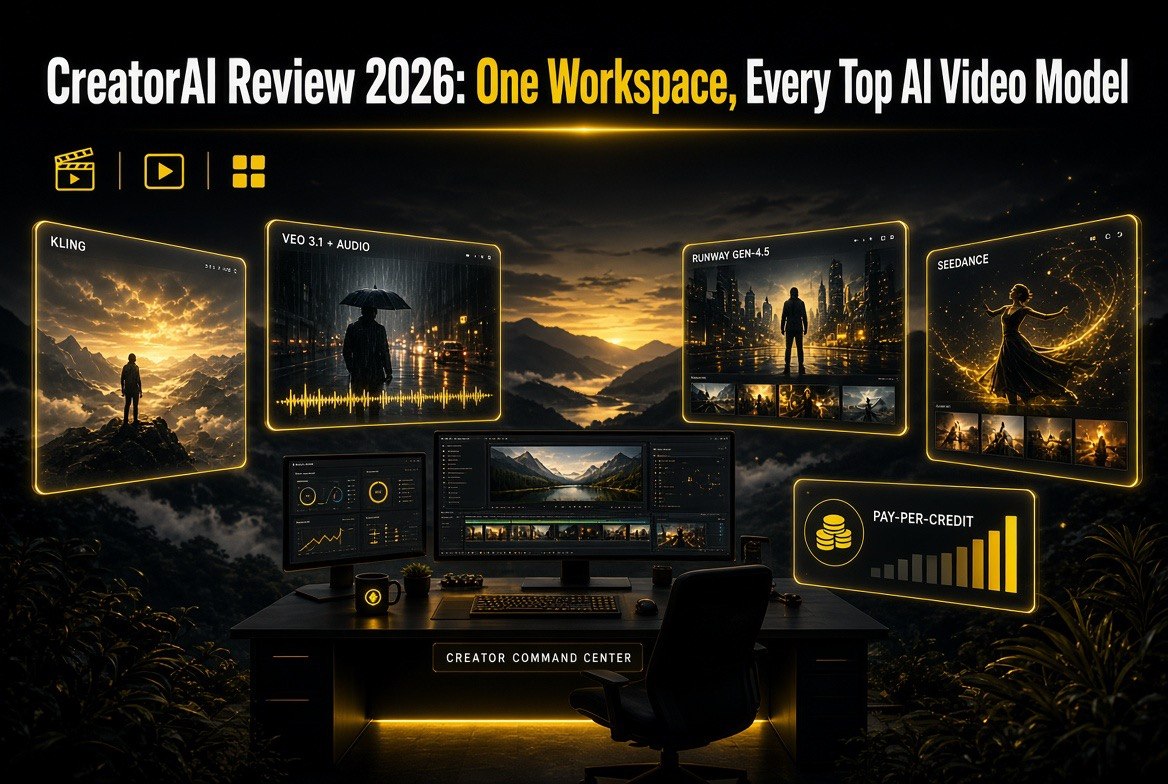
CreatorAI Review 2026: One Workspace, Every Top AI Video Model
Get The Faceless YouTube Blueprint — Free
The exact AI tool stack and workflow used to build a faceless YouTube channel from zero.
CreatorAI Review 2026: One Workspace, Every Top Video Model
⚡ Expert Summary: CreatorAI is a single web workspace that routes your prompt to the best current AI video models — Kling (v2.1/v3), Google Veo 3.1 (with audio), Runway Gen-4.5, Seedance, and MiniMax — so you don’t juggle five subscriptions or manage API keys. It handles text-to-video and image-to-video with prompt, duration, and resolution controls in one clean interface. There’s a free tier (10 credits, 720p, watermark), and paid access is a simple pay-per-credit pack rather than a locked subscription: roughly $10 (100 credits), $15 (200 credits), or $20 (300 credits), with top tiers adding priority rendering, voice cloning, and faster queue times. Commercial use is included.
The AI video space in 2026 has a tool problem: the output keeps getting spectacular, but nobody wants to manage five separate subscriptions, remember five logins, and port prompts between five interfaces just to find which model nails today’s shot. CreatorAI is built to remove exactly that friction — a single login, one prompt box, and behind it the strongest current model routed automatically to the job.
For a solo creator, that consolidation matters more than it sounds. The models advance weekly, and the “best” one changes depending on whether you need motion realism, synchronized audio, clean text rendering, or a specific style. Rather than commit to one model and gamble, CreatorAI lets you stay current by default. Here’s what it actually does, what it costs, and whether it earns a permanent spot in your workflow.
What CreatorAI Does Differently
CreatorAI isn’t a model — it’s a workspace that sits on top of several of them. You describe the video you want, and it sends the job to the model best suited to your prompt and settings, then returns the result in the same place you started. The value is in the routing and the single surface, not in re-inventing video generation.
Text-to-video and image-to-video in one box
Start from a written idea or a reference image and generate motion from it. With multiple models behind the same prompt box, you can compare how different engines interpret the same idea without switching tools — a fast way to find the look you want for a project.
Model choice without API plumbing
The models that power these tools — Kling v2.1 and v3, Veo 3.1, Runway Gen-4.5, Seedance, MiniMax — each have their own access, credits, and quirks. CreatorAI hides all of that. You don’t manage keys, top up five wallets, or learn five prompt dialects; the platform abstracts model access behind one interface. Veo 3.1’s synchronized audio and Runway Gen-4.5’s motion handling are available without you separately wiring them up.
Controls that matter (duration, resolution, voice)
You set clip duration and resolution rather than accepting a fixed output. On higher tiers, voice cloning comes into play for projects that need narration or character voices aligned to the footage. Prompt controls let you steer composition the way you’d expect from a modern generator.
Commercial use from the start
Solo creators making ads, client work, or monetized channel content need clean licensing, and CreatorAI includes commercial use rather than gating it behind a business tier. That removes a headache for anyone selling the output.
Why Consolidation Is the Real Feature
It’s tempting to dismiss CreatorAI as “just a wrapper,” but for the solo creator the wrapper is the product. The practical reality of 2026 is that no single video model wins every category. Kling and Seedance are strong on certain motion and style jobs; Veo 3.1 leads on native synchronized audio and longer, more coherent clips; Runway Gen-4.5 is a reference point for controlled generation and editing-centric workflows. If you’re chasing a specific result, you often want two or three of these, not one.
Running them separately means budgeting across several subscriptions, remembering which login holds your credits, and manually transplanting a prompt that worked in one tool into another whenever the leader changes. CreatorAI collapses that into “type once, get options, compare, export.” For a creator whose time goes mostly to ideation and editing, not to infrastructure, the single surface genuinely changes the workflow — you stay on whatever model is best right now without deciding in advance which one that is.
CreatorAI vs. Running Models Directly
Solo creators realistically choose between subscribing to individual model platforms (Kling, Veo through its own access, Runway) or using an aggregator surface like CreatorAI. Here’s the honest comparison.
| Factor | CreatorAI (aggregator) | Direct model subscriptions |
|---|---|---|
| Number of accounts/logins | One | Several, per platform |
| Staying current with model leaders | Automatic routing | Your job to track & re-subscribe |
| Comparing models on one idea | Same prompt box, side by side | Re-prompt in each tool |
| Cost structure | Pay-per-credit packs, no lock-in | Per-platform subscriptions |
| Deepest model-native features | Limited to what the surface exposes | Full access to every native control |
The tradeoff is honest: an aggregator gives you convenience and breadth at the cost of occasionally not exposing the deepest native setting of a given model. If you live inside one particular engine and need its most granular controls, subscribing directly may win. If you want one login, current-model routing, and the ability to compare engines on a single prompt, CreatorAI’s consolidation is the point — and for most solo creators who don’t want to run video infrastructure, that’s the better everyday fit.
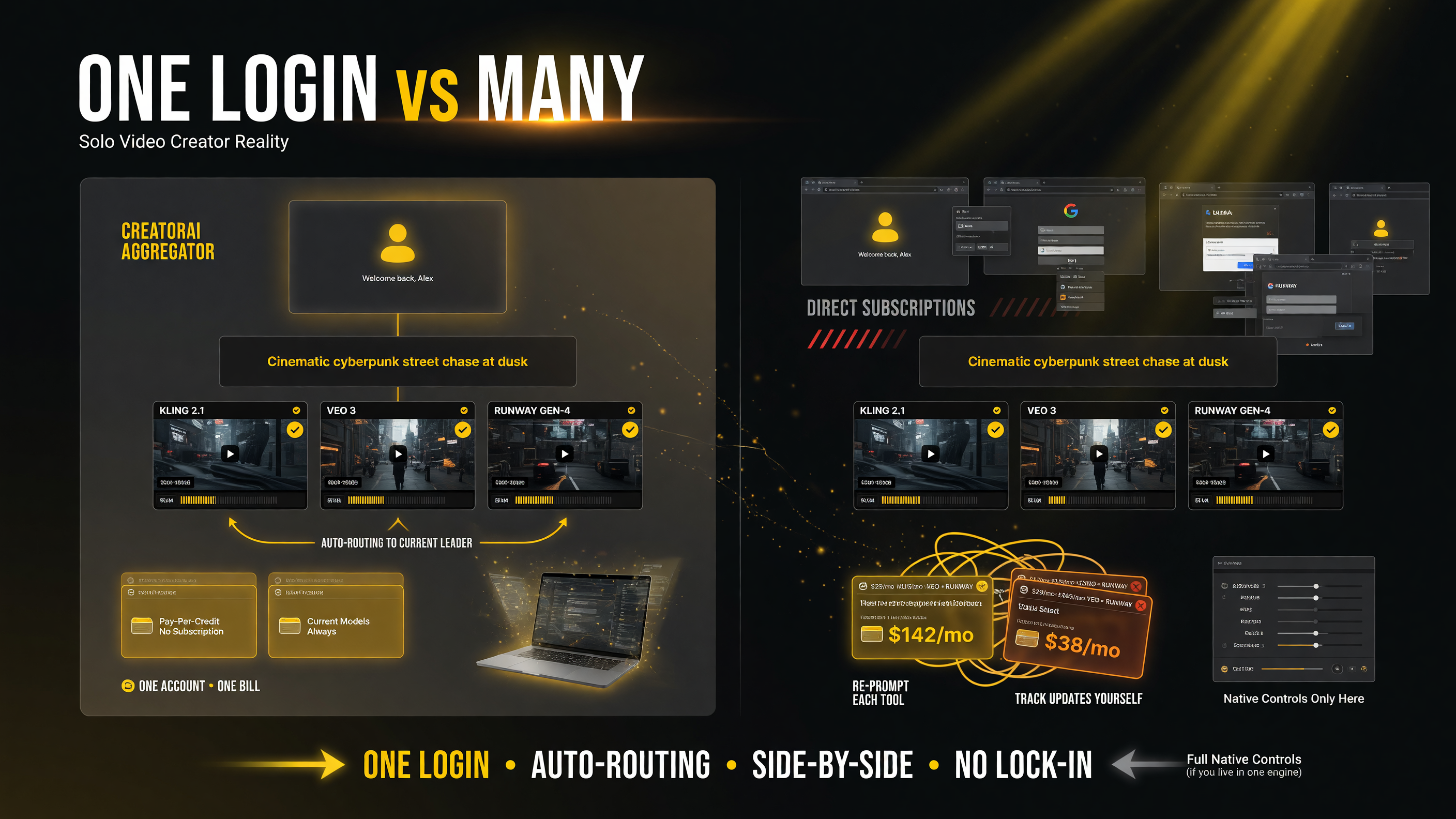
For most solo creators who don’t want to run video infrastructure, the consolidation point wins: one login, one bill, automatic routing to the current model leader, and the ability to compare engines on a single prompt side by side.
How to Set Up a Video Workflow
Getting value out of CreatorAI comes from treating it as your single prompt surface rather than one more tool in a rotation. A practical setup looks like this.
- Start on the free tier. Use the 10-credit allowance to test prompts and learn which settings each model rewards before you spend.
- Buy a small credit pack when you hit a real project. With no subscription to cancel, the Starter pack is a low-risk way to test whether the routing model fits your output quality bar.
- Run the same prompt across two models deliberately. The aggregator makes comparison cheap — use it to learn which engine handles character motion, fast camera moves, or clean text for your niche.
- Keep your best prompts in a library. Because the leader model changes, a saved prompt you can re-fire later is more valuable than a one-off generation.
- Export and edit externally. Treat the generations as footage to assemble in your editor, not finished uploads — that keeps your channel voice consistent across AI clips.
Creators who win with aggregators use them as the “which engine this week” decision layer on top of a stable editing workflow, rather than expecting any single generation to be the finished product.
Pricing: Pay-Per-Credit, No Subscription Lock-In
CreatorAI’s pricing is refreshingly simple — a free tier for testing, then one-time credit packs instead of recurring subscriptions you forget to cancel.
| Tier / Pack | Credits & what you get | Who it fits |
|---|---|---|
| Free | 10 credits, 720p, watermark | Testing prompts & models |
| Starter (~$10) | 100 credits, 1080p, no watermark | Occasional projects |
| Pro (~$15) | 200 credits, priority, voice cloning | Regular weekly creators |
| Max (~$20) | 300 credits, top priority, support | Heavy or client workloads |
Because credits are one-time purchases rather than monthly allowances, the cost story is “pay when you actually generate.” That’s attractive for creators whose volume spikes and lulls — you’re not burning a monthly plan in slow weeks. Confirm the current pack pricing and credit math on the site, since pack sizes and model-cost-per-credit can shift as new engines are added.
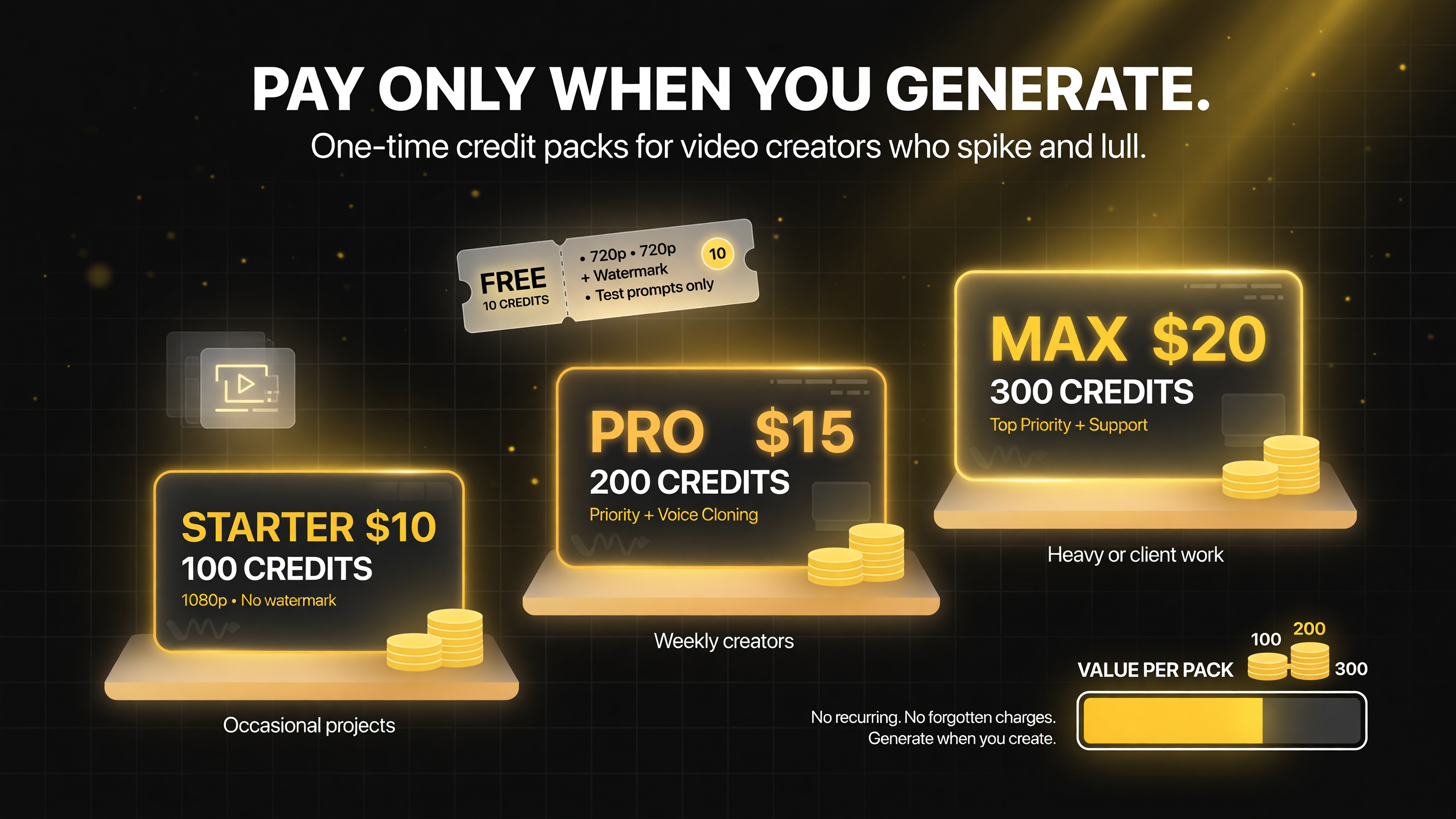
Because credits are one-time purchases rather than monthly allowances, the cost story is simple: pay when you actually generate — you’re not burning a monthly plan in slow weeks.
Putting It to Work: A Responsible CreatorAI Pipeline
The obvious risk with an aggregator that can toss clips at you from five engines is that it becomes an infinite reel of disposable generations — and that’s a real money and attention sink. The professionals I’ve watched use these surfaces well share one habit: they treat every generation as a draft for a specific slot, not as content. Before you spend a single credit, decide what the clip must accomplish — does it need to open a video with an establishing moment, visualize a concept that’s impossible to shoot, or carry an ad’s emotional beat? Writing that down first is what separates a tool that serves your channel from one that just burns credits.
Second, budget like you mean it. Because CreatorAI is pay-per-credit with no monthly allowance to hide waste, the friction is visible — and that’s actually helpful discipline. A useful rule of thumb is to allocate a fixed number of credits per project up front and refuse to top up mid-scene. If the shot isn’t landing within that budget, the problem is usually the brief, not the model, which cues you to sharpen the prompt rather than throw more generations at a vague idea.
Third, keep a per-model journal. As the leader shifts weekly, your notes on which engine handled motion, text, or pacing best for your niche become a real asset. Next time you need a fast camera move, you reach for the model that nailed it before instead of re-discovering it at credit cost.
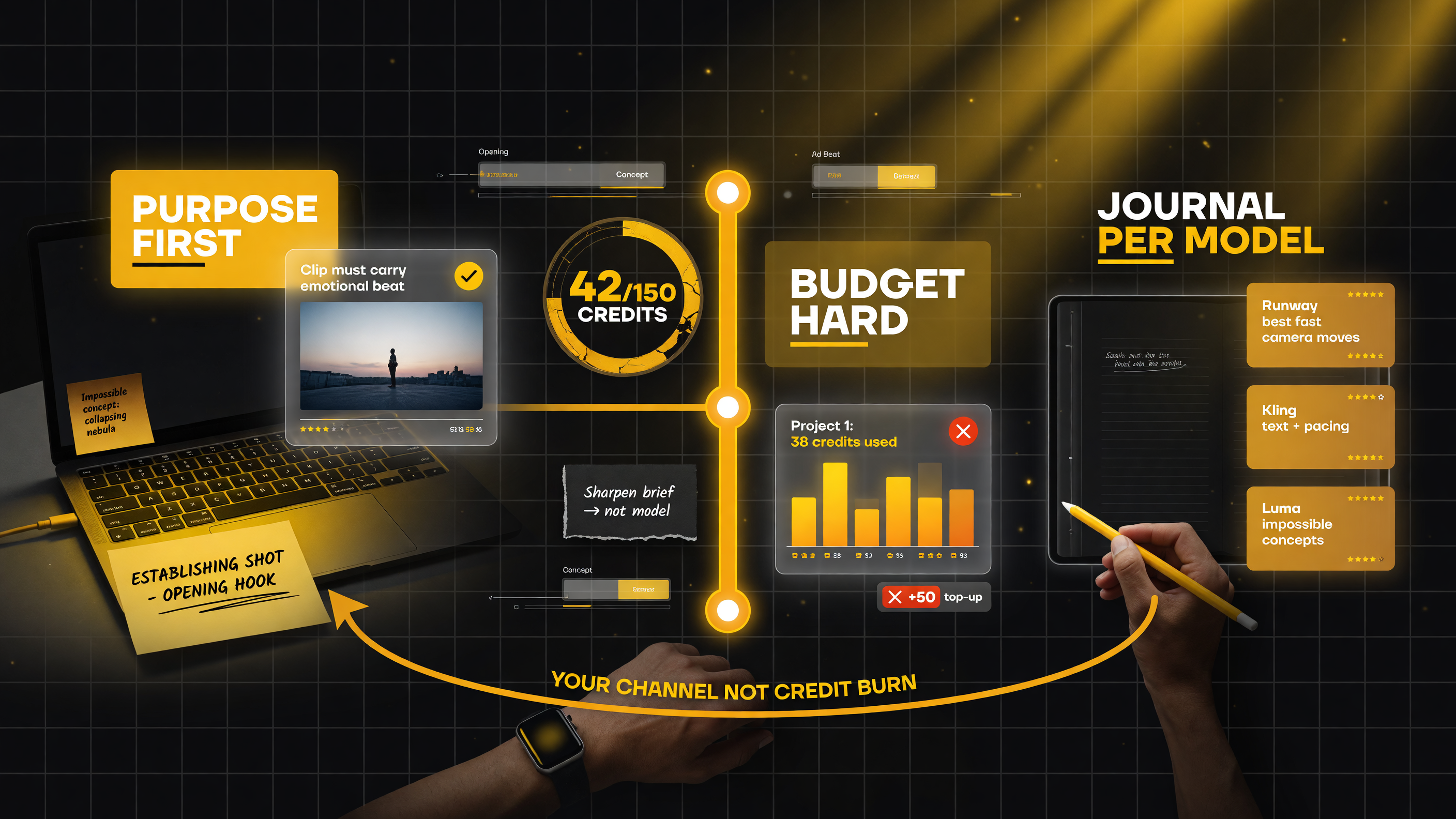
Professionals treat every generation as a draft for a specific slot, not content: decide the clip’s purpose before spending a credit, budget a fixed number of credits per project and refuse to top up mid-scene, and keep a per-model journal as the leader shifts weekly — your channel, not a credit burn.
Where CreatorAI Falls Short
Be straight about the limits. As an aggregator, CreatorAI exposes the shared, high-value controls but not always the deepest native feature of a specific model — if you need an engine’s most granular setting, going direct may be necessary. Your generations also ride on the platform’s routing and uptime, so if a preferred model is briefly unavailable, your choice narrows. And pay-per-credit means heavy users doing dozens of renders a week will spend more managing credits than they would on an unlimited plan elsewhere, so the pricing model favors moderate-to-light generation over constant-volume pipelines.
There’s also the reality of every AI-video surface: output still needs curation. Models can deliver impressive but unusable clips, and your real work is assembling, pacing, and keeping the results on-brand in an editor. CreatorAI removes infrastructure friction; it doesn’t remove the editing judgment.
Should a Solo Creator Use CreatorAI?
The honest decision framework:
- Are you tired of managing multiple AI video subscriptions? One login with current-model routing removes the admin overhead.
- Do you want to stay on the best model without tracking releases? Automatic routing keeps you current by default.
- Do you compare engines on the same idea? A single prompt box makes side-by-side testing fast.
- Do you live inside one model’s deepest native controls or render nonstop? Going direct or taking an unlimited plan likely fits better.
For the solo creator whose bottleneck is never a shortage of ideas but the admin of keeping current across a fast-moving field, CreatorAI is a genuinely useful simplification — one workspace, current models, pay-as-you-go, commercial use included. It won’t replace your editing craft, but it removes the worst part of AI video in 2026: the chore of managing the tools themselves.
FAQ
What is CreatorAI?
CreatorAI is a web workspace that routes video-generation prompts to the strongest current AI video models — including Kling, Google Veo 3.1 with audio, Runway Gen-4.5, Seedance, and MiniMax — through a single interface with text-to-video, image-to-video, and prompt/duration controls.
Is CreatorAI a video model?
No. CreatorAI is an aggregator that sits on top of multiple leading AI video models, handling model routing, credits, and access so you generate through one login instead of managing several subscriptions or API keys.
How much does CreatorAI cost?
It has a free tier (10 credits, 720p, watermark) and one-time pay-per-credit packs: Starter ~$10 (100 credits, 1080p, no watermark), Pro ~$15 (200 credits, priority, voice cloning), and Max ~$20 (300 credits, top priority, dedicated support). Commercial use is included.
Can I compare different AI video models in CreatorAI?
Yes. Because multiple models sit behind the same prompt box, you can run the same idea across different engines and compare results without switching tools, which helps you pick the best model for a given shot or style.
Does CreatorAI allow commercial use of the videos?
Yes, commercial use is included with generation on CreatorAI, so solo creators can use the output in ads, client work, and monetized channel content without a separate business license.

Written by
Barak Schurr
Barak Schurr is a serial entrepreneur who built and exited a major ticketing platform before turning his attention to AI and content. He runs three AI-focused research sites and writes about the tools, workflows, and strategies that let solo creators build real channels — without a crew, a studio, or a Hollywood budget. [email protected]
More AI Video Resources